
Linked Images
New in version 13.5.0
Complete link support with TYPO3 link browser integration, additional parameters, and proper URL handling.
This guide covers how to create and configure linked images in CKEditor, including the link browser integration, click behavior options, and URL parameters.
Table of Contents
Click Behavior Options
The image dialog provides three click behavior options:
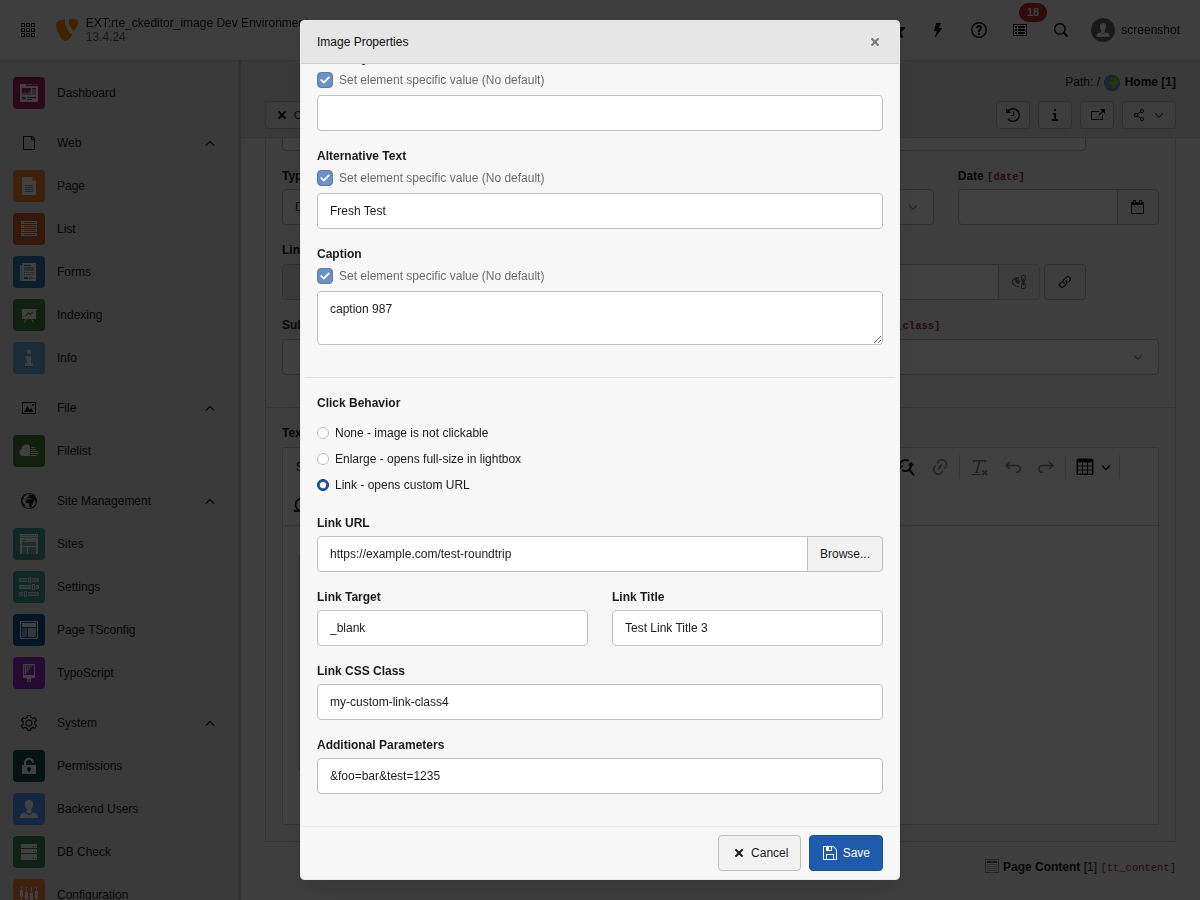
The Click Behavior section with three options: None, Enlarge, and Link
None
-
Image is not clickable. No link is applied.
Enlarge
-
Opens the full-size image in a lightbox/popup. Uses the
enableZoomattribute and TYPO3's built-in popup handling.See Advanced Features for lightbox integration.
Link
-
Wraps the image in a custom link. Opens the TYPO3 link browser to select the link target.
Link Browser Integration
When "Link" click behavior is selected, editors can use TYPO3's link browser to select link targets:
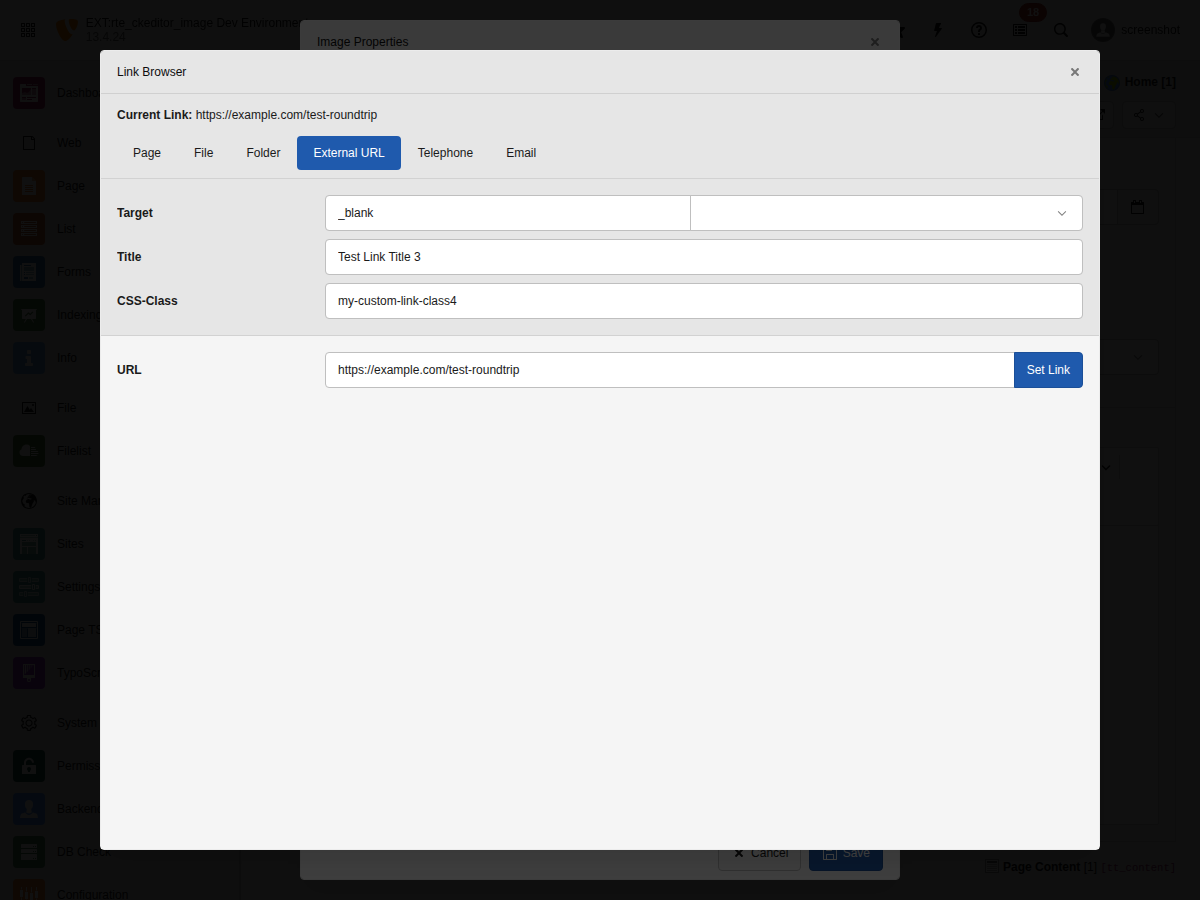
The TYPO3 Link Browser for selecting link targets
Supported Link Types
- Page: Internal TYPO3 pages (
t3://page?uid=123) - File: Files from FAL (
t3://file?uid=456) - Folder: Folder references
- URL: External URLs (
https://example.com) - Email: Email links (
mailto:info@example.com) - Telephone: Phone links (
tel:+1234567890)
Link Attributes
Each link can have the following attributes:
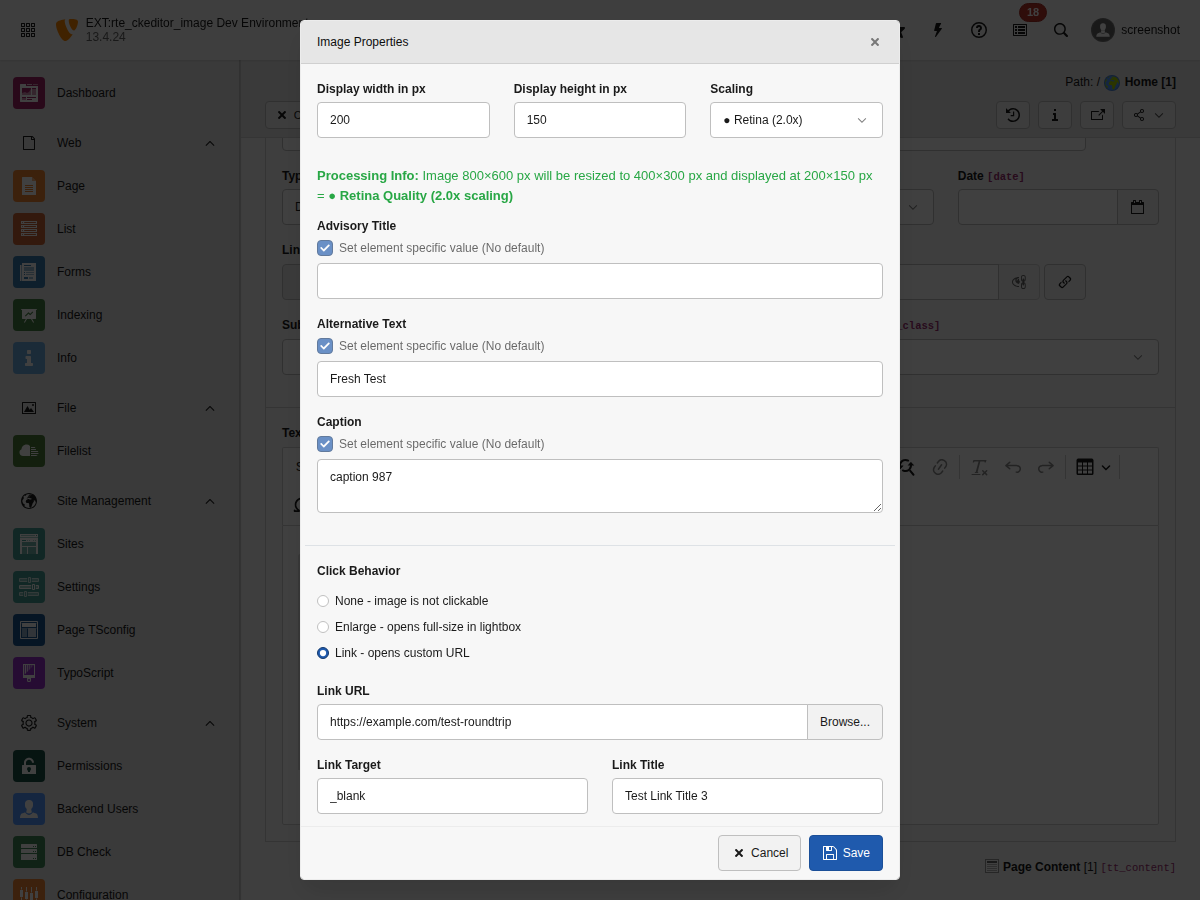
All link configuration fields in the Image Properties dialog
- Link URL
- The link target. Can be a TYPO3 link (
t3://...) or external URL. - Link Target
-
Window target for the link:
- (default): Same window
- _blank: New window/tab
- _self: Same window (explicit)
- _parent: Parent frame
- _top: Top frame
- Link Title
- Advisory title shown as tooltip on hover.
- Link CSS Class
- CSS classes applied to the
<a>element. - Additional Parameters
- URL query parameters appended to the link (e.g.,
&L=1&type=123).
TypoLink Format
Linked images use TYPO3's TypoLink format internally. Understanding this format helps when debugging or customizing:
url target class "title" additionalParams
| Position | Parameter | Model Attribute | Example |
|---|---|---|---|
| 1 | URL | linkHref | t3://page?uid=1 |
| 2 | Target | linkTarget | _blank |
| 3 | Class | linkClass | external-link |
| 4 | Title | linkTitle | "Click here" |
| 5 | Params | linkParams | &L=1&type=123 |
URL Parameter Handling
Additional parameters are intelligently appended to URLs:
Basic Examples
# URL without query string
/page + &L=1 → /page?L=1

# URL with existing query string
/page?foo=bar + &L=1 → /page?foo=bar&L=1

# URL with fragment (preserved at end)
/page#section + &L=1 → /page?L=1#section

# URL with both query and fragment
/page?foo=bar#section + &L=1 → /page?foo=bar&L=1#sectionPHP Implementation
The
Link method handles all edge cases:
use Netresearch\RteCKEditorImage\Domain\Model\LinkDto;

$link = new LinkDto(
    url: 'https://example.com/page?existing=param#section',
    target: '_blank',
    class: 'external',
    params: '&utm_source=ckeditor&L=1',
    isPopup: false,
    jsConfig: null
);

// Returns: https://example.com/page?existing=param&utm_source=ckeditor&L=1#section
$fullUrl = $link->getUrlWithParams();Frontend Rendering
Linked images are rendered with the configured attributes. Internal
links retain their original rel (or none):
<a href="/page?L=1#section"
   target="_blank"
   title="Click to view details"
   class="image-link external">
    <img src="/fileadmin/_processed_/image.jpg"
         alt="Product image"
         width="800"
         height="600" />
</a>External links opening a new browsing context receive rel="noreferrer"
automatically — mirroring TYPO3 typolink security semantics. See
External link security (rel="noreferrer").
<a href="https://example.com"
   target="_blank"
   rel="noreferrer">
    <img src="/fileadmin/_processed_/image.jpg"
         alt="Product image"
         width="800"
         height="600" />
</a>Fluid Template Access
In custom Fluid templates, access link properties via the link object:
<f:if condition="{image.link}">
    <a href="{image.link.urlWithParams}"
       target="{image.link.target}"
       title="{image.link.title}"
       class="{image.link.class}">
        <f:render partial="Image" arguments="{image: image}" />
    </a>
</f:if>Clearing Stale Attributes
When selecting a new link from the link browser, all previous link attributes are cleared automatically. This prevents stale values from being retained:
// Before: Image linked to /old-page with target="_blank" and class="old-class"
// User selects new link: /new-page with no target or class

// After: Only the new URL is set, old attributes are cleared
// linkHref: '/new-page'
// linkTarget: null (cleared)
// linkClass: null (cleared)
// linkTitle: null (cleared)
// linkParams: null (cleared)This behavior ensures editors always see the actual link configuration without inherited values from previous links.
Translations
All link-related UI labels are translatable. The following keys are available
in locallang_be.xlf:
<!-- Link field labels -->
<trans-unit id="labels.ckeditor.linkUrl">
<trans-unit id="labels.ckeditor.linkTarget">
<trans-unit id="labels.ckeditor.linkTitle">
<trans-unit id="labels.ckeditor.linkCssClass">
<trans-unit id="labels.ckeditor.linkParams">
<trans-unit id="labels.ckeditor.linkParamsPlaceholder">

<!-- Target options -->
<trans-unit id="labels.ckeditor.linkTargetDefault">
<trans-unit id="labels.ckeditor.linkTargetBlank">
<trans-unit id="labels.ckeditor.linkTargetTop">
<trans-unit id="labels.ckeditor.linkTargetSelf">
<trans-unit id="labels.ckeditor.linkTargetParent">

<!-- Click behavior labels -->
<trans-unit id="labels.ckeditor.clickBehavior">
<trans-unit id="labels.ckeditor.clickBehaviorNone">
<trans-unit id="labels.ckeditor.clickBehaviorEnlarge">
<trans-unit id="labels.ckeditor.clickBehaviorLink">Translations are provided for 31 languages. See Resources/Private/Language/
for the complete list.
Troubleshooting
Link not saved
Symptom: Link attributes are lost after saving.
Cause: Processing rules may be stripping link attributes.
Solution: Ensure your RTE processing configuration allows link attributes:
processing:
  allowAttributes:
    - { attribute: 'href', elements: 'a' }
    - { attribute: 'target', elements: 'a' }
    - { attribute: 'title', elements: 'a' }
- { attribute: 'class', elements: 'a' }Link browser doesn't open
Symptom: Clicking "Browse..." does nothing.
Cause: JavaScript error or missing backend route.
Solution: Check browser console for errors. Ensure the extension is properly
installed and the linkBrowserAction route is accessible.
Parameters not appended correctly
Symptom: URL shows /page?foo=bar?L=1 (double question mark).
Cause: Parameters are prefixed with ? instead of &.
Solution: Always use & prefix for additional parameters. The
get method handles normalization automatically.