
Create initial content for news
Recommended page structure
To enable comments for news articles using rd_, use the following minimal structure:
- Home – Root page with TypoScript template included
- News List – Page that displays a list of news articles
- News Detail & RD Comments plugin page – Renders both the news article and the comment section
- Storage – Folder to store both
newsandcommentrecords
Example page tree:
Home
├── News List
├── News Detail & RD Comments plugin page
└── Storage
    └── News & Comment Storage
Copied!
Create news records
You must first create some news articles using the EXT: extension.
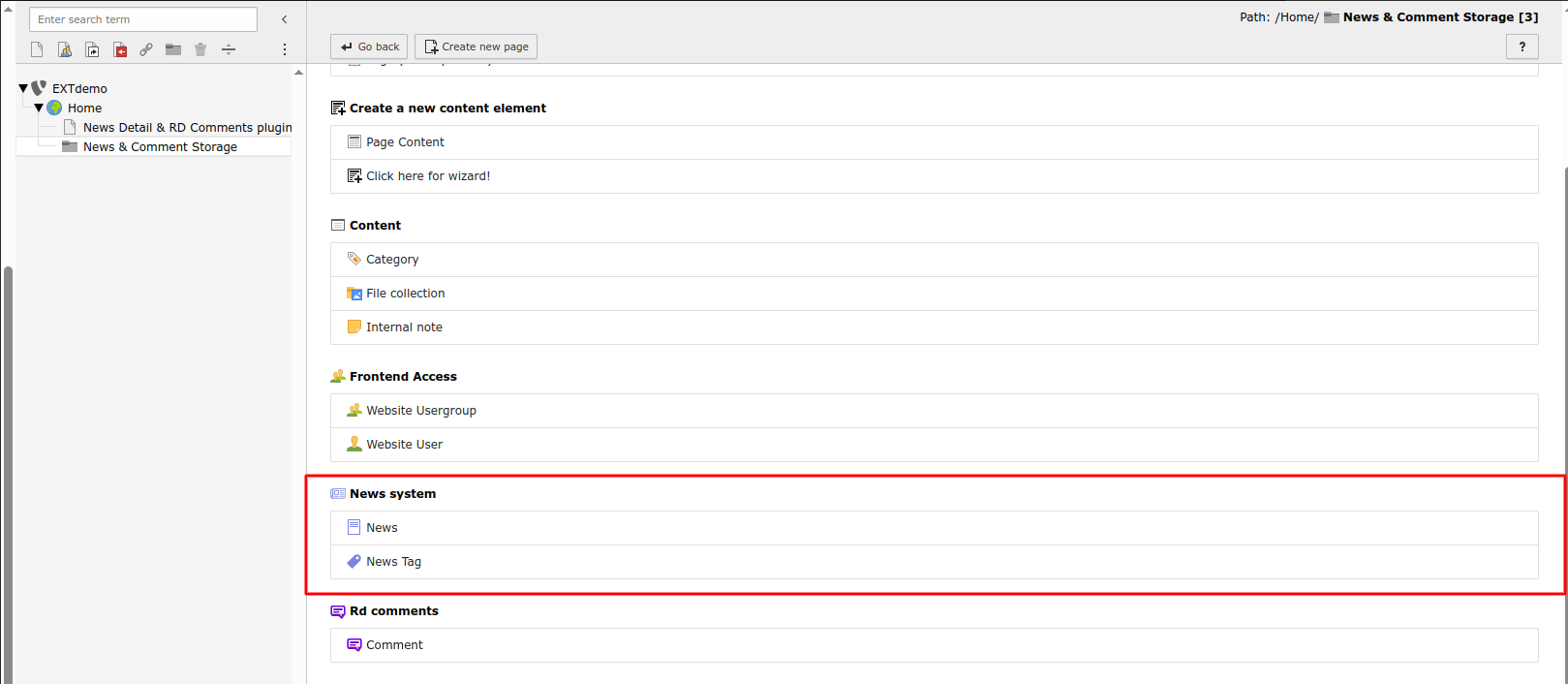
- Go to the Web > List module
- Select the News & Comment Storage folder
- Click Create new record and choose News
- Fill in required fields such as Title, Teaser, and Content
- Click Save
Configure News Detail View
To display the full article on the detail page, configure the News plugin for Detail view.
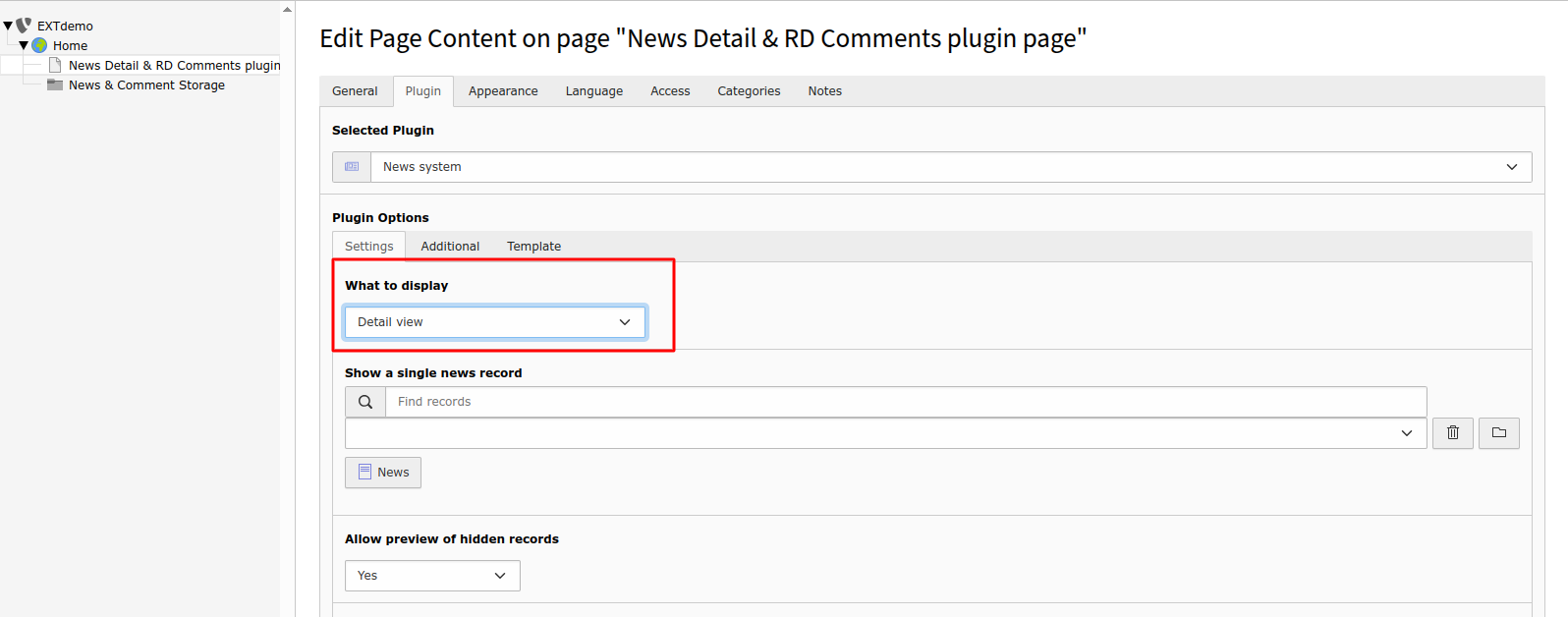
- On the News Detail page, add a new content element: News Plugin
- In the plugin settings, choose Detail view as the What to display option
Now assign the storage folder:
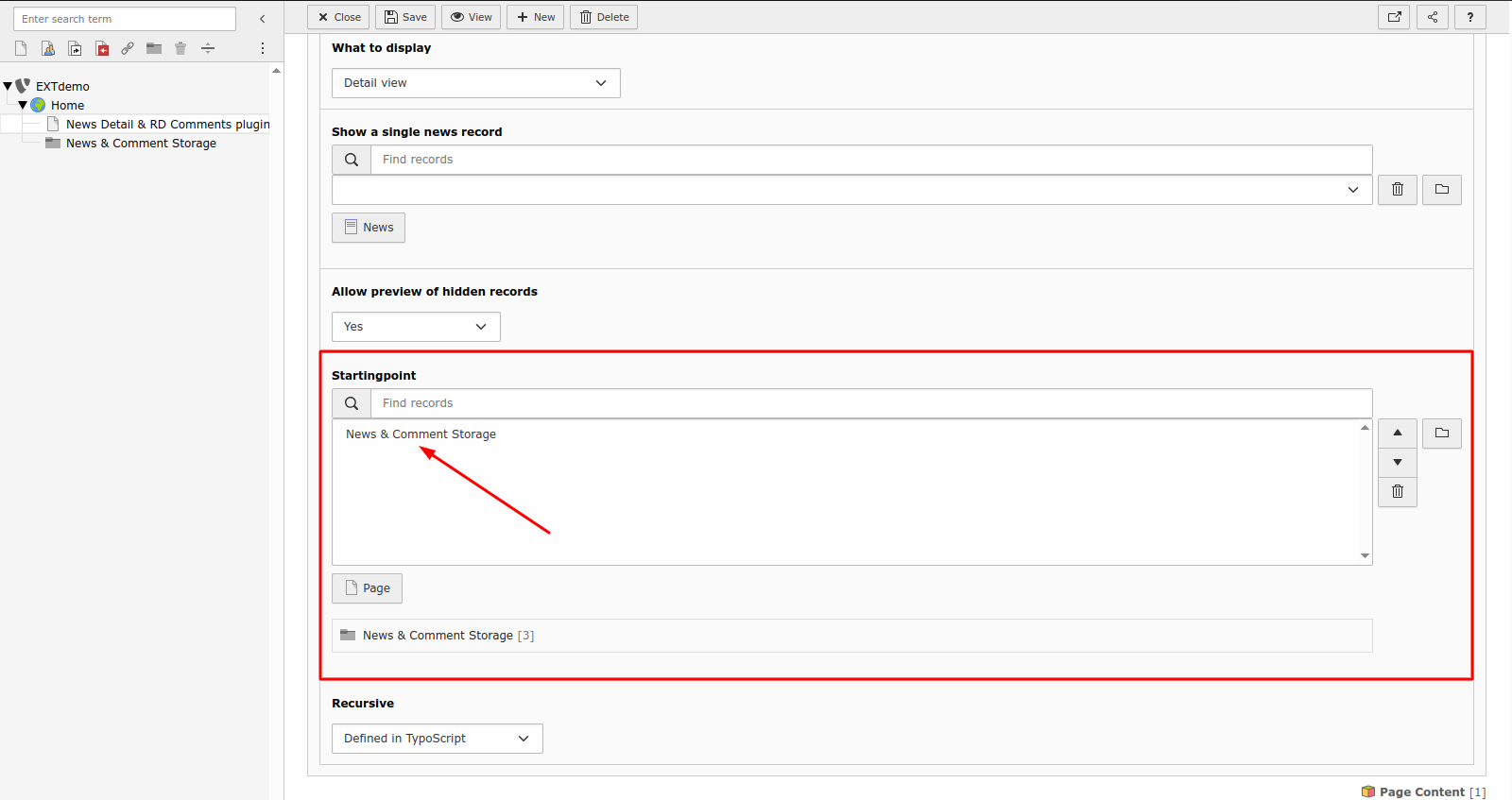
- Under the Plugin tab: - Set the Starting Point / Storage Page to your News & Comment Storage folder - Click Save
Add the RD Comments plugin
Add the RD Comments plugin to show the comment thread and form.
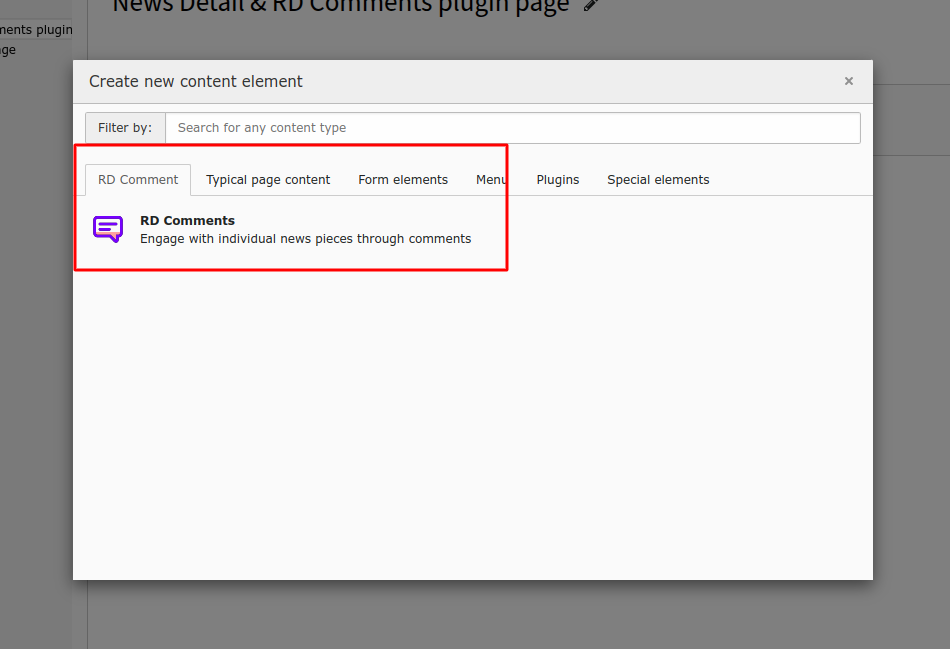
- On the same News Detail page, add another content element: RD Comments > Comments

- In the plugin settings: - Set the Record Storage Page to the News & Comment Storage
Important
Both the News Detail View and RD Comments plugins must be placed on the same page for proper linking and display.
Check the frontend
When visiting the News List page in the frontend, you should see:
- A list of news articles
- Each article links to its corresponding detail view
- The detail page shows the article and a threaded comment section below
For layout and styling customization, see the Frontend rendering of comments section.