The Low Level extension provides command line scripts for technical analysis of
the system. This includes raw database search, checking relations, counting
pages and records.
EXT:lowlevel: Modules and tools to handle internal lowlevel data
For various reasons your TYPO3 installation may over time accumulate data with
integrity problems or data you wish to delete completely. For instance, why keep
old versions of published content? Keep that in your backup - don't load your
running website with that overhead!
Or what about deleted records? Why not flush them - they also fill up your
database and filesystem and most likely you can rely on your backups in case of
an emergency recovery?
Also, relations between records and files inside TYPO3 may be lost over time for
various reasons.
If your website runs as it should such "integrity problems" are mostly easy to
automatically repair by simply removing the references pointing to a missing
record or file.
However, it might also be "soft references" from eg. internal links
(
<a href="t3://page?id=123">...</a>
) or a file referenced in a TypoScript
template (
something.file = fileadmin/template/miss_me.jpg
) which are missing.
Those cannot be automatically repaired but the cleanup script incorporates
warnings that will tell you about these problems if they exist and you can
manually fix them.
These scripts provide solutions to these problems by offering an array of tools
that can analyze your TYPO3 installation for various problems and in some cases
offer fixes for them.
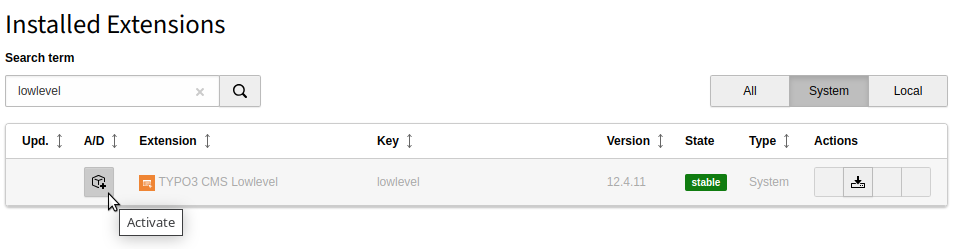
Installation of system extension lowlevel
The extension
typo3/cms-lowlevel
is part of the TYPO3 Core,
but not installed by default.
Gives insights into different configuration values. In cases where
the final configuration gets combined at different levels this
module can be used to debug the final output. Configuration values
cannot be changed in this module.
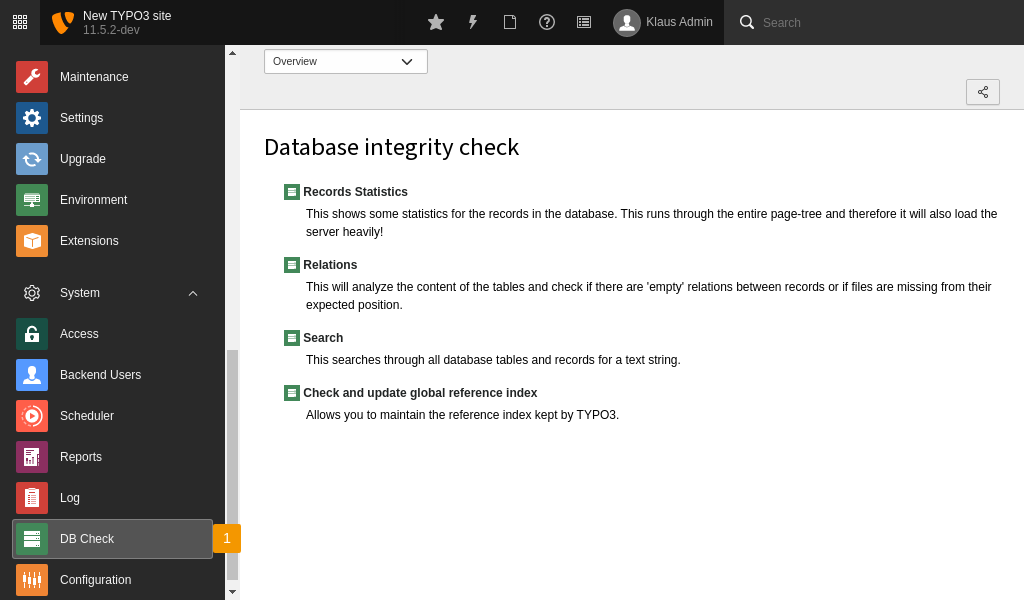
Module System > DB Check
Access this module in the TYPO3 backend under System > DB Check.
Can be used on smaller installations to check or update the
reference index.
Records Statistics
Users with administrator rights can find this module at
System > DB Check > Records Statistics.
This module gives an overview of the count of records of different types.
The Records Statistics action
Database Relations
Users with administrator rights can find this module at
System > DB Check > Database Relations.
The module gives some overview of missing relations in fields of the TCA types
select and group.
The Database Relations action
Full Search
Users with administrator rights can find this module at
System > DB Check > Full Search.
Raw search of all fields
This module offers a raw search of all fields. Here you can enter
a string and do a raw search.
The result is grouped by record type and there are buttons to edit or get to
the info of each record.
The Full search action
Advanced query
If you select the option Advanced query you can choose the table
to search and search in different fields.
The Advanced query action
Chose a table to search in. Then you can search for certain fields. The GUI
will let you choose from values that can be entered according to the
TCA.
For example you can search in table Page Content
(SQL table
tt_content
) for content elements of a certain type, stored in
data base field Type, SQL field
CType
. A drop down gives you
options on the search mode (equals, contains, is in list, ...) and another
drop down lets you choose the value to search for. In this case it lists all
available content element types.
You can select more options like group by, order by and limit.
It is also possible to save and load queries. The queries will be saved
serialized in the column
uc
of table
be_users
. It can therefore
not be shared between users.
Just like in the raw search there are buttons to edit or get to
the info of each record.
The reference index in TYPO3 is the table sys_refindex.
(Related link: Soft references).
The table contains all relations/cross correlations between datasets.
For example a content element has an image and a link.
These two references can be found in this table stored against this
unique data record (tt_content uid).
When you want to perform a TYPO3 update it is recommended to update these relations.
See Update Reference Index.
To perform an update you can use the TYPO3 Console command shown in that section.
TYPO3 installations with a small number of records can use the module
System > DB check and use the Manage Reference Index
function.
On TYPO3 installations with a large number of records and many relations between
those the maximum run time of PHP will be reached and the scripts therefore
fail. It is recommended to run the commands from the command line. This
module outputs the commands with absolute paths to update or check the
reference from the command line.
The Manage Reference Index action
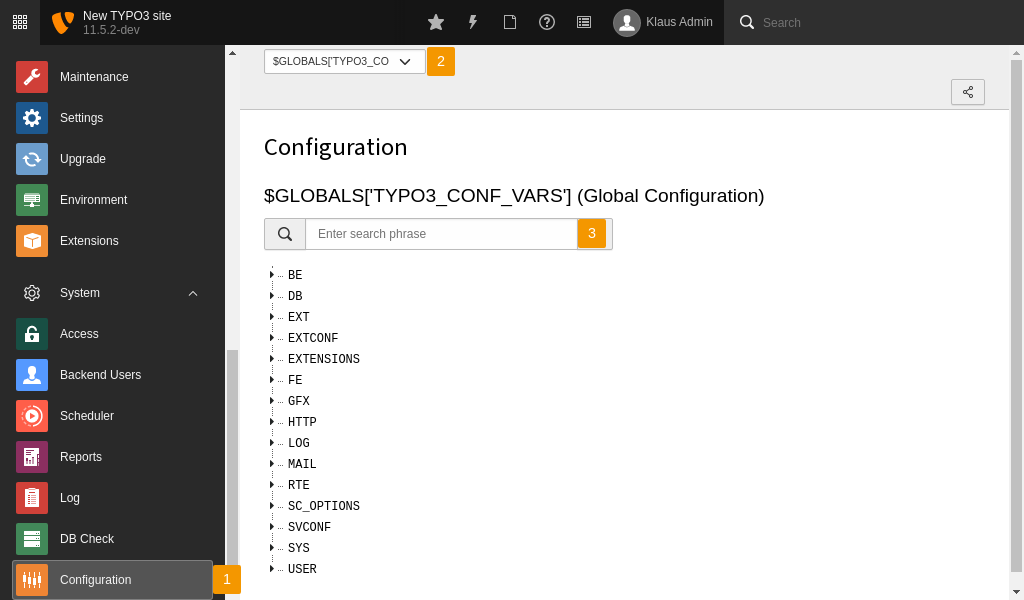
Module System > Configuration
The Configuration module allows integrators to view and validate the global
configuration of TYPO3. The module displays all relevant global variables such
as TYPO3_CONF_VARS, TCA and many more, in a tree format which is easy to browse
through. Over time this module got extended to also display the configuration of
newly introduced features like the middleware stack or the event listeners.
To make this module more powerful a dedicated API is available which
allows extension authors to extend the module so they can expose their own
configurations.
By the nature of the API it is even possible to not just add new
configuration but to also disable the display of existing configuration,
if not needed in the specific installation.
To extend the configuration module, a custom configuration provider needs to
be registered. Each "provider" is responsible for one configuration. The provider
is registered as a so-called "configuration module provider" by tagging it in the
Services.yaml file. The provider class must implement
the EXT:lowlevel/Classes/ConfigurationModuleProvider/ProviderInterface.php (GitHub).
The registration of such a provider looks like the following:
A new service with a freely selectable name is defined by specifying the
provider class to be used. Further, the new service must be tagged with the
lowlevel.configuration.module.provider tag. Arbitrary attributes
can be added to this tag. However, some are reserved and required for internal
processing. For example, the identifier attribute is mandatory and must be
unique. Using the before and after attributes, it is possible to specify
the exact position on which the configuration will be displayed in the module
menu.
The provider class has to implement the methods as required by the interface.
A full implementation would look like this:
The
__invoke()
method is called from the provider registry and provides
all attributes, defined in the Services.yaml. This can be used to set
and initialize class properties like the :php$identifier which can then be returned
by the required method
getIdentifier()
. The
getLabel()
method is
called by the configuration module when creating the module menu. And finally,
the
getConfiguration()
method has to return the configuration as an
array
to be displayed in the module.
There is also the abstract class
EXT:lowlevel/Classes/ConfigurationModuleProvider/AbstractProvider.php (GitHub) in place
which already implements the required methods; except
getConfiguration()
.
Please note, when extending this class, the attribute label is expected in the
__invoke() method and must therefore be defined in the Services.yaml.
Either a static text or a localized label can be used.
Since the registration uses the Symfony service container and provides all
attributes using
__invoke()
, it is even possible to use
dependency injection with constructor arguments in
the provider classes.
Displaying custom values from $GLOBALS
If you want to display a custom configuration from the
$GLOBALS
array,
you can also use the already existing
\TYPO3\CMS\Lowlevel\ConfigurationModuleProvider\GlobalVariableProvider
.
Define the key to be exposed using the globalVariableKey attribute.
This could look like this:
EXT:my_extension/Configuration/Services.yaml
myextension.configuration.module.provider.myconfiguration:class:'TYPO3\CMS\Lowlevel\ConfigurationModuleProvider\GlobalVariableProvider'tags:-name:'lowlevel.configuration.module.provider'identifier:'myConfiguration'label:'My global var'globalVariableKey:'MY_GLOBAL_VAR'
Copied!
Disabling an entry
To disable an already registered configuration add the
disabled
attribute
set to
true
. For example, if you intend to disable the T3_SERVICES key
you can use:
Sensitive data (like passwords or access tokens) should not be displayed in the
configuration module. Therefore, the PSR-14 event
ModifyBlindedConfigurationOptionsEvent is available to blind such
configuration options.
Command line tools provided by EXT:lowlevel
Preparations
Warning
THERE IS ABSOLUTELY NO WARRANTY associated with this script! It is completely on
your OWN RISK that you run it. It may cause accidental data loss due to software
bugs or circumstances that it does not know about yet - or data loss might
happen due to misuse!
Always make a complete backup of your website! That means:
Dump the complete database to an SQL file. This can usually be done from the
command line like this:
Try this first. If it all works out you should see a help-screen. Otherwise
there will be instructions about what to do.
You can use the script entirely by following the help screens. However, through
this document you get some idea about the best order of events since they may
affect each other.
For each of the tools in the test you can see a help screen by running:
The suggested order below assumes that you are interested in running all these
tests. Maybe you are not! So you should check the description of each one and if
there is any of the tests you wish not to run, just leave it out.
It kind of gets simpler that way since the complexity mostly is when you wish to
run all tests successively in which case there is an optimal order that ensures
you don't have to run the tests all over again.
[base command] cleanup:orphanrecords
As a beginning, get all orphaned records out of the system since you
probably want to. Since orphan records may keep some missing relations from
being detected it's a good idea to get them out immediately.
[base command] cleanup:deletedrecords
Flush deleted records. As a rule of thumb, tools that create deleted records
should be run before this one so the deleted records they create are also
flushed (if you like to of course).
[base command] cleanup:missingrelations
Remove missing relations at this point.
If you get an error like this: "TYPO3CMSCoreDatabaseReferenceIndex::setReferenceValue(): ERROR: No reference
record with hash="132ddb399c0b15593f0d95a58159439f" was found!" just run the test again until no errors occur.
The reason is that another fixed reference in the same record and field changed the reference index hash. Running
the test again will find the new hash string which will then work for you.
[base command] cleanup:flexforms
After the "deleted" tool since we cannot clean-up deleted records and to
make sure nothing important is cleaned up.
Nightly reports of problems in the system
If you wish to scan your TYPO3 installations for problems with a cronjob or so, a shell script that outputs a
report could look like this:
You may wish to change the verbosity level from -vv to -v as in the case
above, depending on how important you consider the warnings.
The output can then be put into a logfile so the logging system can report
errors.
You might also wish to disable tests like "deleted" which would report deleted
records - something that might not warrant a warning, frankly speaking ...
By default the SQL query used for searching the records is displayed
for successful searches and in case there are errors.
If this option is set to true the raw SQL query of the search is
not displayed in either case:
User TSconfig
mod.dbint {
    disableShowSQLQuery = 1
}
Copied!
disableSelectATable
disableSelectATable
Type
bool
Path
mod.dbint.disableSelectATable
Default
false
If this option is set to true the affected administrators cannot select a
table in which to search. This makes sense when there are prepared saved
queries that should be used by the administrator but she should not be able
to create new ones. If set to true disableStoreControl should be
set to false, otherwise the module
System > DB Check > Full Search > Advanced query cannot be used
at all by the affected administrator.