This is a forum and commenting system in list and tree view.
It is the oldest forum/message board extension in TYPO3. It is not aimed at competing with other
board products which feature a lot community like features with user profiles. However a front end
user login may be used to limit read/write access by simply access-restricting the very board
elements and pages used for display and submission of data. Use this extension in combination with a
front end user registration extension.
Screenshots
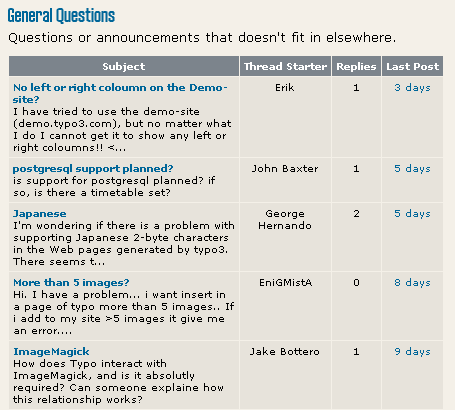
List type forum:
The forum topics and entries are listed in a table format.
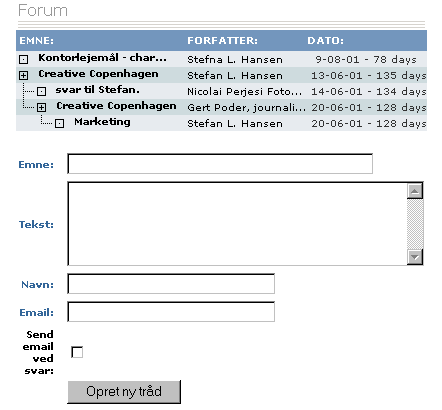
Tree type forum:
The forum topics and entries are listed in a tree format with a plus symbol.
Requirements:
PHP 8.0, TYPO3 12.4, extension div2007 1.16.0 and extension tslib_fetce 0.8.0 are the minimum requirements.
Install tt_board from the Extension Manager. Maybe the extension must be fetched from TYPO3 TER in the
Extension Manager or from https://extensions.typo3.org/ by downloading a ZIP file and uploading it into your TYPO3 system.
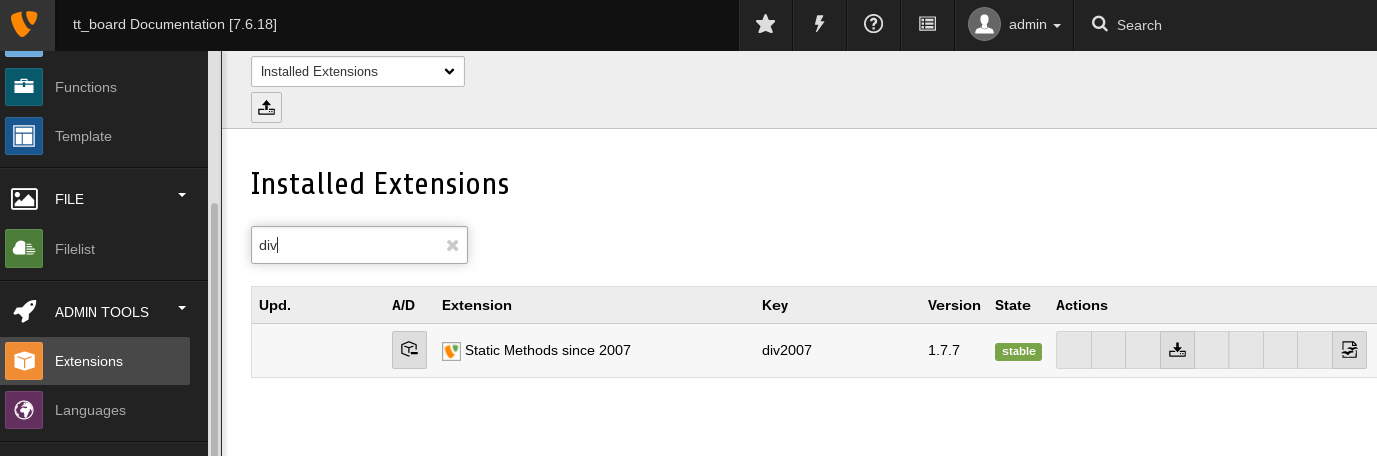
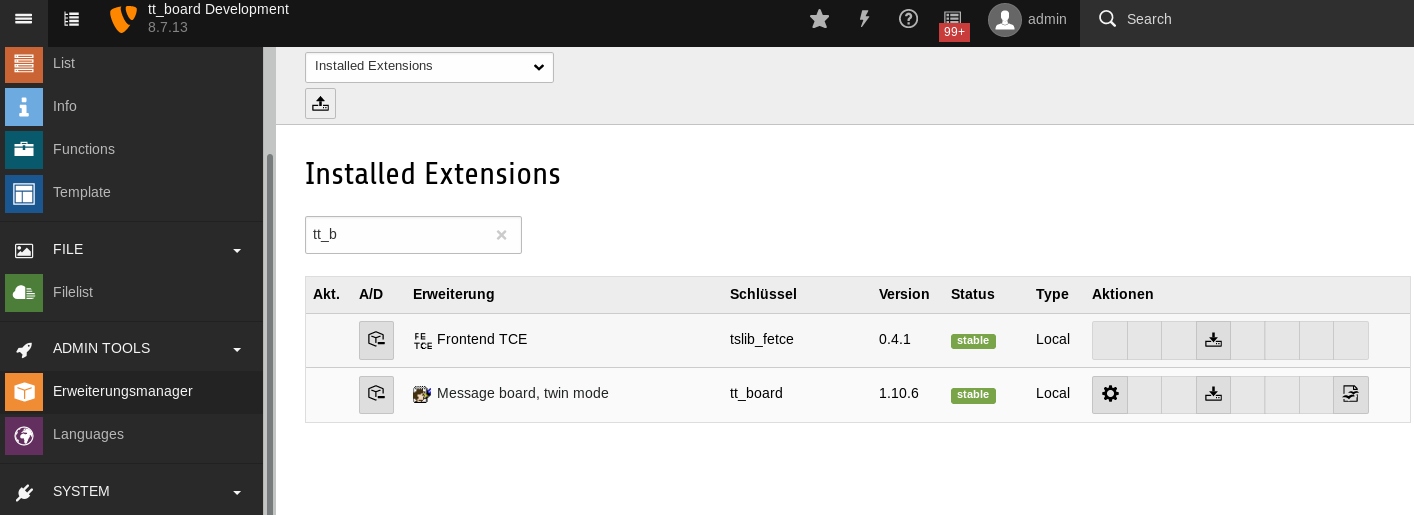
list tt_board in the Extension Manager
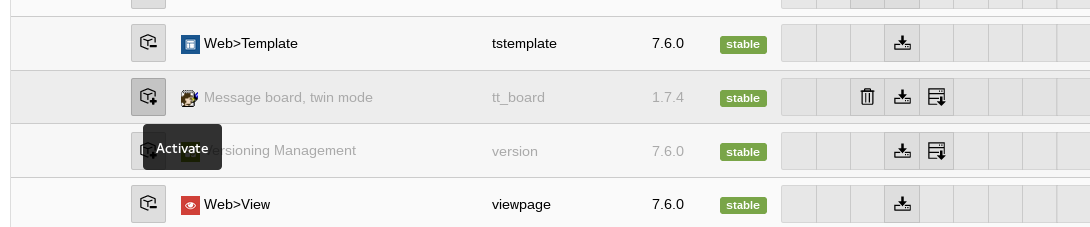
Activate tt_board in the Extension Manager.
Check if tt_board has been activated.
list tt_board in the Extension Manager after activation
tt_board must have been activated in the Extension Manager.
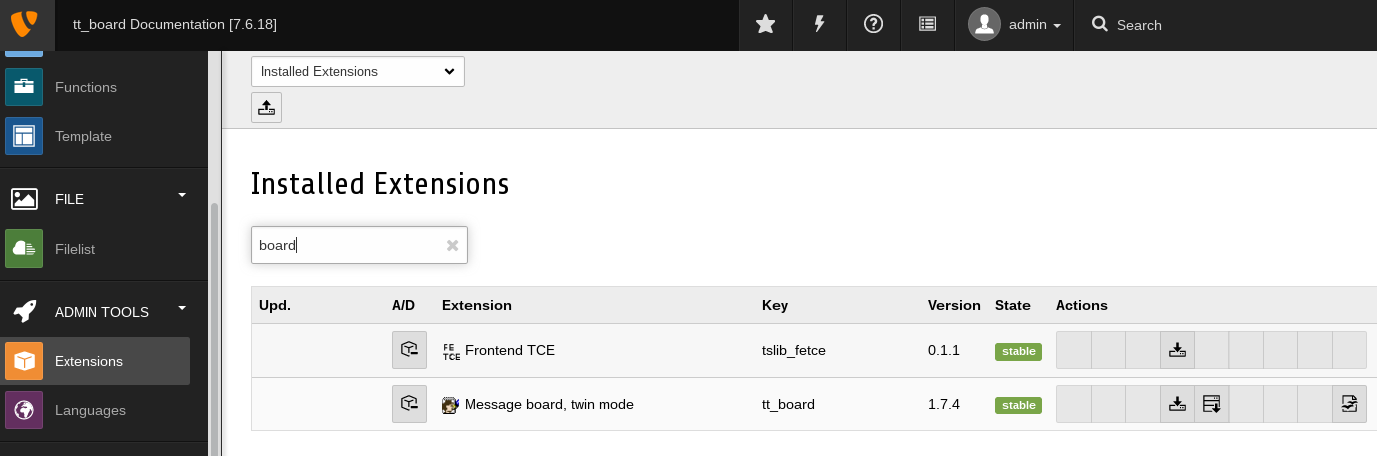
The Extension Manager should have activated all the dependant extensions automatically.
list tt_board's depending extensions in the Extension Manager after activation
tt_board depends on some extensions which are automatically activated from the Extension Manager when tt_board is activated.
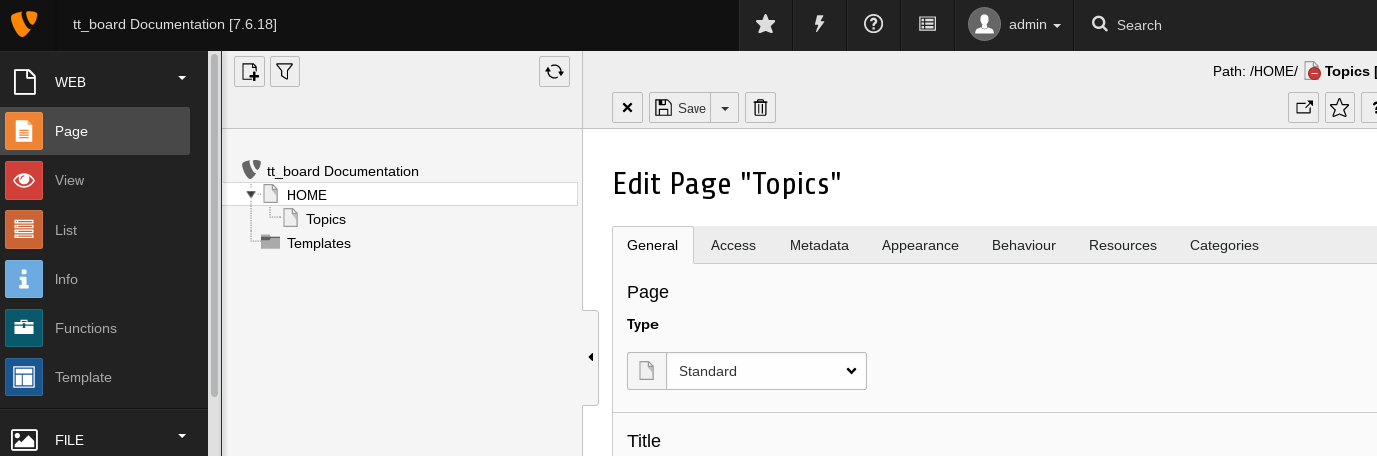
Choose or add a starting page for the forum.
Each forum needs a starting page.
Use the TYPO3 backend page module to add a starting page.
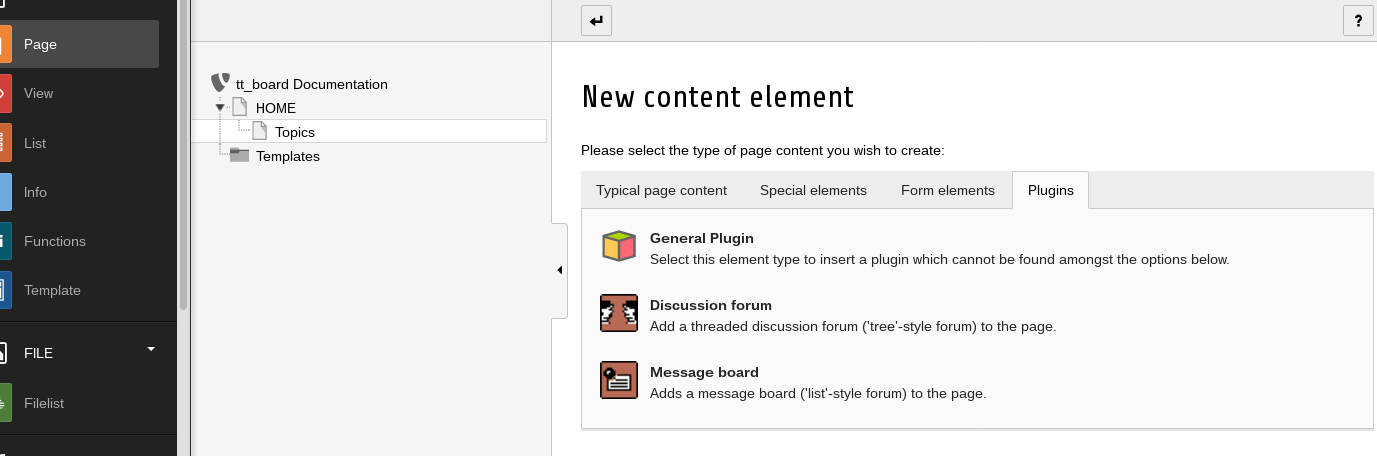
Add a new content element and choose the Board plugin.
The forum needs "Discussion Forum" or a "Message Board" plugin.
Choose the "Message Board" plugin for this example.
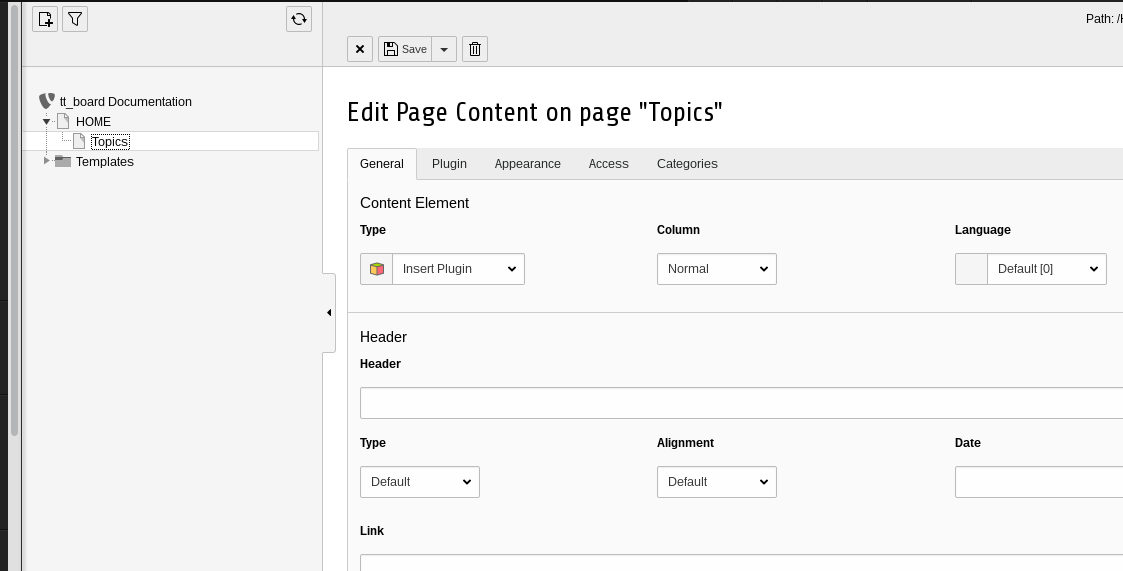
Insert the Plugin on your Topics page
plugin addition
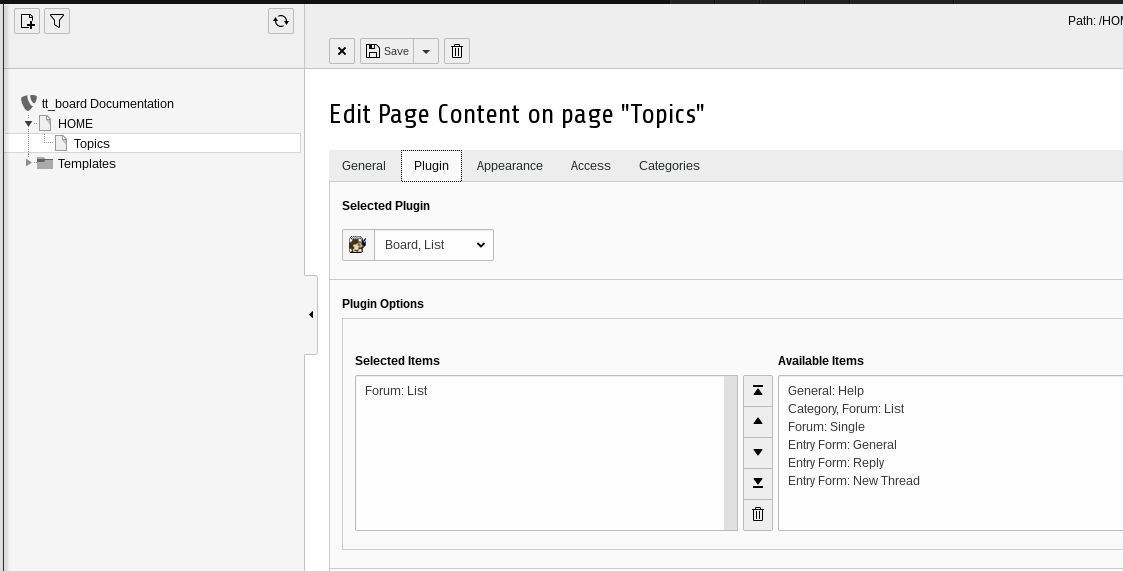
After the previous step you will see the "General" tab of the content element of the plugin.
Select the Forum: List flexform of the Plugin “Board, List”
forum list plugin addition
From the list of the available items you shall choose "Forum: List" for this example. Press the save button.
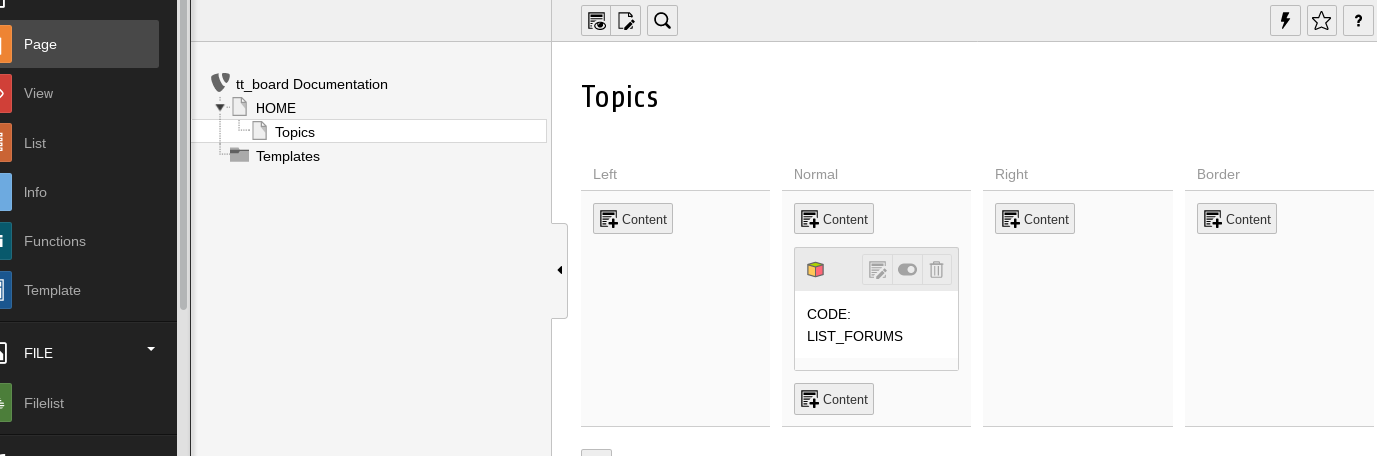
Verify the code in the page module. It must be ‘LIST_FORUMS’.
forum list code verification
Just to be sure that everything has been accomplished correctly, have a look at the code of the plugin.
Add two subpages underneath the Topics page.
Add 2 subpages "Forum 1" and "Forum 2"
Two forum pages are created below the forum starting page.
Add a discussion forum to the page “Forum 1”.
Add plugin for message board 1.
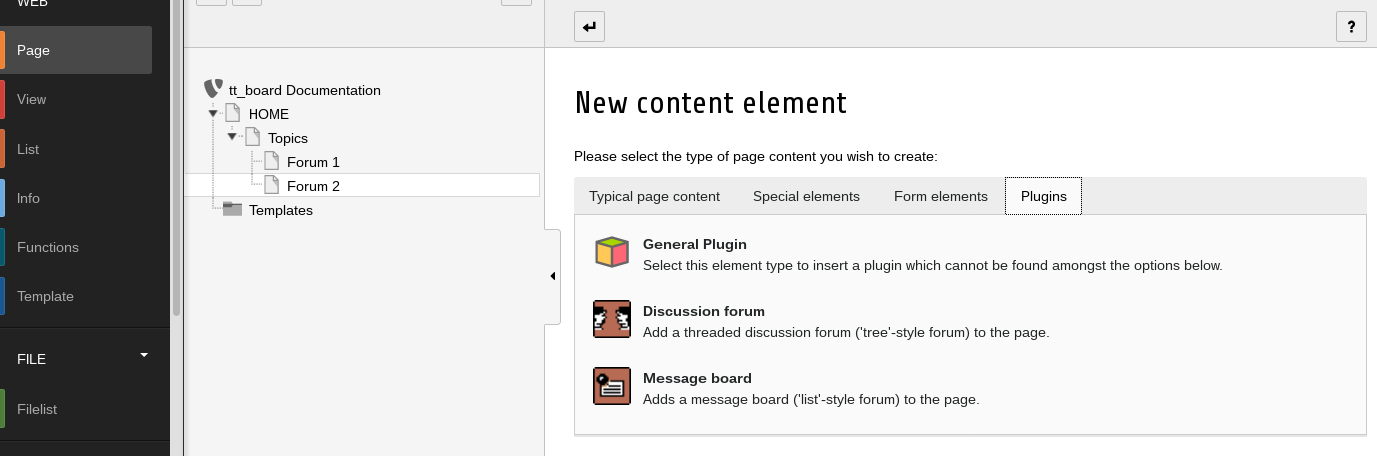
Use the "New content element wizard".
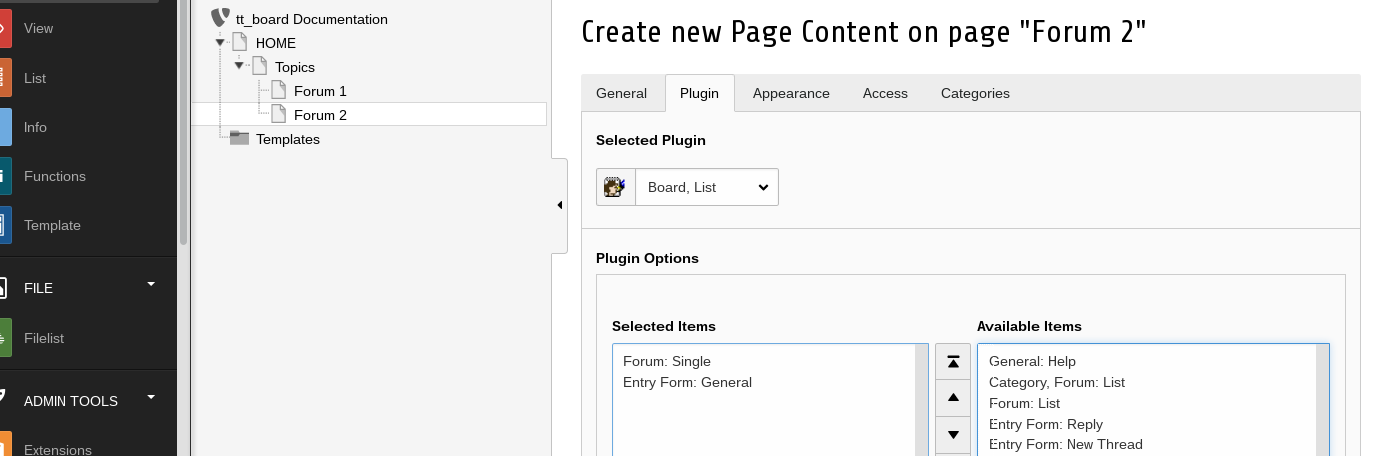
Add a new content element of the type plugin and subtype "Message Board" from the plugin tab.
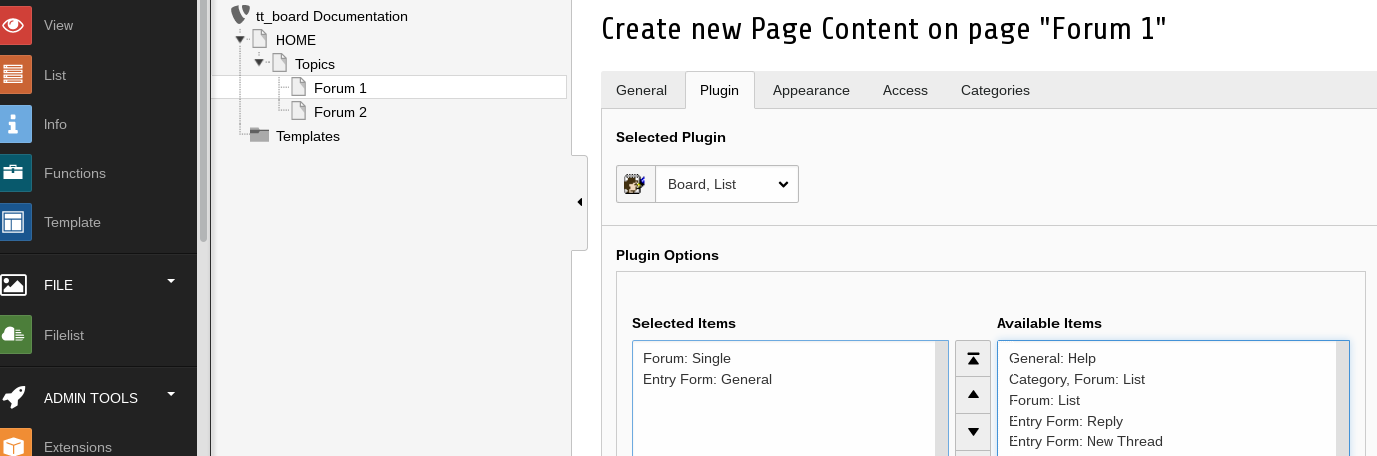
Insert the flexforms “Forum: Single” and “Entry Form: General” .
Click 2 message board plugins from "Available items" into "Selected items"
Choose from the available display modes for the "Message Board" (Board / List).
Add the Message board to the “Forum 2” page.
New content element wizard with plugin tab
Add a new content element of the type plugin and subtype "Message Board" from the plugin tab.
Insert the “Forum: Single” and “Entry Form: General” flexforms.
Click 2 message board plugins from "Available items" into "Selected items"
Choose from the available display modes for the "Message Board" (Board / List).
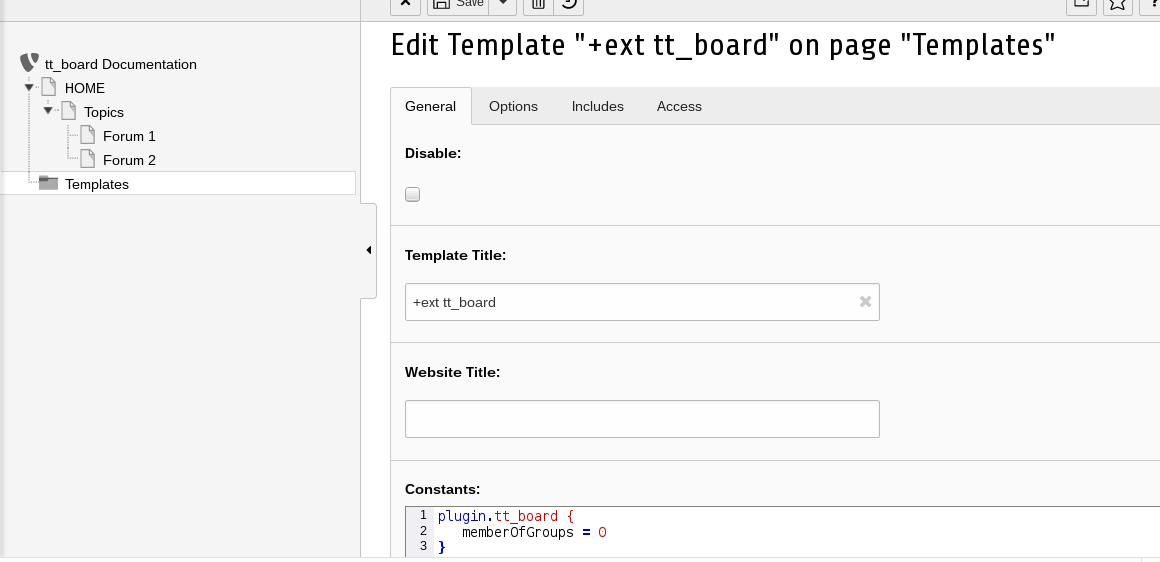
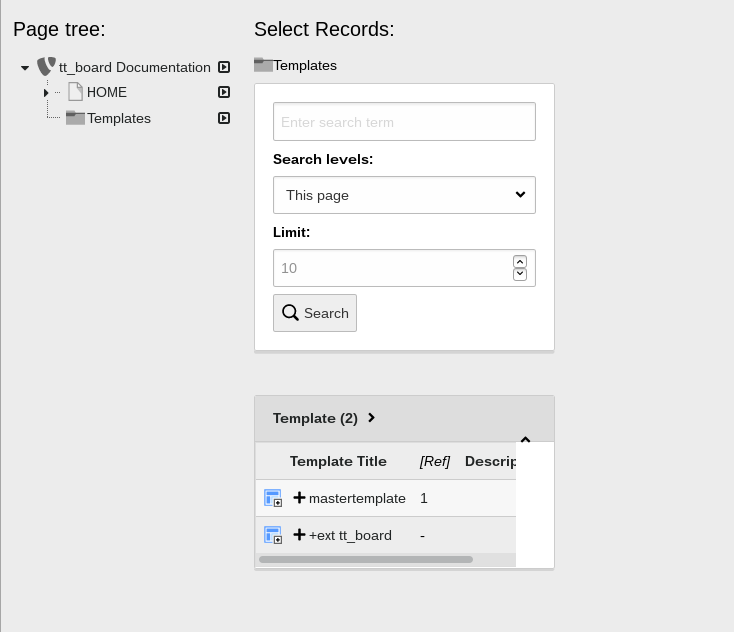
Create an extension template for tt_board in your Templates folder and call it “+ext: tt_board”
Add a sysfolder "Templates" and create an empty extension template.
The Constants will be filled in the next step.
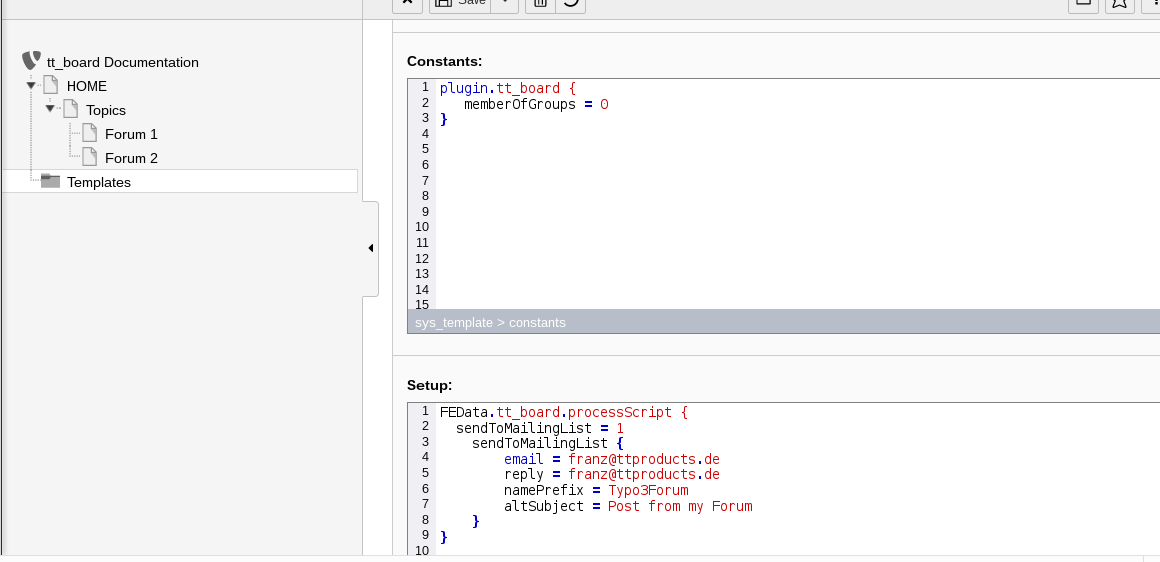
Insert Constants and Setup for tt_board.
Edit the “+ext: tt_board” template and add important constants and setup.
The forum shall be allowed for any user. By default it is limited to logged in front end users. This is because it must be taken care of spammers.
Insert the Constants.
plugin.tt_board {
    memberOfGroups = 0
}
Copied!
Insert the Setup.
FEData.tt_board.processScript {
    sendToMailingList = 1
    sendToMailingList {
        email = franz@ttproducts.de
        reply = franz@ttproducts.de
        namePrefix = Typo3Forum
        altSubject = Post from my Forum
    }
}
Copied!
Use your own e-mail adresses instead of the example email address.
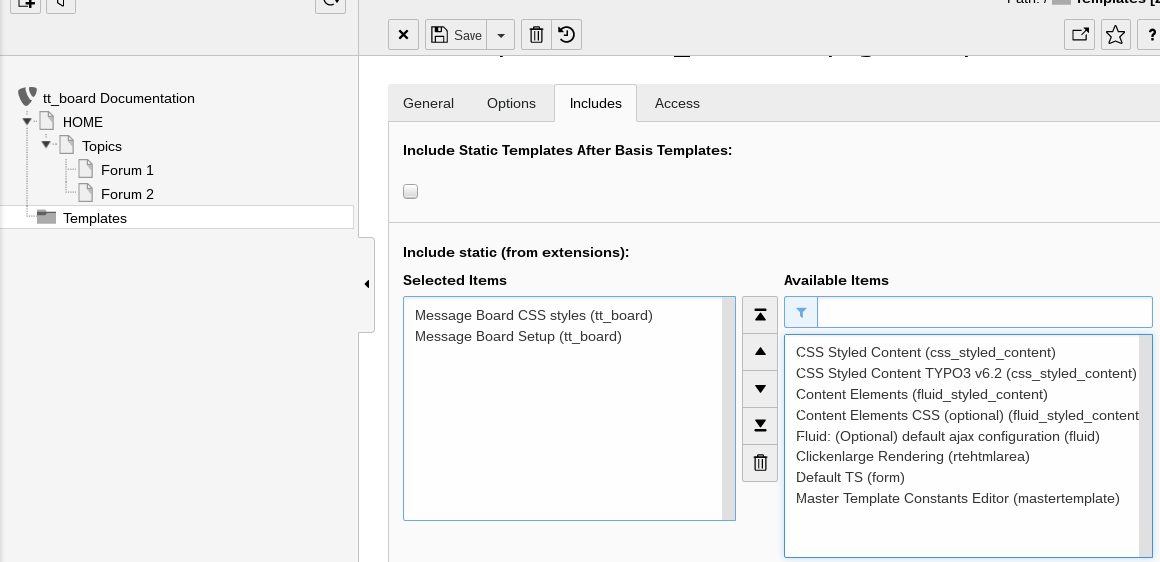
Add the CSS styles (or use your own CSS file) and the Message Board Setup under “Include static from extensions”.
Edit the “+ext: tt_board” template and add the templates "Message Board CSS styles (tt_board)" and "Message Board Setup (tt_board)" on the include tab.
You can forget about the CSS styles template if you include your own CSS file for tt_board.
Edit your master template.
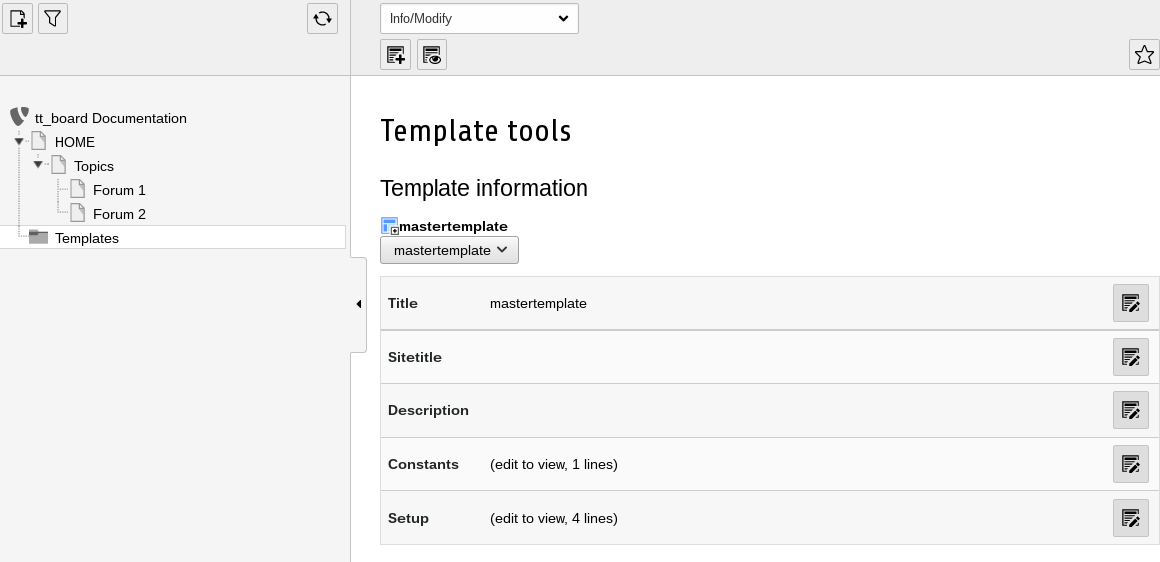
Open your master template in the Templates sysfolder.
The master template is the template which defines the whole TYPO3 website.
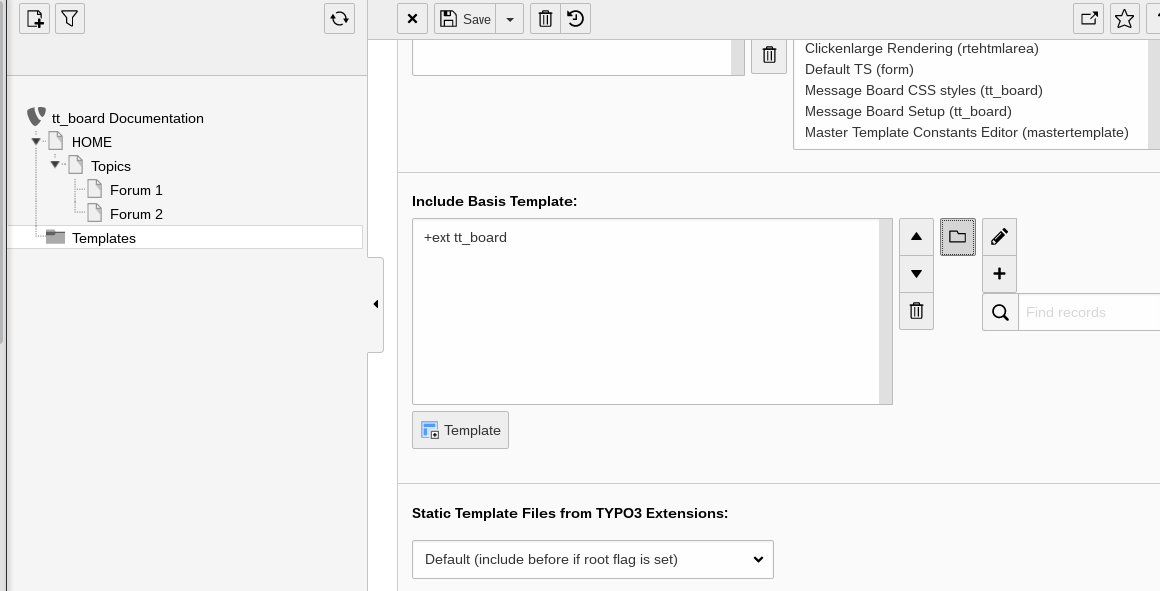
Include the “+ext: tt_board” from your master template under “Include Basis Template”.
The popup window output contains a page browser in order to navigate to the extension template setup and constants.
You must choose the include tab from the master template and move to the “Include Basis Template” sysfolder symbol. If you click on it then a popup windows shows up. There you choose the “+ext: tt_board” template. This template must be included anywhere into your webpage's template.
Check the result.
The master template shows the extension template "+ext tt_board" under “Include Basis Template” as included .
If everything went fine you must also click on the save button.
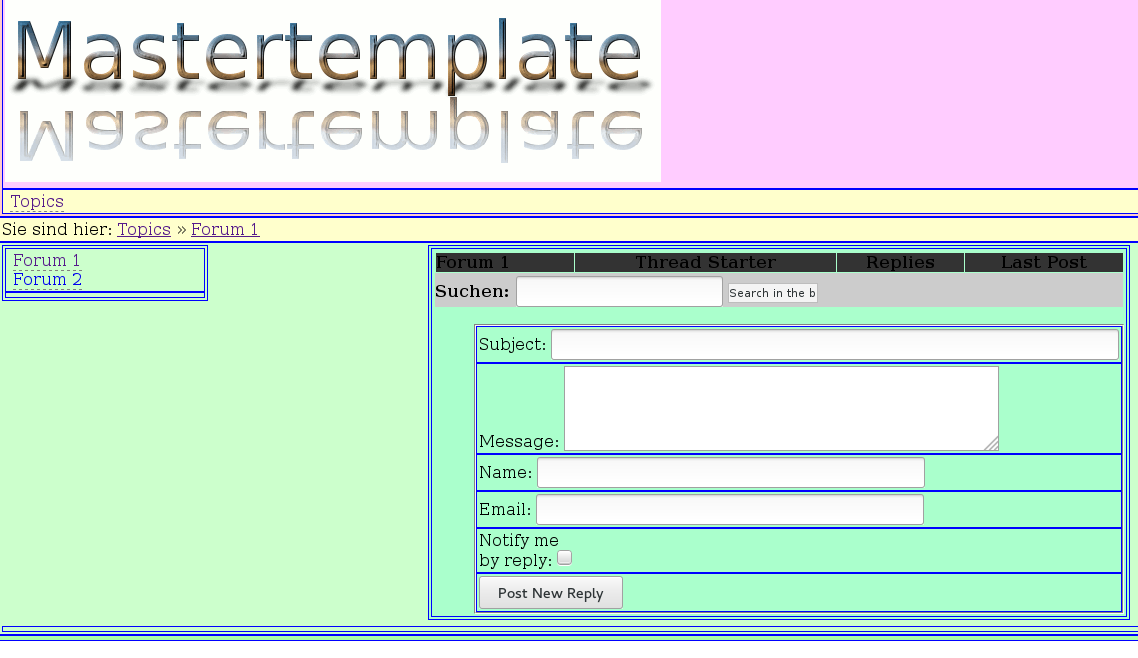
The two forums should be visible in the front end now.
The 2 pages of the 2 forums are shown. One forum page is open and it shows the empty forum list, the search entry form and the post entry form.
You do not see any entries in the forum yet. These will be shown after the first users entered some posts.
Important
The correct output of the forum in the front end will only show up if tt_board has been installed and if the static template of it has been assigned in the TYPO3 backend.
Administrator Manual
Prerequisites
Important
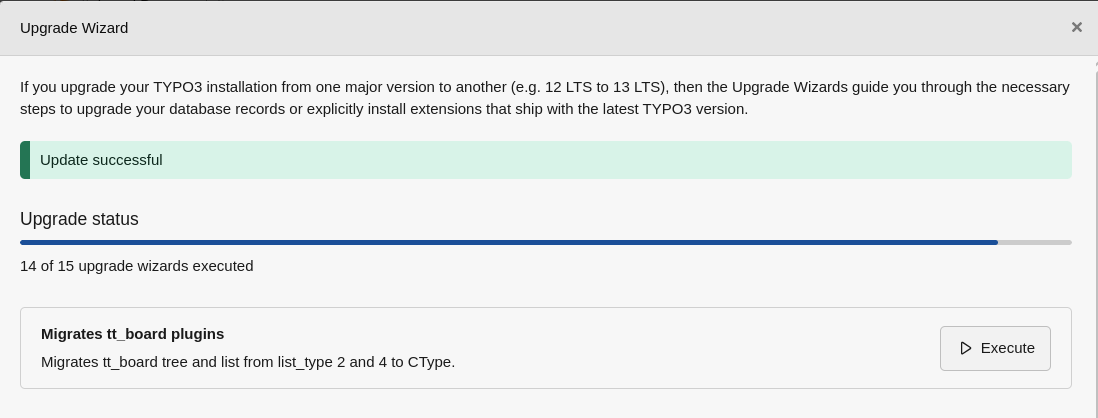
Deprecation no. 105076 requires to convert plugin list_type 2 => ttboard_tree, 4 => ttboard_list.
Execute the Upgrade Wizard onces for this.
Important
You must have set the page target by assigning "top" as "PAGE_TARGET" in the constants.
PAGE_TARGET = _top
Copied!
Some of the TypoScript settings do not function via the constants field, but must be entered in the
setup field. Only those settings which can be found using the Constants Editor or in the file
Configuration/Sets/MyPluginSet/constants.typoscript are valid constants. You must
include the “Message Board Setup” into your “include static from extensions” of your TYPO3 template
setup. The “Message Board CSS styles“ are not required. They provide default CSS styles for the forum.
Use the flexforms in the plugin entry form to configure the plugin's functionality.
To prevent from spammers you must set the memberOfGroups constant to the FE groups to which the FE users must belong to be able to post. If you still want to allow to post for everyone, then unset memberOfGroups.
Example Constants
plugin.tt_board {
   memberOfGroups =
}
Copied!
Allow postings to everybody. This might lead to many spam postings! Your provider might then take down your website.
Installation
To install the extension, perform the following steps:
Go to the Extension Manager
Install the extension
List of extensions within the Extension Manager also shortened as "EM"
Configure it in the Extension Manager
exclude creator IP
exclude.tt_board = cr_ip
This option disables the IP address for all tt_board records. If unset then the IP address of each post is
stored. GDPR can require that you do not record the IP address.
Here you can enter a comma separated list of fields of the tt_board table which will not be used. cr_ip is
set by default in order not to store the IP address of the customer client. Remove it if you want to see the
IP address of the persons who entered forms.
Load the static template
Other configuration
This other option is for all the rest...
Configuration
This extension must be configured in the Extension Manager and in the Constants and Setup.
The Exension Manager shows these options on the tt_board page:
exclude fields: basic.exclude.tt_board
See Installation for more details.
See the chapter Configuration for TypoScript.
Spam
Use the spamWords constant and add your own spam words in the Constants.
Collect the IP addresses of the users which sent too many spams and protect your whole website by putting those IP addresses into your .htaccess file. Or insert it inside of the Directory clauses of an apache config file. See http://www.javascriptkit.com/howto/htaccess5.shtml
Example .htaccess
...
order allow,deny
deny from 195.225.177.12 87.118.112.253 81.177.14.45
allow from all
...
Copied!
Privacy Policy
You must set the constant PIDprivacyPolicy to the page id which shows your DSGVO or GDPR information. This is a legal requirement. You must use a front end registration extension to register the users. They must already have agreed to your privacy policy.
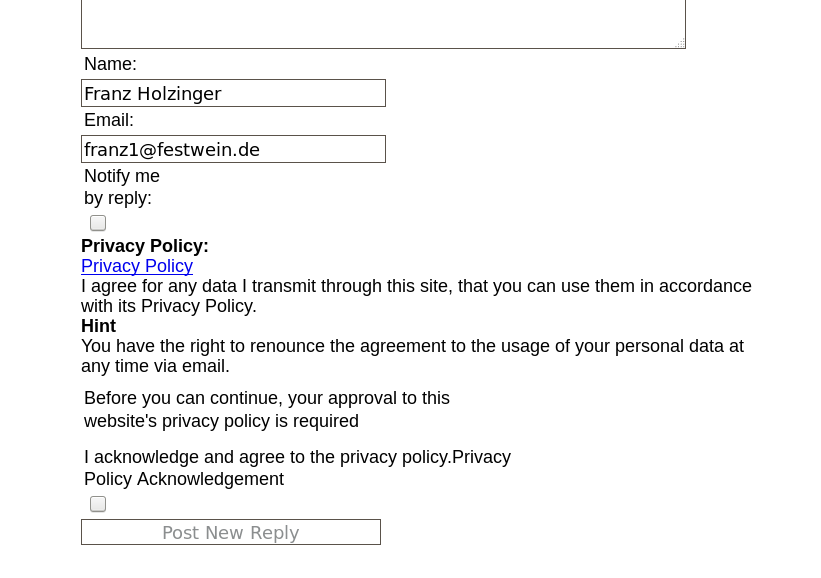
If you use the forum without logged in front end users, then a privacy policy checkbox will appear in the forum entry form. You can overwrite the default texts by the _LOCAL_LANG setup.
Example Setup
plugin.tt_board_list {
    _LOCAL_LANG.default {
        privacy_policy.title = PRIVACY AGREEMENT
        privacy_policy.acknowledgement = The GDPR is applied.
        privacy_policy.approval_required = You must approve it.
        privacy_policy.acknowledged = You acknowledge to have read the privacy policy.
        privacy_policy.acknowledged_2 = You acknowledge that your entered data may be processed according to GDPR.
        privacy_policy.hint = You can withdraw this again.
        privacy_policy.hint_1 = Just send us an email and your personal data will be removed.
    }
}
Copied!
You must alternatively use plugin.tt_board_tree for the tree type forum. plugin.tt_board_list is only used for the list type forum.
Override the language texts for the Privacy Policy
You should use TypoScript to write your own language texts instead of these defaults for anything.
Captcha
Install the extension sr_freecap. The default constants is empty. Set the constants to captcha = freecap
. This will enable the display of a captcha display in your post forms.
An alternative is the extension captcha. Set the constants to captcha = captcha”.
Files
File
Description
template folder
Example templates.
board_template1.tmpl
default for the static template 'plugin.tt_board_list'.
board_template2.tmpl
default for the static template 'plugin.tt_board_tree'.
board_template3.tmpl
listing of the posts in a thread.
FAQ
No entry form is visible
memberOfGroups must be set correctly. This is set by default to 1 because of the danger of spam.
Configuration Reference
TypoScript Reference
You must either use the plugin.tt_board_list TypoScript prefix or the plugin.tt_board_tree. This depends if you want to configure the list or the tree plugins. In the reference only the plugin.tt_board_list is mentioned for simplification.
PID for the privacy policy page in the TYPO3 page tree. On this page you must publish the privacy policy according to DSGVO and GDPR. If you have set this page and no sendToMailingList is set, then an additional privacy confirmation checkbox will appear.
List the first level of pages as categories and the second
LIST_FORUMS
Forum: Listt
Lists the first level of pages as forums.
POSTFORM
Entry Form: General
Creates a form from which to post to the forum
POSTFORM_REPLY
Entry Form: Reply
as above, but ONLY if "tt_board_uid" is set for a reply!
POSTFORM_THREAD
Entry Form: New Threa
as above, but ONLY if "tt_board_uid" is NOT set, which
means "New Thread".
FORUM
Forum: Single
Shows the content of the current forum. If the GLOBAL-var
"tt_board_uid" is set with a uid of a board-item, either
this item is shown or the thread. Depends on config.
Defines number of alternatingLayouts to look for.
This script has the ability to alternate between the use of template-subparts. It goes like this:
If you define a subpart like <!--###POST###--> ... <!--###POST###--> this is used all the time.
If you define a similar subpart <!--###POST_1###--> ... <!--###POST_1###--> which might show another set of colors, this is used every second time instead of the default! This is because "alternateLayouts" is set to 2
If you define a similar subpart <!--###POST_2###--> ... <!--###POST_2###--> ... this will be used every third time IF (!) "alternateLayouts" is set to 3. If you do now set it to three, the first two will be used only.
If set the items in the threads are accepted to be a tree and not just a list to the same parent. This means that replys, will get the current tt_board_uid as parent no matter what. This is only desirable, if your board has a genuine tree-structure.
Global Wrap 1. This will be splitted into the markers ###GW1B### and ###GW1E###. Don't change the input value by the settings, only wrap it in something.
Only the dataArray of this setting should be changed. You can add entries to the dataArray of the FORM cObject in order to change the view.
Configuration of the form for posting replies and possibly also new threads.
Note, that two hidden-fields are forcibly added to the form: "parent" and "pid" (using .dataArray keys 9998-9999)!
Email address where to send the notification of new entries into the board.
If set, this email-address will receive a mail whenever a new reply is submitted.
Same as moderatorEmail, however only for new threads.
If set, this email-address will receive a mail when a new thread is created. If not set, defaults to moderatorEmail .
memberOfGroups
plugin.tt_board_list.memberOfGroups = 1,2
Comma separated list of FE groups which a user must belong to, so that the post forms are shown and the submission of a post is allowed.
Category List Properties
code= LIST_CATEGORIES
"Category, Forum: List"
The following properties are all prepended by list_categories .
If set, the items are displayed for themselves. Else the whole thread is normally displayed on one page. (This flag should probably be set together with the .tree-flag, if you use it, as this basically turns the board into a tree-like forum instead of a flat board-structure!
Thread List Properties
code = THREAD_TREE
"Forum: Tree"
The following properties are all prepended list_threads or thread_tree.
thread_tree is config for the thread_tree which shows a list of the elements in the current thread.
See example in static template from extensions 'Message Board Setup'
The following properties are all prepended processScript (section FEData.tt_board).
If enabled, a copy of the post is sent to the configured email address. This is useful if you want to integrate the forum with a mailing list.
On Typo3.com such a link is established. The reply address is set up in the Qmail MTA to pipe the content into a custom PHP shell-script which parses the email and inserts it into the forum.
Example from the ancient Typo3.com:
FEData.tt_board {
  processScript {
    sendToMailingList = 1
    sendToMailingList {
       email = typo3@netfielders.de
       reply = [emailaddress which inserts into db]
       namePrefix = Typo3Forum/
       altSubject = Post from www.typo3.com
    }
  }
}
The result of $content is the output on the screen.
If the PHP code of tt_board is not executed, then the Default Setup has not been inserted into the TypoScript. Check the TypoScript backend module under 'Active TypoScript'.
You can also insert the TypoScript manually from the following extension folders:
Give a link pointing to a roadmap.
Alternatively, you can dress up a list of things you want to add or fix in this chapter
or give a vision about where the extension is heading.
ChangeLog
For all recent changes: See the file ChangeLog.
2.5.2023 Ready for TYPO3 12.x
9.6.2018 DSGVO, GDPR
26.7.2017 Ready for TYPO3 8.x
8.9.2016 Ready for TYPO3 7.6.10
21.10.2014 Ready for TYPO3 6.2. You must first install tslib_fetce.
25.09.2008 Replace all tt_board_uid links by the prefixId parameter for uid.
6.09.2008 Spam word detection and wrong captcha are shown in the entry form.
17.10.2007 Usage of sr_freecap captcha in all post forms if it has been installed.
27.2.2007 Change the setup to have independant configuration for each code. Investigations made by Jo Hasenau.
25.11.2006 Store the IP addresses for every post. This could be used with your firewalls to prevent unwanted visitors
11.11.2006 11:11 Protection against spam words
3.09.2006 Use the flexforms now. Reenter every plugin and choose the appropriate flexform texts instead of the former code fields.
21.08.2006 ownership taken over by Franz Holzinger.
Sitemap
Reference to the headline
Copy and freely share the link
This link target has no permanent anchor assigned.The link below can be used, but is prone to change if the page gets moved.