
CKEditor integration
AQG registers a CKEditor 5 plugin that highlights accessibility problems while an editor writes RTE content. Highlighting happens in the editor, in the browser, and needs no scan and no server round trip.
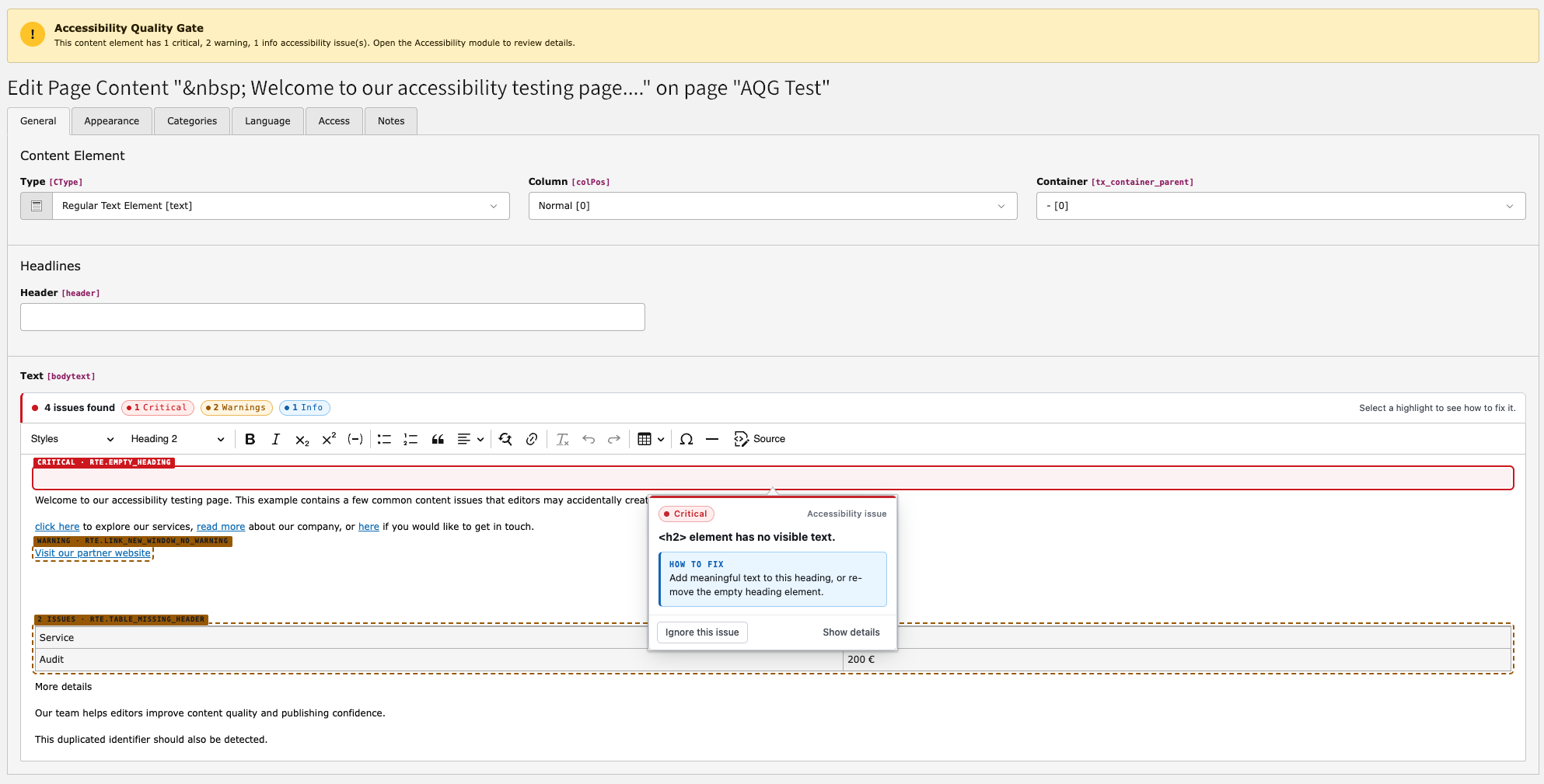
Inline highlighting of accessibility problems in CKEditor.
The plugin applies a supported subset of the rte.* rules described in
RTE rules — currently 15 of them, covering images, headings,
links, tables, buttons, SVG titles and duplicate IDs. It marks the affected
element and explains the problem, so that the editor can fix it before saving.
Rules outside that subset are evaluated only by a scan, not live in the editor. The rule reference is the authoritative list of everything a scan applies.
Note
Inline highlighting is a live aid, not a scan result. Findings are only written to the database when a content scan, a rendered page check, a CLI run or a Scheduler task runs. The backend module can therefore show findings that the editor has already fixed but not yet rescanned, and vice versa.
Registration
The plugin is added automatically. AQG listens to the TYPO3 event
Before and injects its CKEditor module
and stylesheet for
tt_ RTE fields. No change to your RTE YAML
preset is required.
For plain HTML fields rendered with CodeMirror, AQG registers the passive
t3editor addon a11y-quality-gate/html-markers, which reuses the same
markers.
Highlighting is limited to the live subset described above, further restricted to the rules that are enabled in Enabling rules.