
Overview module
Open the Accessibility module in the TYPO3 backend. On TYPO3 13 it is below Web, on TYPO3 14 below Content.
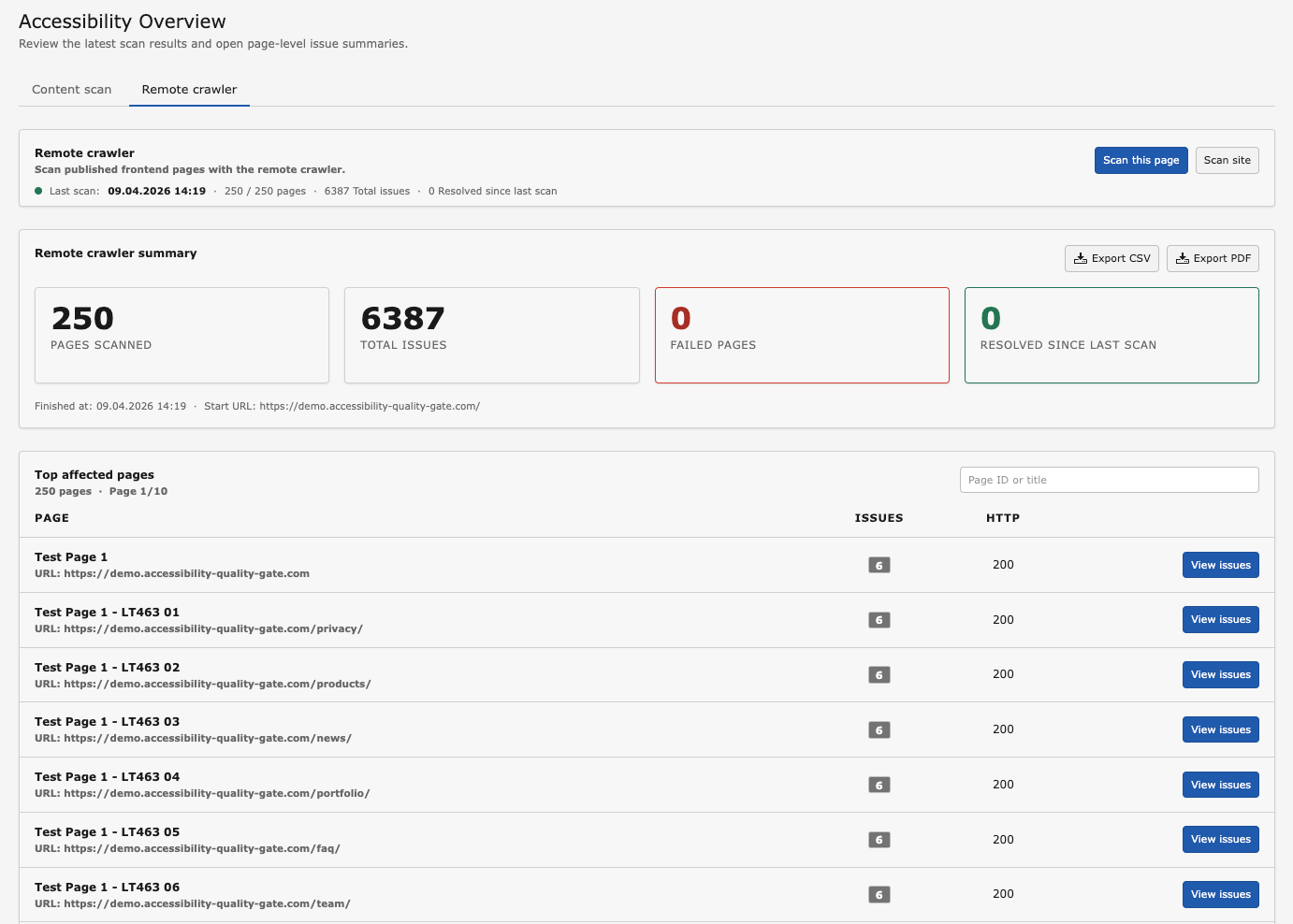
The overview lists every scanned page with its open findings.
Content scan and Frontend scan
The overview has two tabs:
- Content scan
- Findings produced by the local rules (
rte.*,structured.*) and by the rendered page check (rendered.*). Available in all editions. - Frontend scan
- Findings produced by the hosted browser crawler. Shows the Free Remote Preview status in the Free edition and the full scan history with an active licence. See Frontend scans (remote crawler).
Both tabs offer filtering by site, language, status and severity, a search over pages, and paging. New findings compared to the previous scan are marked as new.
Actions
- Scan site
- Scans the whole page tree of the selected site: the local rules for every page, plus the rendered page check for the supported frontend pages of that subtree. Can be hidden for non-administrators with the TSconfig option options.a11y_quality_gate.showScanAll.
- Scan this page
- Scans a single page with the local rules and the rendered page check, see Rendered page checks. Can be hidden for non-administrators with options.a11y_quality_gate.showScanNow.
- Settings
- Opens the configuration described in Configuration.
Export buttons produce CSV of local findings in all editions. CSV of frontend scan results and PDF of either require an active licence, see Reports and exports.
Toolbar item and page module indicator
AQG also adds an item to the backend toolbar that shows the accessibility state of the current page and offers a direct scan. It can be hidden for non-administrators with options.a11y_quality_gate.showToolbarItem.
In the Page module, an indicator on content elements links directly to the findings of that element.