
Inline Editing
New in version 2.2.0
Note
Inline editing is experimental. Details of the interface may change in future releases.
Inline editing lets editors change content elements and page properties without leaving the frontend. Clicking an edit button opens the TYPO3 FormEngine edit form in a panel next to the page — no detour through the backend.
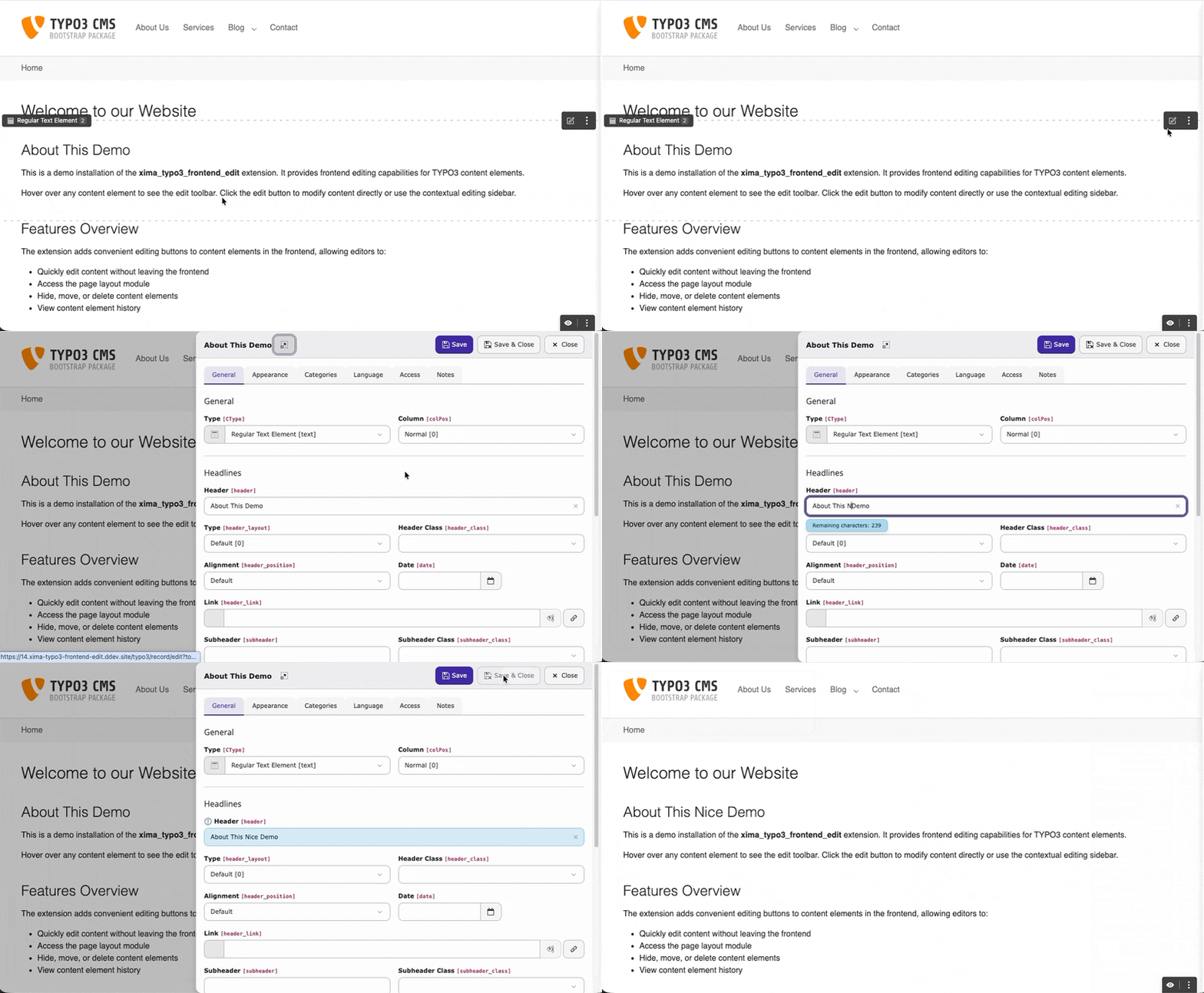
Editing a content element without leaving the frontend
Setup
Inline editing is off by default. Enable it in your site settings:
frontendEdit:
enableContextualEditing: trueOr via the TYPO3 backend: Site Management > Sites > Edit site > Settings > Frontend Edit > Appearance.
Important
The setting is required on all supported TYPO3 versions. What differs is only how the edit form is presented — see How the form is presented. The setting name kept its technical spelling (frontendEdit.enableContextualEditing) for backwards compatibility.
How the form is presented
The extension picks the presentation automatically, based on whether the TYPO3
core route record_edit_contextual is available. There is nothing to
configure beyond the setting above.
Edit links open a sidebar panel that slides in from the right,
driven by the native record_edit_contextual route.
Creating new content still uses the slide-in modal, because the New Content Element Wizard is hosted in the page module.
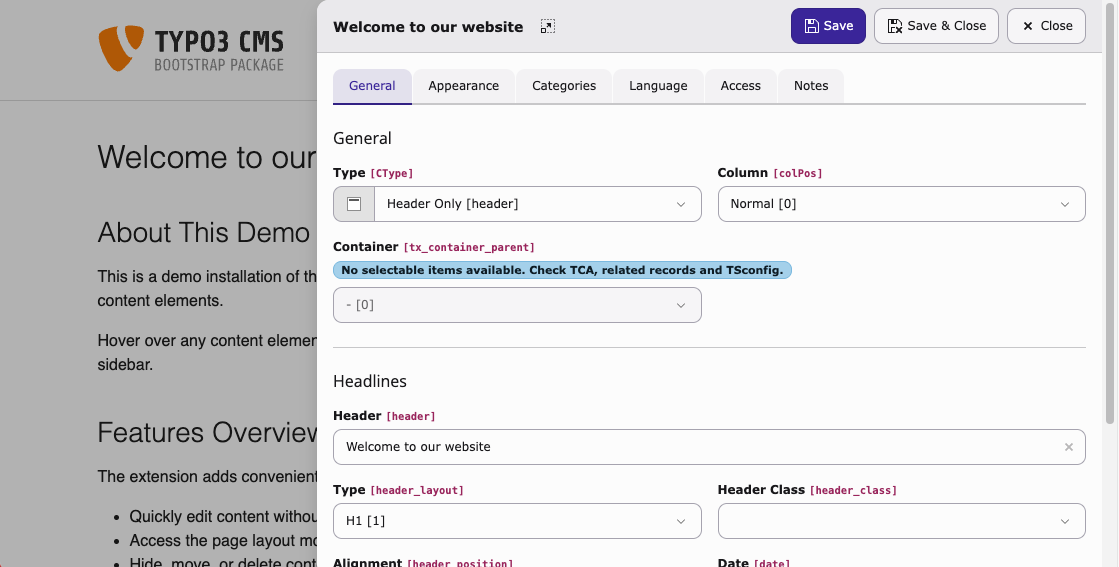
The sidebar panel on TYPO3 v14.2+
Edit links open a slide-in modal that loads the standard backend
edit form in an iframe. The route record_edit_contextual does not
exist on these versions, so the modal takes over both editing and the
New Content Element Wizard.
From an editor's perspective the workflow is the same: open, edit, save, close.
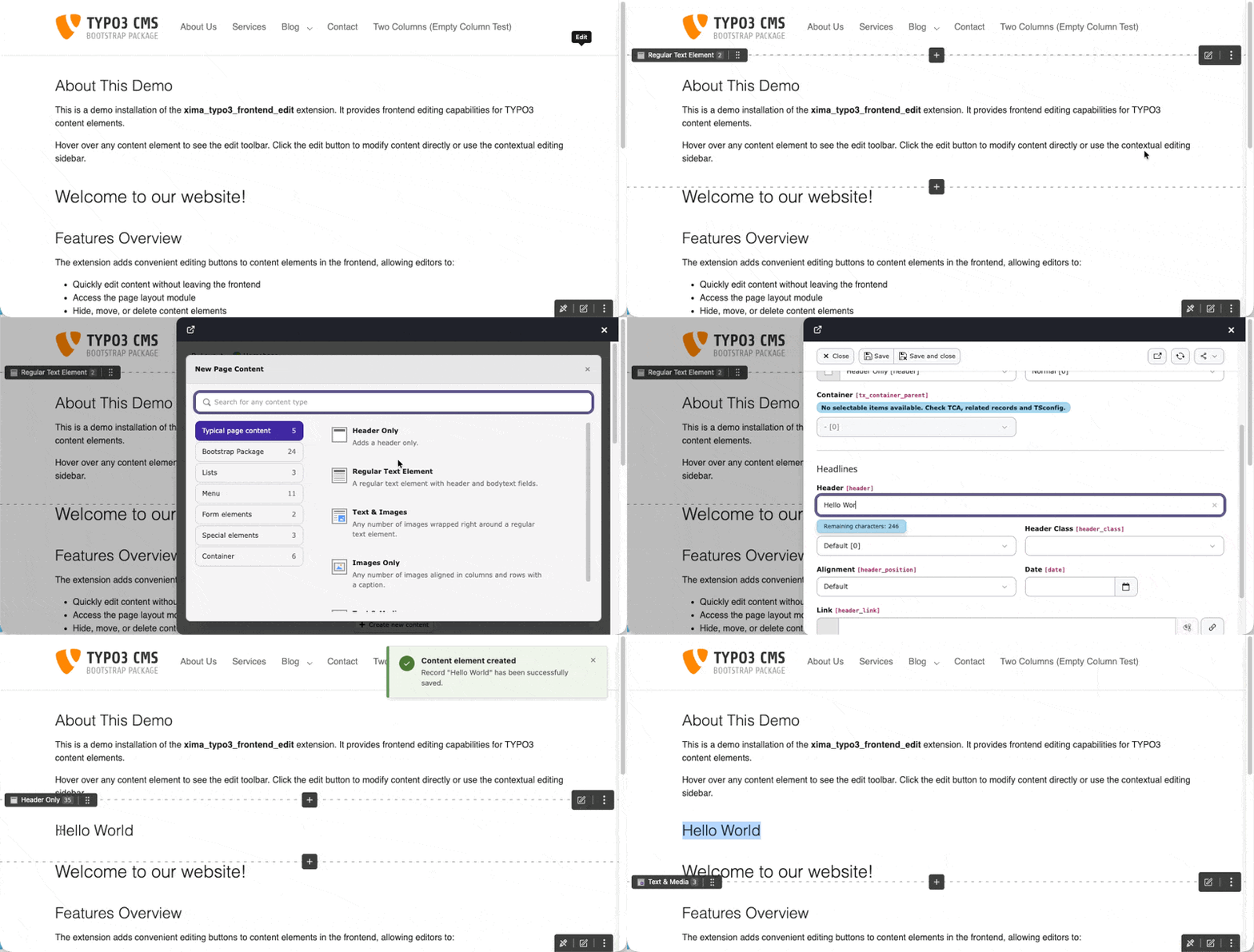
Creating new content — insert buttons open TYPO3's native New Content wizard inside the slide-in modal
Usage
With inline editing enabled:
- Clicking an edit button opens the panel instead of navigating to the backend.
- The page properties link in the toolbar opens in the panel as well.
- Ctrl+Click (or Cmd+Click on macOS) bypasses the panel and opens the full backend editor directly.
Controls
- Save
- Saves the record and keeps the panel open.
- Save & Close
- Saves and closes the panel. The page reloads to reflect the changes.
- Close
- Closes the panel. Unsaved changes trigger a confirmation prompt.
- Expand
- Opens the full backend editor. Respects the Target blank setting (same window or new tab).
Escape and clicking the backdrop also close the panel.
Limitations
The FormEngine runs outside its intended context, so some advanced features are limited:
| Area | Behavior |
|---|---|
| IRRE / relation browsers | May have limited functionality. |
| Context menus (three-dot menu) | Not available inside the panel. The primary actions (edit, hide, delete) are available as direct buttons. |
| Console errors | Errors from backend JavaScript modules are expected and harmless. |
Tip
For the full editing experience use the Expand button, which opens the record in the regular backend.
Fallback behavior
- Setting disabled
-
All edit links navigate to the backend, exactly as without this feature.
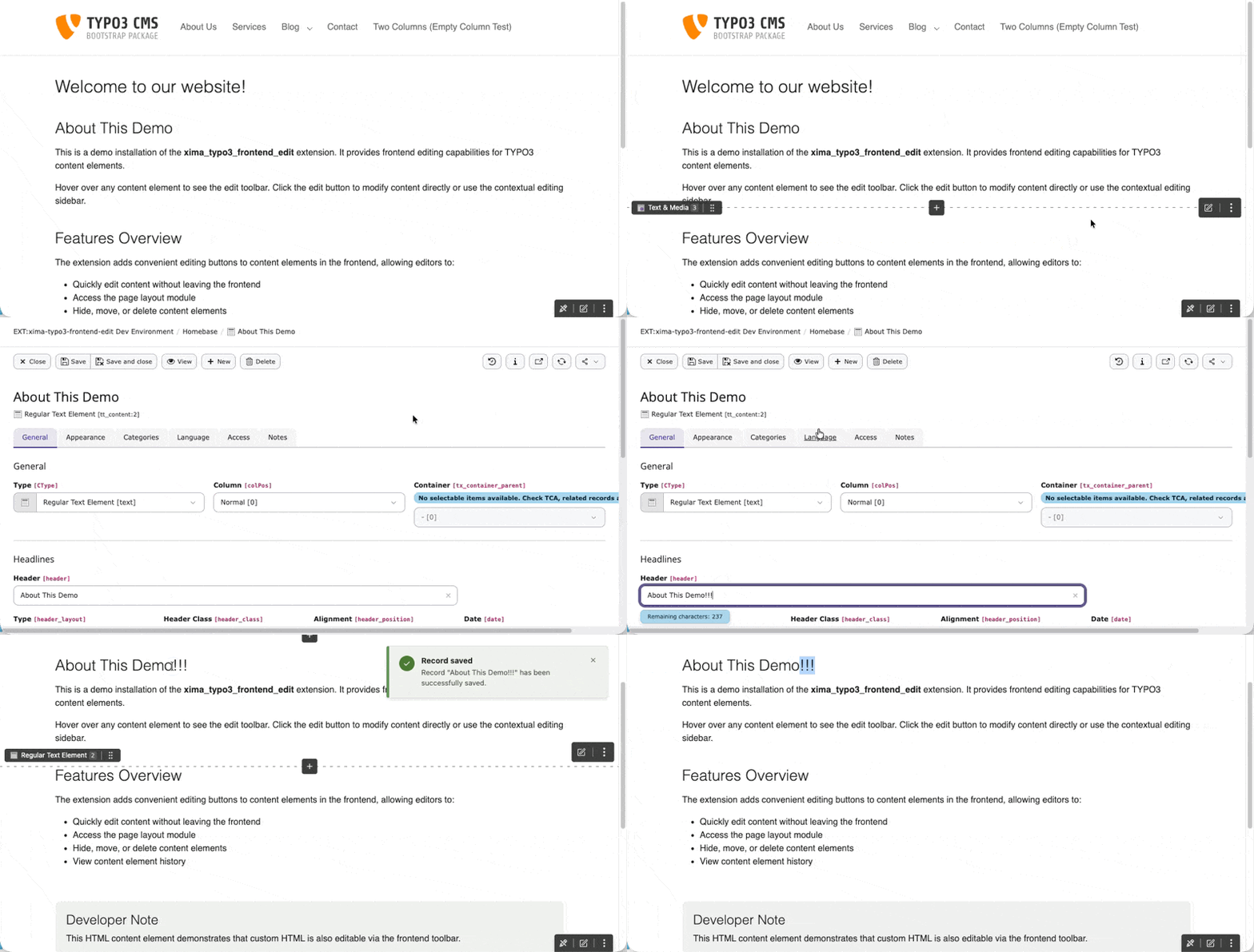
Editing without inline editing enabled — the edit link navigates to the full backend
- JavaScript disabled
- Edit links fall back to their
hrefattribute, which points to the standard backend URL.
See also
- frontendEdit.enableContextualEditing — the setting reference
- Column Targets — creating new content in a column, which also relies on this setting