
Backend layouts shipped by theme Camino
Camino comes with three different backend layouts to choose from:
To change the backend layout used on a page:
- Select the page you wish to change: Content > Layout > My Page
- Then select the Page Properties > Appearance > Backend Layout (this page only)
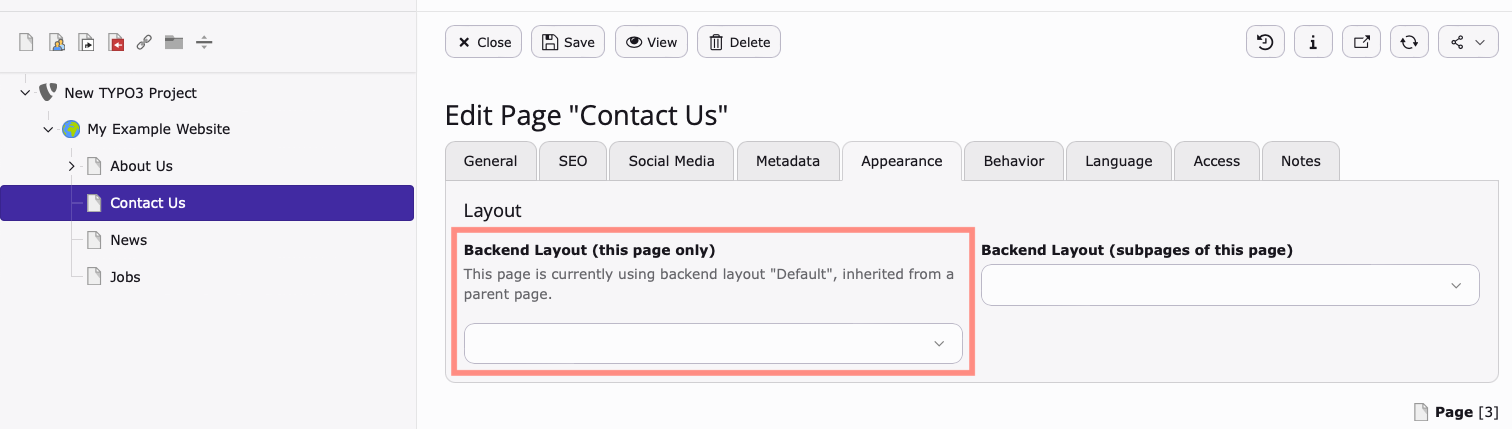
You can also specify the default backend layout used on newly created child pages by using Backend Layout (subpages of this page)
Hint
Take care that every sub-page of your page tree needs to have a backend layout
assigned, either via the (this page only) or (subpages of this page)
directive. Otherwise, opening a page in the frontend without an assigned
layout will show an error page.
"Camino: Start page"
The start page backend layout is ideal for a homepage. It contains sections to add a banner/ header, regular content and content for the footer.
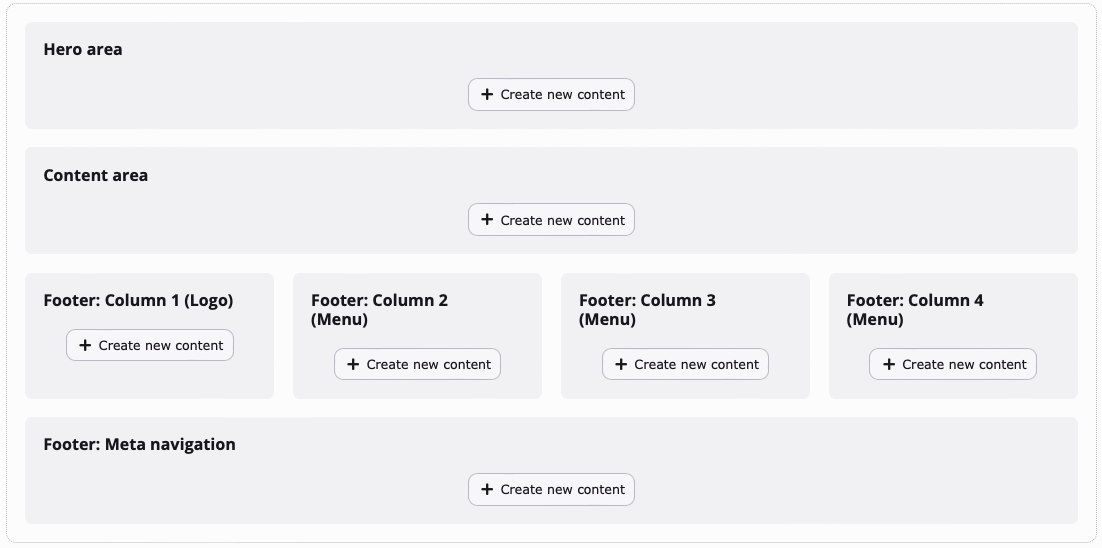
"Camino: Start page" backend layout: The start pages main content can be added in the "Content area".
"Camino: Content page (full-width)"
The backend layout Camino: Content page (full-width) contains a single content area where typical page elements such as text and images can be added.
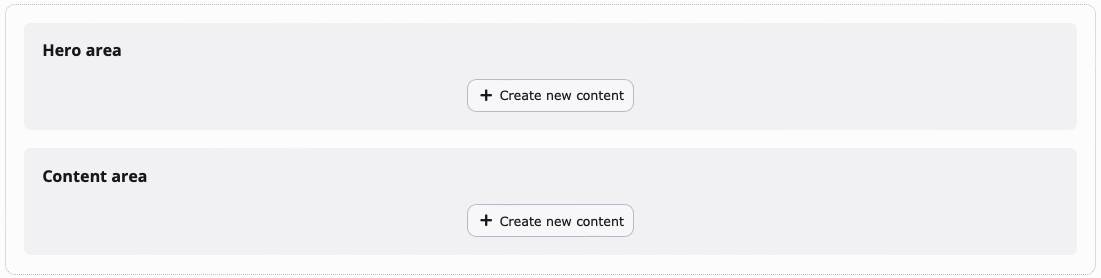
"Camino: Content page (full-width)" backend layout: Contains a single content area
"Camino: Content page (with sidebar)"
Content Page - With Sidebar contains two columns, with the sidebar section being used to add meta information such as the page author and text teasers.
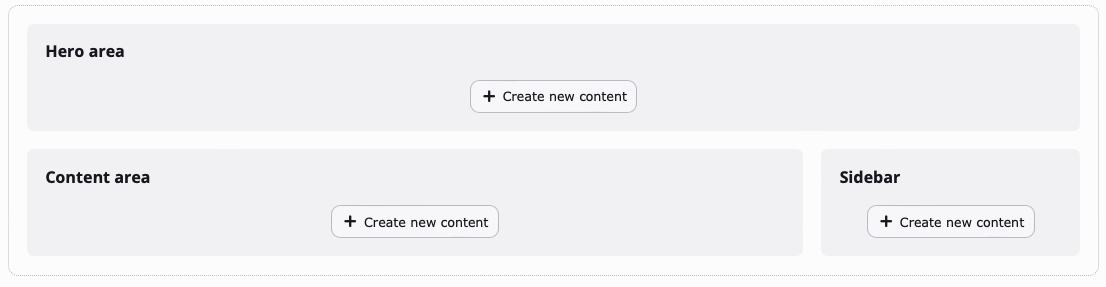
"Camino: Content page (with sidebar)" backend layout: The sidebar section can be used for meta information such as page author or text teasers.