
Installing the Camino theme manually
New in version 14.1
The camino theme was added with TYPO3 14.1 and is not available in older TYPO3 versions. Download and install a default site package from the official Site Package Builder for older TYPO3 versions.
When newly installing TYPO3 14.1 in either in Composer or Classic (non-Composer) mode, the administrator will have the option to install and activate Camino during the installation process.
For existing installations, the theme will need to be installed. This is done either via Composer or the System > Extensions` module for Classic mode installations.
Composer-based installations: Require "typo3/theme-camino"
Check if the package typo3/theme-camino is already installed:
composer show | grep caminoThis should either give no result or something similar to:
typo3/theme-camino v14.1.0If it is not installed, use the composer require command to install
the extension:
composer require typo3/theme-caminoOnce the extension has been installed, activate it using the following command:
typo3 extension:setupClassic mode installations: Activate theme Camino
For existing Classic mode TYPO3 installations, activate the extension via the System > Extensions module:
In submodule Installed Extensions search for "camino" and activate the extension. It was installed but not activated during installation / update.
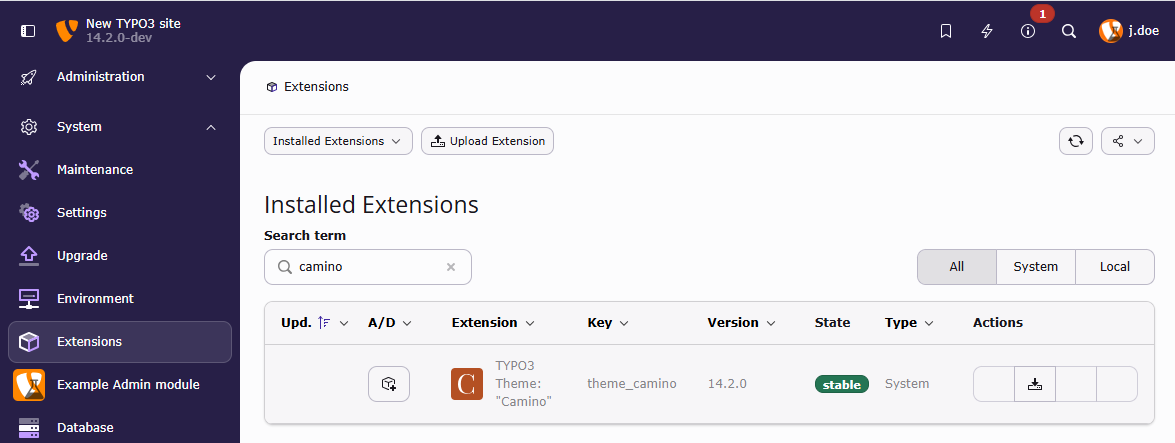
Activate the Camino Theme in the "System > Extensions" backend module