
Setting up a web site with Camino theme
After Camino is installed and activated it needs to be loaded.
Page tree
Ensure that at least one page exists in the Page Tree and the root / parent page is configured correctly: Root Page > Page Properties > Behaviour > Use as Root Page
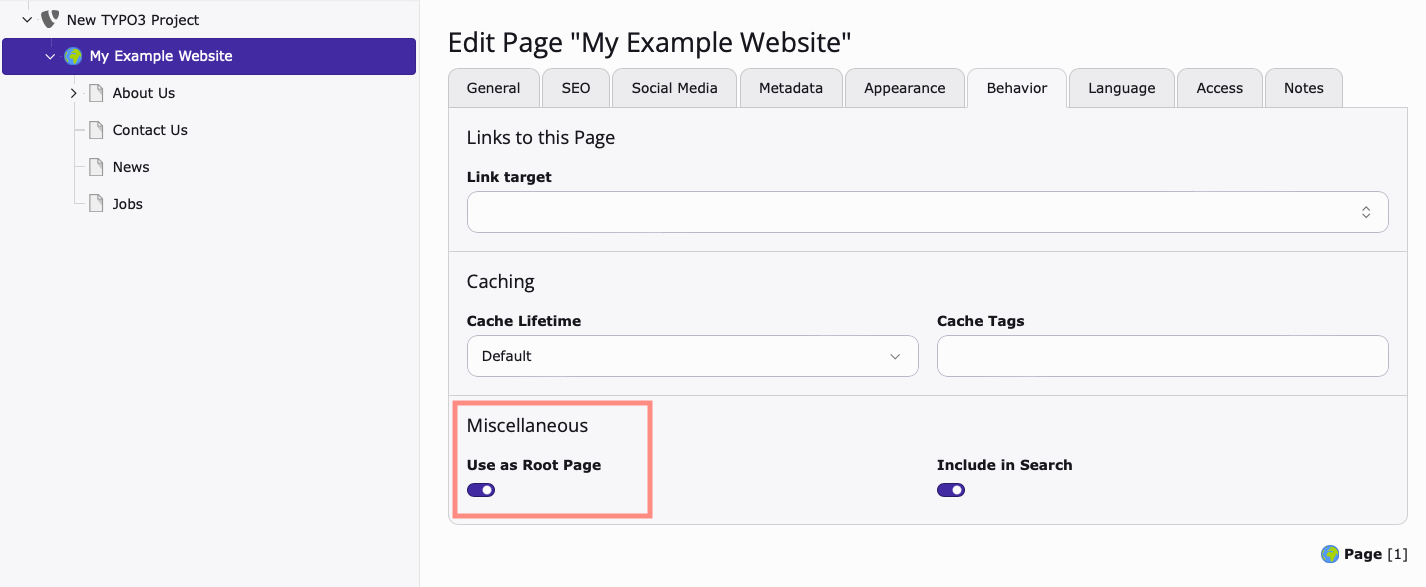
When a Root Page is created, a new Site record is automatically available.
Edit Site Configuration
Access the Setup module: Sites > Setup > Edit Site Configuration (pencil icon) > General
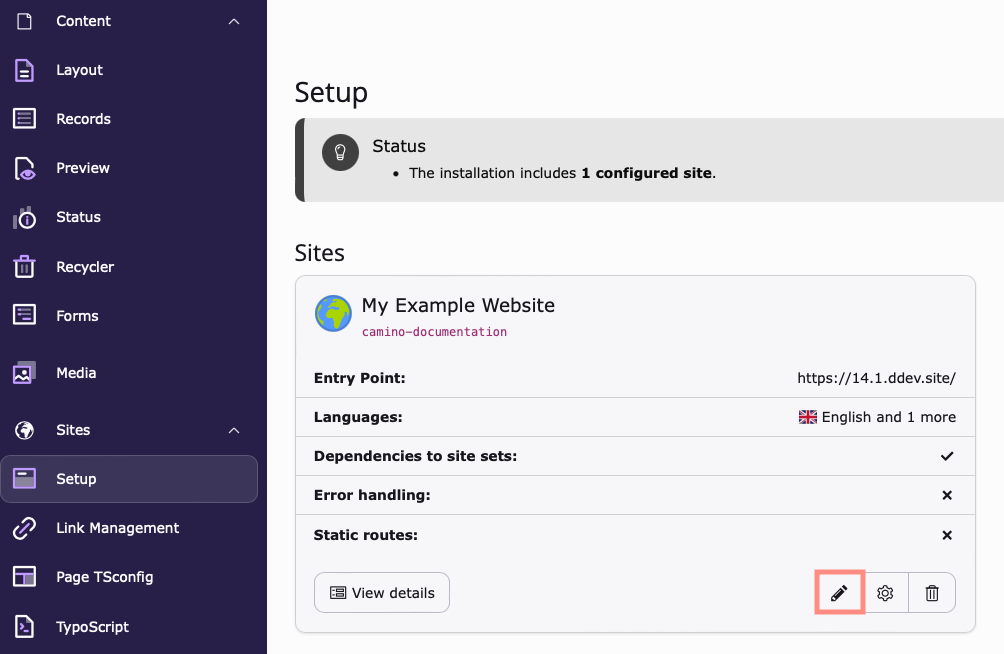
Load Camino
Select the Camino theme and add it to the Selected Items column.
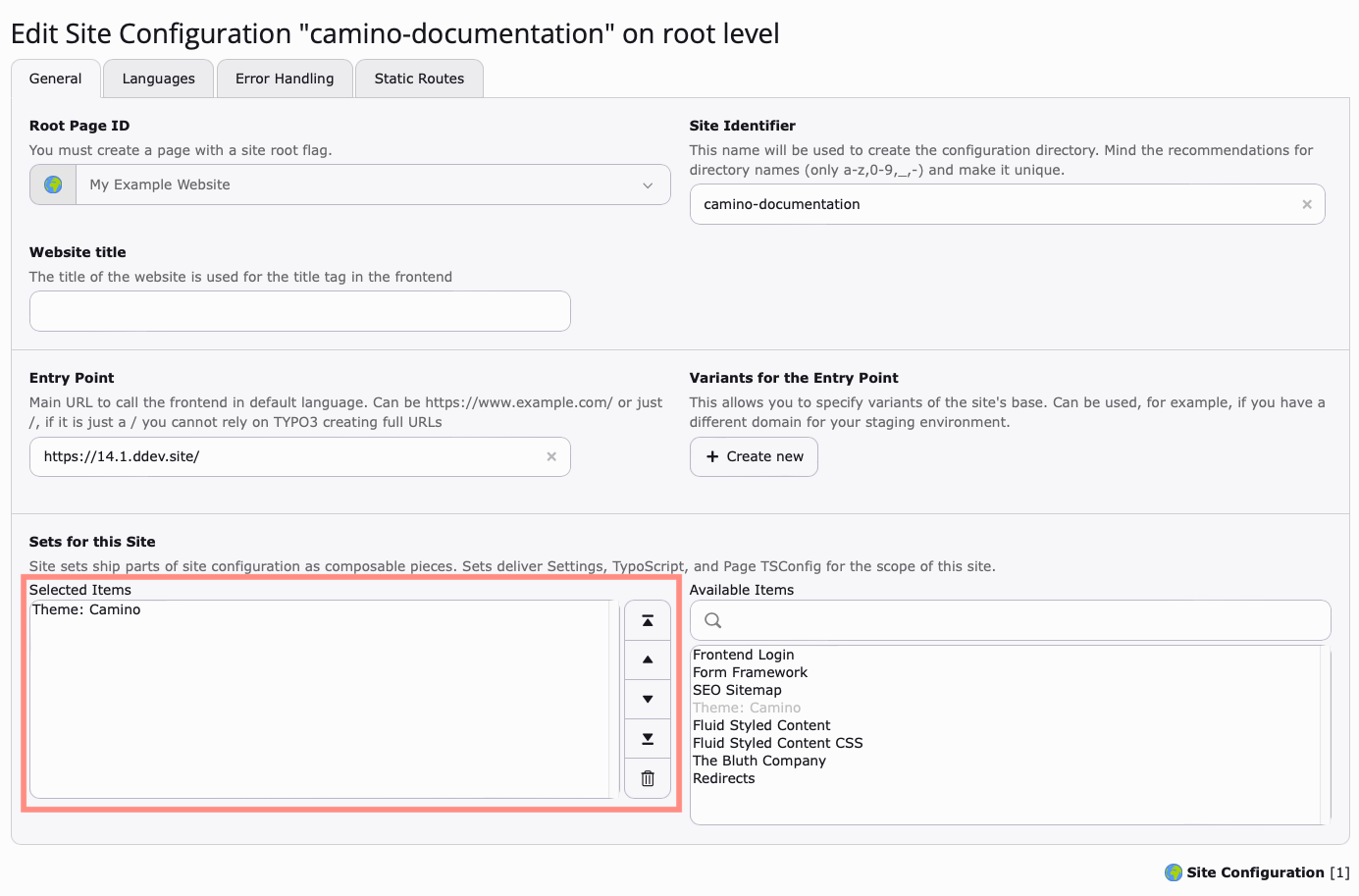
Save your changes and clear the cache
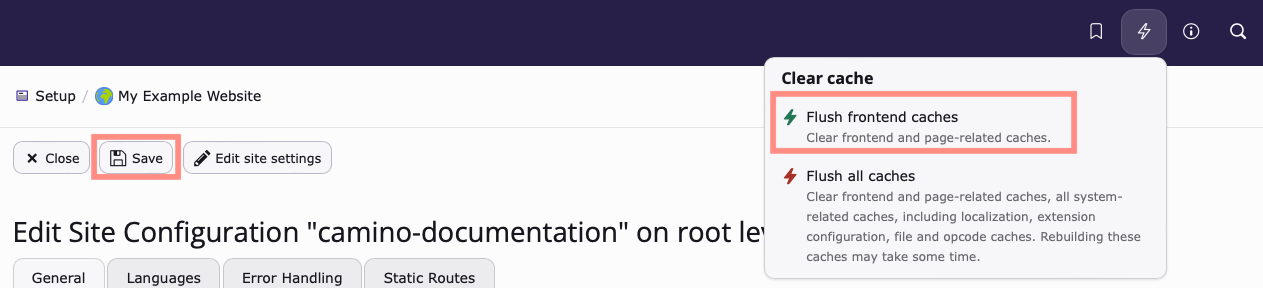
Save your changes. Then clear the cache
Adjust page tree and backend layouts
Now that the theme is activated, revisit your page tree to apply the backend layouts, so that you can place Camino-specific content elements and adapt the frontend output.
Continue here: Backend layouts shipped by theme Camino.