
Configuration
Runtime settings live outside the web root in
<project>/ (0600). The plaintext backup
password is stored separately in <project>/
(0600) so a single file read never yields both the signing secret and the
archive password. Provisioning never overwrites these files; legacy copies
inside <web- are migrated automatically. Settings can also
be changed from the T3Vault UI (Settings).
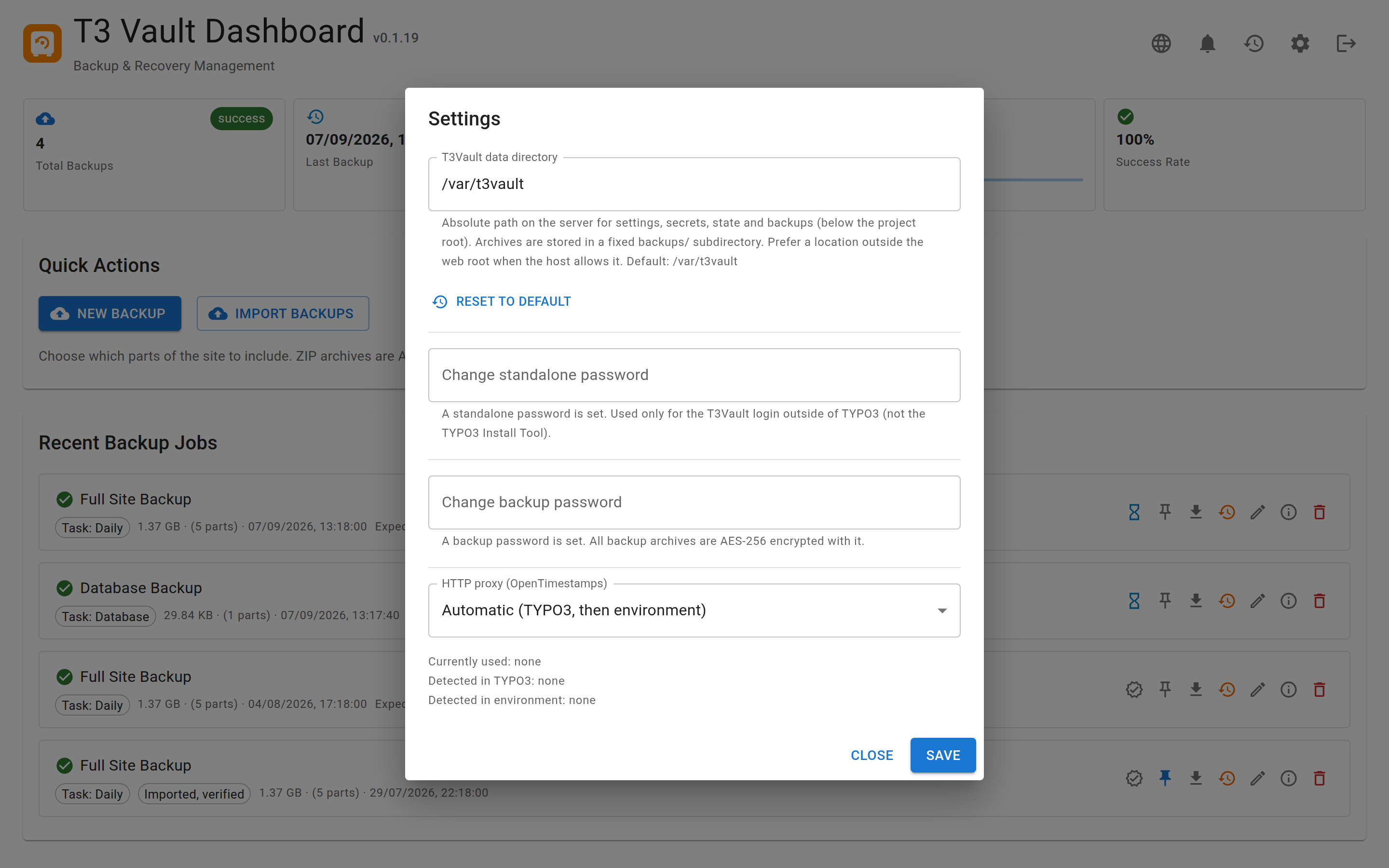
Runtime settings can be edited in the UI; secrets stay outside the web root.
Settings overview
| Key | Description |
|---|---|
passwordHash | Argon2id hash of the standalone login password |
secret | Signing secret (sessions, SSO tokens, integrity HMAC) |
backupPassword | AES-256 password for all backup ZIP archives (min. 8
chars); stored in backup., not in
the config file |
backupBaseDir | Absolute override for the backup directory; empty = default |
allowedBackupRoots | Additional roots a backup directory may live in (project root is always allowed) |
uploadMaxFiles | Files accepted per import request (default 200) |
uploadMaxFileBytes | Maximum size of a single imported file (default 20 GiB) |
uploadMaxTotalBytes | Maximum total size of one import (default 40 GiB) |
httpProxyMode | Proxy mode for OpenTimestamps calendar traffic |
httpProxy | Custom proxy URL when httpProxyMode is custom |
canonicalHost | Host (optionally host:port) used for self-generated
URLs; empty = validated request host |
trustedHostsPattern | Anchored regex the request Host must match to be
trusted (mirrors the TYPO3 setting of the same name) |
trustedProxies | List of reverse proxy IPs whose X-Forwarded-Proto
is believed; empty = ignore forwarded headers |
allowedOrigins | Explicit cross-origin origins; empty = same-origin only (no wildcard is accepted) |
Scheduled backup tasks are not stored in config.local.php. They live in
tasks. next to the config (same data directory, mode 0600). See
Scheduled backup tasks.
Reverse proxies
X-Forwarded-Proto is freely settable by any client, so it is only honoured
when REMOTE_ADDR matches trustedProxies (or the
T3VAULT_TRUSTED_PROXIES environment variable, comma separated). Without this
a client could claim an HTTPS connection and suppress the plaintext-transport
warnings. The standalone restore installer reads the environment variable only,
because it runs without a configuration file.
Backup directory
Default (relative to the TYPO3 project root, parent of public/):
var/t3vault/backupsThis keeps archives outside the web root. Override via backupBaseDir in
config. or the Settings UI. Even AES-encrypted archives must
not live under public/: ZIP metadata (file names, sizes, structure)
is readable without the password.
The Settings API therefore refuses a target that
- resolves into the web root (symlinks and
..are resolved first), - is a system location (
/etc,/root,/usr, a bare home directory, …), or - lies outside the allowed roots.
Allowed roots are the project root plus everything declared in
allowedBackupRoots (config.) or in the
T3VAULT_ALLOWED_BACKUP_ROOTS environment variable (comma separated). Use
this for external volumes:
'allowedBackupRoots' => ['/srv/backups'],Declaring roots outside the API is deliberate — an authenticated session cannot widen its own target range. A directory that is already configured stays usable even if it is outside those roots, so existing installations keep working.
HTTP proxy (OpenTimestamps)
Calendar submissions and proof upgrades need outbound HTTPS. Modes:
| Mode | Behaviour |
|---|---|
auto | Prefer TYPO3 HTTP options, then environment variables |
typo3 | Use TYPO3 HTTP / proxy settings only |
env | Use HTTP_PROXY / HTTPS_PROXY / NO_PROXY |
custom | Use httpProxy from config. |
none | Disable proxy |
A custom proxy is accepted as http(s)://[user:pass@]host[:port] or
host:port; paths, whitespace and other schemes are rejected. Private and
loopback addresses are allowed (corporate and DDEV proxies live there), but
link-local ranges are not — 169.254.169.254 is a cloud metadata endpoint,
never a proxy. Host names are additionally resolved once and rejected if they
point into those ranges.
Self-invocation base URL
Backup batches continue server-side via HTTP self-invocation. Behind a reverse
proxy you may set Config::BACKUP_BASE_URL in the packaged API config to
the public base URL of the API (example:
https://example.com/t3vault/Api). Leave empty for auto-detection from the
request.