

Frontend HTTP Header
Besides the visual indicators, an environment marker on HTTP level is useful for
the "developer view": debugging, curl checks, uptime monitoring and
browser extensions can identify the environment without parsing the page.
The indicator adds a configurable header to every frontend response:
X-TYPO3-Environment: Development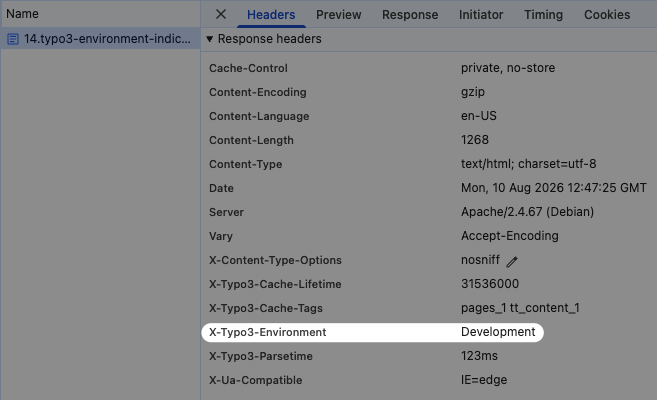
You can register the indicator in your ext_:
use KonradMichalik\Typo3EnvironmentIndicator\Configuration\Handler;
use KonradMichalik\Typo3EnvironmentIndicator\Configuration\Indicator;
use KonradMichalik\Typo3EnvironmentIndicator\Configuration\Trigger;

Handler::addIndicator(
    triggers: [
        new Trigger\ApplicationContext('Development*')
    ],
    indicators: [
        new Indicator\Frontend\HttpHeader()
    ]
);Additional optional configuration keys:
name(string): The header name. Default isX-.TYPO3- Environment value(string): The header value. Default is%context%. The placeholder%context%is replaced with the current application context.
A name or value that is not valid per 9110 is ignored and logged as a
warning, so a misconfiguration cannot break frontend rendering.
Note
Unlike most other indicators, this one is not part of the default configuration presets. It only does something once you register it yourself, as shown above.
Note
The indicator only applies to frontend responses. Backend responses are
rarely inspected via curl or tooling and are left untouched.
Note
A header that is already present on the response when the middleware runs is never overwritten, so the indicator cannot clobber a header of the same name set by the site configuration, another extension or an earlier middleware. Headers added by a reverse proxy are outside TYPO3's reach — they are applied after the response has left PHP, so a proxy adding the same header would result in a duplicate. Configure the proxy accordingly.
Warning
The header discloses the application context to anyone requesting the site. This is uncritical as long as the indicator is restricted to non-production contexts via its triggers — which is the intended use case. Do not register it for production unless you deliberately want that information to be public.
The environment HTTP header can be disabled globally via the extension configuration.