
Content
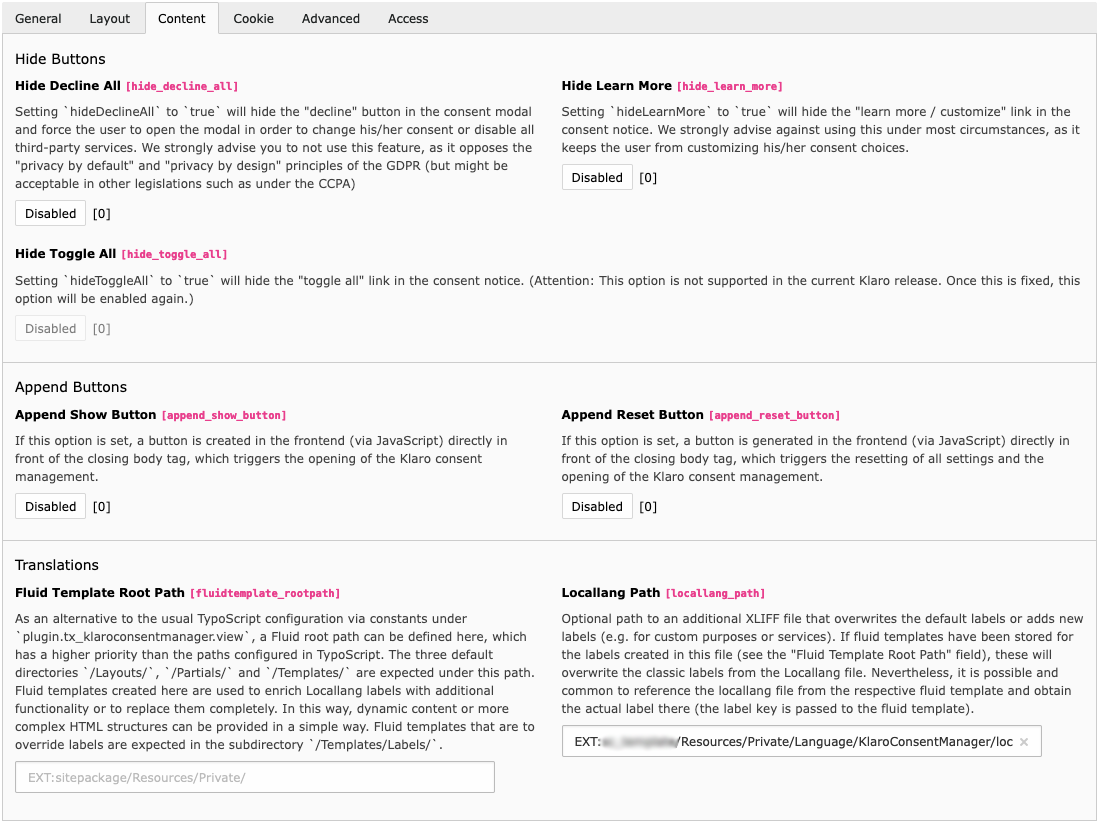
Klaro Configuration - Content Tab
Hide Buttons
Hide Decline All
hide_decline_all
-
- type
-
boolean
- Default
-
false
Setting
hidetoDecline All truewill hide the "decline" button in the consent modal and force the user to open the modal in order to change his/her consent or disable all third-party services. We strongly advise you to not use this feature, as it opposes the "privacy by default" and "privacy by design" principles of the GDPR (but might be acceptable in other legislations such as under the CCPA)
Hide Learn More
hide_learn_more
-
- type
-
boolean
- Default
-
false
Setting
hidetoLearn More truewill hide the "learn more / customize" link in the consent notice. We strongly advise against using this under most circumstances, as it keeps the user from customizing his/her consent choices.
Hide Toggle All
hide_toggle_all
-
- type
-
boolean
- Default
-
false
Setting
hidetoToggle All truewill hide the "toggle all" link in the consent notice.
Append Buttons
Append Show Button
append_show_button
-
- type
-
boolean
- Default
-
false
If this option is set, a button is created in the frontend (via JavaScript) directly in front of the closing body tag, which triggers the opening of the Klaro consent management. For links in existing page content, see Trigger Links.
Append Reset Button
append_reset_button
-
- type
-
boolean
- Default
-
false
If this option is set, a button is generated in the frontend (via JavaScript) directly in front of the closing body tag, which triggers the resetting of all settings and the opening of the Klaro consent management. For links in existing page content, see Trigger Links.
Translations
Fluid Template Root Path
fluidtemplate_rootpath
-
- type
-
string
- Default
-
''
As an alternative to the TypoScript configuration under
plugin., a Fluid root path can be defined here. This path has a higher priority than the paths configured in TypoScript. The directoriestx_ klaroconsentmanager. view /Layouts/,/Partials/, and/Templates/are expected under this path. Fluid templates created here are used to enrich Locallang labels with additional functionality or to replace them completely. Fluid templates that override labels are expected in/Templates/. The path convention is described in Fluid enriched labels.Labels/
Locallang Path
locallang_path
-
- type
-
string
- Default
-
''
Optional path to an additional XLIFF file that overwrites the default labels or adds new labels, for example for custom purposes or custom services. If Fluid templates exist for these labels, the templates take precedence over the XLIFF text. It is common to render the original XLIFF label from the Fluid template through the
Labelpartial.