
Missing Translation
Question
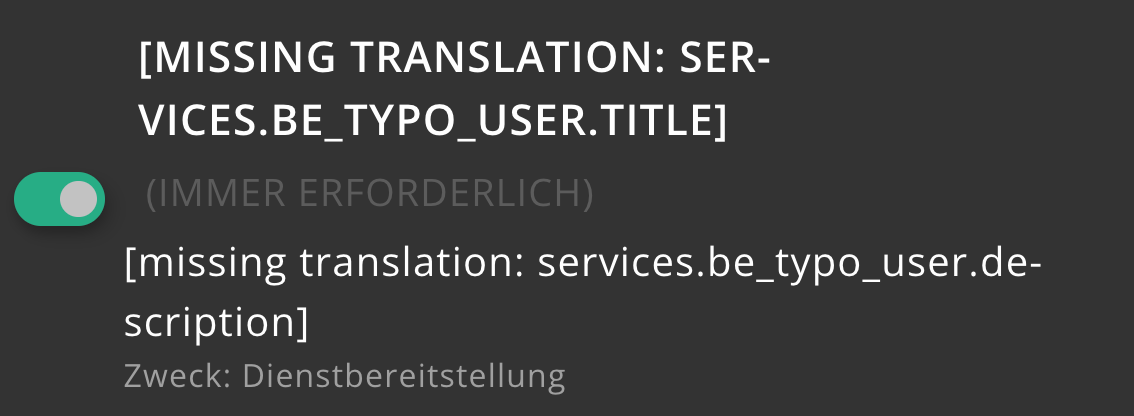
When I call up the page in the frontend, the title and description are shown as missing. What can I do?
Answer
The "missing translation" output occurs when Klaro expects a label that it cannot find in the configured Locallang files.
Only the services predefined as backend value-picker presets are provided in the default Locallang file. Custom services and custom purposes need labels in your own XLIFF file.
In this case, according to the screenshot, you are using a self-defined service with the identifier be_. You now have to store your own labels for this custom service under the expected label keys services.<IDENTIFIER>. and services.<IDENTIFIER>..
This will look like this in your locallang file:
<trans-unit id="services.be_typo_user.title">
    <source>Title of the custom service "be_typo_user"</source>
</trans-unit>
<trans-unit id="services.be_typo_user.description">
    <source>Description of the custom service "be_typo_user"</source>
</trans-unit>The easiest way is to reference your own locallang file directly via the Locallang Path field of the Klaro configuration in the backend:
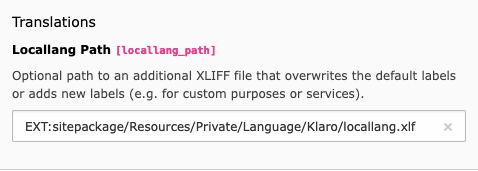
This allows you to customise existing labels or add new labels.