
Classic
There are two different ways to install extensions via the TYPO3 Extensions module in the backend.
- Either the extension is found via the search function in the backend and installed directly
- or it is downloaded from the TYPO3 Extension Repository (TER) as a zip file and uploaded in the backend.
Both ways are described here.
Tip
With the classic installation (both ways), you do not have to worry about database updates as with a Composer installation. These are carried out automatically for you in the background during the installation process.
Extensions module
Regardless of which of the two ways you have chosen, open the TYPO3 Extensions module in the backend:
- Open the TYPO3 backend.
-
Open the Extensions module. See Compatibility for the complete TYPO3 v13/v14 backend path overview.
TYPO3 v13 TYPO3 v14 Admin Tools → Extensions System → Extensions
Search and install
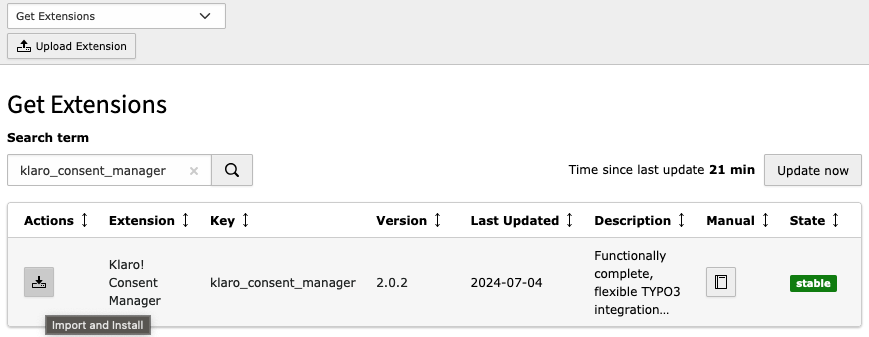
Proceed as follows to install the extension based on a TER search in the backend:
- Select Get Extensions in the module header.
- Enter the extension key klaro_consent_manager in the search field.
-
In the result list click Import & Install ⇓ under Actions
-
Finished!
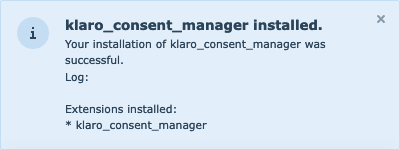
The following pop-up will be displayed in the backend.
Upload Extension from TER
-
Download the extension as a ZIP file from the TER
The file is called
klaro_.consent_ manager_ X. X. X. zip X.X.X stands for the three-digit version number of the downloaded version.
- In the TYPO3 Extensions module select Upload Extension in the module header
- Click on the file upload field under Extension and select the file
klaro_.consent_ manager_ X. X. X. zip - If you have previously installed the extension in an older version, activate the option Overwrite.
- Click Upload!
-
Finished!
You will now see the following message

After installation, continue with Quick start.