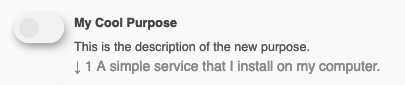
Custom Purpose
TSconfig
Create your new purpose (for example with the key mycoolpurpose) via
TSconfig in the following form. The resulting option is available in the
service purpose field and the
configuration purpose order field.
TCEFORM {
  tx_klaroconsentmanager_service.purposes.addItems {
    mycoolpurpose = LLL:EXT:sitepackage/Resources/Private/Language/Klaro/locallang.xlf:purposes.mycoolpurpose.title
    mycoolpurpose.group = custom
  }
  # Also copy this configuration to the `purpose_order` field of the klaro configuration
  tx_klaroconsentmanager_configuration.purpose_order.addItems < .tx_klaroconsentmanager_service.purposes.addItems
}
Copied!
XLIFF
In your custom XLIFF file, create new labels for your custom key:
<trans-unit id="purposes.mycoolpurpose.title">
    <source>My Cool Purpose</source>
</trans-unit>
<trans-unit id="purposes.mycoolpurpose.description">
    <source>This is the description of the new purpose.</source>
</trans-unit>
Copied!
Backend
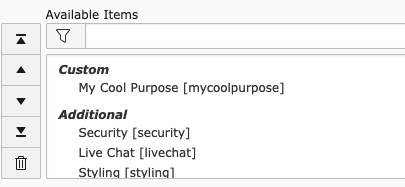
In the backend, the new purpose is now visible for services and as part of the sorting in the Klaro configuration under the defined title.
Frontend
If the purpose of a service referenced in the Klaro configuration has been assigned, it also appears in the Consent Management modal in the frontend.