
Exporting Data in CSV
You can easily export data associated with any chart using the exportCSV method
associated with the <charts> tag (see Chart Tags).
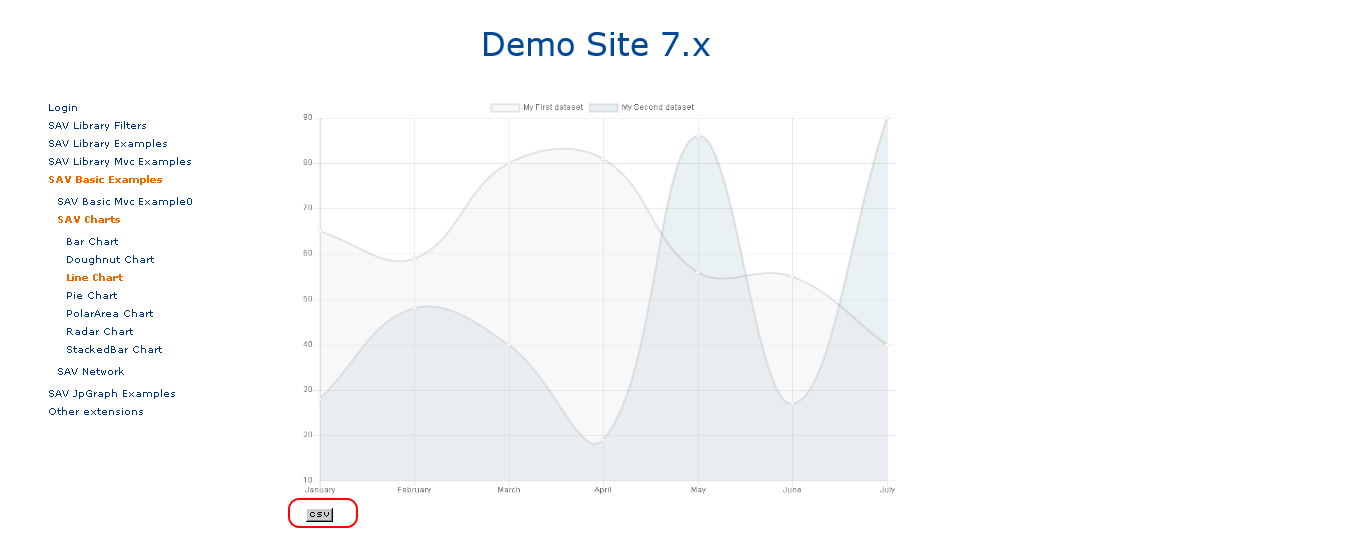
Assuming that you want to export data associated with the line chart template with
a row header containing the x-axis labels and a column header containing the legend labels of
the two curves. Add the following code to the Templates field of the Flexform.
<template id="1">
    EXT:sav_charts/Resources/Private/Templates/ChartsExamples/LineChart.xml
</template>

<data id="data">
  <item key="0" value="data#dataSet0" />
  <item key="1" value="data#dataSet1" />
</data>

<data id="exportRowHeader">
  <item key="0" value="marker#labelSet0" />
  <item key="1" value="marker#labelSet1" />
</data>

<exportCSV reference="lineChart#1" rowHeader="data#exportRowHeader" columnHeader="data#labels" data="data#data" /><c:template id="1">
EXT:sav_charts/Resources/Private/Templates/ChartsExamples/FluidParser/LineChart.fluid
</c:template>
<c:data id="data">
<c:item key="0" value="{data__dataSet0}" />
<c:item key="1" value="{data__dataSet1}" />
</c:data>
<c:data id="exportRowHeader">
<c:item key="0" value="{marker__labelSet0}" />
<c:item key="1" value="{marker__labelSet1}" />
</c:data>
<c:exportCSV fileName="LineChart_1.csv" rowHeader="{data__exportRowHeader}" columnHeader="{data__labels}" data="{data__data}" /> The CSV file is saved in typo3temp/.
With the XML parser, the file name is
img_, where ContentId
is the UID of the content element and ChartNumber
is the ID of the chart, starting from 0.
In the front-end you should see an icon to open the file.
With the Fluid parser, the file name is
provided in the argument file.
Note
No icon is displayed in the front-end.