TYPO3 Documentation
TYPO3 Editors Guide
Options
Give feedback View source How to edit Edit on GitHub Full documentation (single file)

TYPO3 Editors Guide

  • Backend login
  • Pages
    • Creating Pages
    • Creating Multiple Pages
    • Working with pages
    • Page types
    • Page properties
  • Content Elements
    • Creating content
    • Editing content
    • Managing content
    • The rich text editor
    • Working with images
    • Embedding Videos
    • Creating a contact form
  • Records
    • Using the Content Record module
    • Copy and paste
    • Clipboard
    • Mass editing
  • Media
  • Link Management
    • Redirects
    • QR Codes
    • Short URLs
  • Working with languages
  • SEO
    • Dashboard
  • Access Control
    • Elements visibility
    • Frontend login
  • Deep Linking
  • Help within TYPO3
    • Backend search
    • Internal Notes
    • Keyboard commands
    • TYPO3 online documentation
    • Tooltips
  • Concepts
    • Cache
    • File abstraction layer (FAL)
    • Accessibility
    • Copyright and data privacy
  • About this guide
  • Next steps
  • Sitemap
  1. TYPO3 Editors Guide
  2. Link Management
Give feedback Edit on GitHub

Link Management 

There are various features available within TYPO3 that enable users to create, edit and manage different types of links, including Redirects, QR Codes and Short URLs.

To use these features, you will need access to Link Management, which is located within the Sites module.
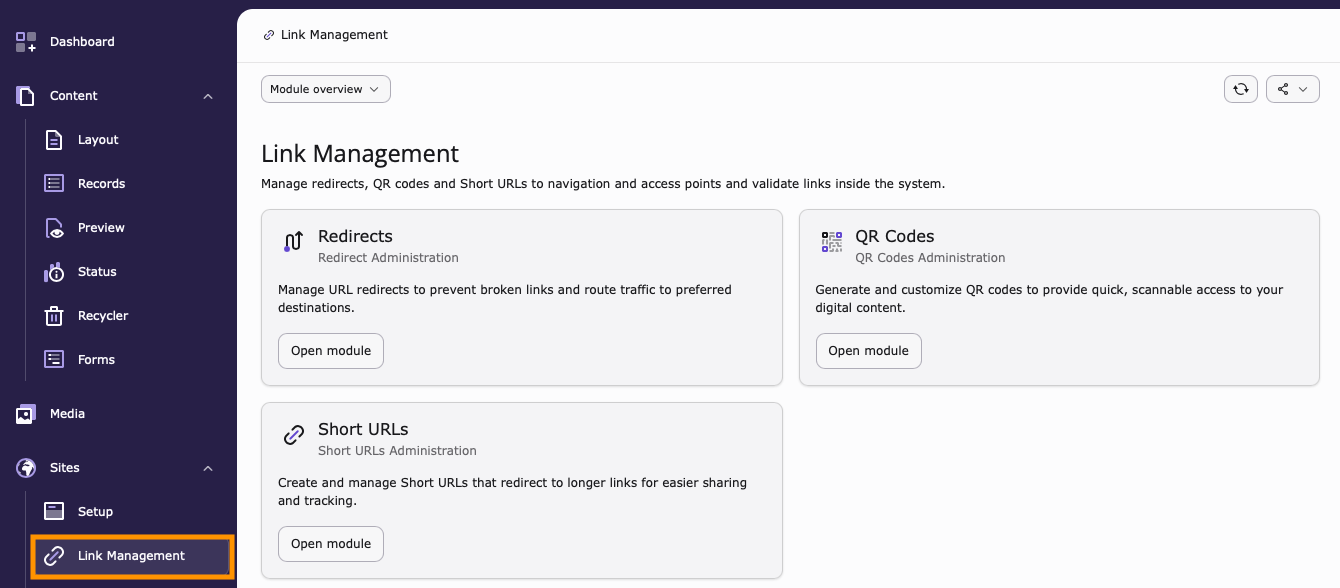
Screenshot of the Link Management overview page containing links to each of the sub modules. Redirects, Quick Response Codes and Short URLs.

Tip

If you cannot see the Link Management module, it is likely that either you have not been granted the appropriate permission to access it, or the Redirects System Extension is not installed and activated on your TYPO3 installation.

If this is the case, contact your TYPO3 System Administrator for further assistance.

Chapters

Redirects 

Create and manage redirects from the Redirects module. Here you can also view existing rules and see how many times they've been accessed.

QR Codes 

QR Codes are a convenient way to share links to a given page, file or external URL from your TYPO3 installation.

Short URLs 

Generate and share Short URLs that link back to pages, files or external URLs from your TYPO3 installation.

  • Previous
  • Next
Reference to the headline

Copy and freely share the link

This link target has no permanent anchor assigned. You can make a pull request on GitHub to suggest an anchor. The link below can be used, but is prone to change if the page gets moved.

Copy this link into your TYPO3 manual.

  • Home
  • Contact
  • Issues
  • Repository

Last rendered: Jun 10, 2026 15:08

© since 2012 by the TYPO3 contributors
  • Legal Notice
  • Privacy Policy