
Autosuggest
A user of the search typically want to find the results a fast as possible. To support the user and avoid to much typing solr can create a drop down list of common suggested search terms right after the search input box.
This feature can be easily configured with the following TypoScript setting:
plugin.tx_solr {
    suggest = 1
    suggest {
        numberOfSuggestions = 10
        suggestField = spell
    }
}Beside the server related part EXT:solr ships the autocomplete implementation to show the suggest results.
The suggest implementation uses the autoComplete.js library(https://tarekraafat.github.io/autoComplete.js/#/) to render the autocomplete.
If you want to configure an the autosuggest by example, you can include the TypoScript example template "(Example) Suggest/autocomplete".
When everything is configured the frontend will show you a drop down of suggestions when you are typing in the search field:
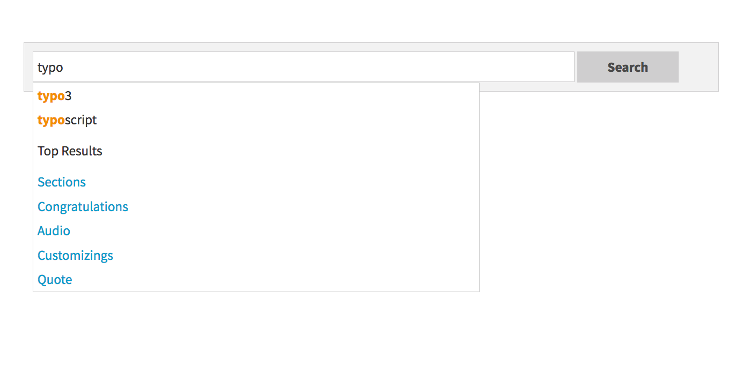
Autocomplete
Beside search term suggestions the autocomplete an also show you the top search results for the user input.
This feature can be enabled with:
plugin.tx_solr.suggest.showTopResults = 1If you want to change the number of proposed top results you can also configure them:
plugin.tx_solr.suggest.numberOfTopResults = 5