
Administration
This guide walks you through managing AI providers, models, configurations, and tasks in the TYPO3 backend. It also covers the AI-powered wizards that automate most of the setup.
The LLM backend module
All AI management happens in AI; editors run prepared tasks and decide approvals in the separate Web > AI Tasks module (Backend user permissions). The Overview is a guided starting point:
- a usage & cost band across the top — 30-day cost, requests and tokens, the per-provider request mix, and a daily-requests sparkline (empty until the first request);
- a unified Set up & manage grid where each module card carries its own setup state — green when it is configured, a blue Next flag on the single recommended step, and Empty on an optional module with no entries yet — so the next action is always visible without a separate wizard. Each card links to its module;
- the Providers card shows a live, token-free reachability indicator per configured provider (a model-list/health ping, never a completion);
- a For developers section showing how to call the same configuration from
PHP via
LlmServiceManager.
The Overview's docheader carries a Governance tab — the read-only
effective policy readout (ADR-140). It lists the four
governance keys that carry a decision (privacy.level,
privacy.retentionDays, tools.dataClassEnforcement,
skills.minTrustLevel) with the value the runtime applies right now and the
class that resolved it. Two things it deliberately does not do: it never
changes a value — instance-wide keys are set in the Install Tool under
Settings > Extension Configuration > nr_llm — and it never shows a
value it did not get from a resolver, so a row that cannot be answered reads
unknown rather than a default. Because the reads go through the runtime
resolvers, the tab shows what is in force: a mistyped
tools.dataClassEnforcement reads enforce, because the gate is
fail-closed (ADR-113). The keys, their fallbacks and
recommended settings are documented under Effective policy.
Two rows say more than their value alone:
tools.dataClassEnforcement = observeis annotated as applying to built-in tools only. Tools reached through an MCP server are always enforced against the trust-zone ceiling (ADR-115), so an MCP tool can be dropped while this row readsobserve.- Every
privacy.retention.<category>override that deviates fromprivacy.retentionDaysgets its own row underneath it. Categories left at0resolve to the global window and are not listed — see Data retention & purge for the full set.
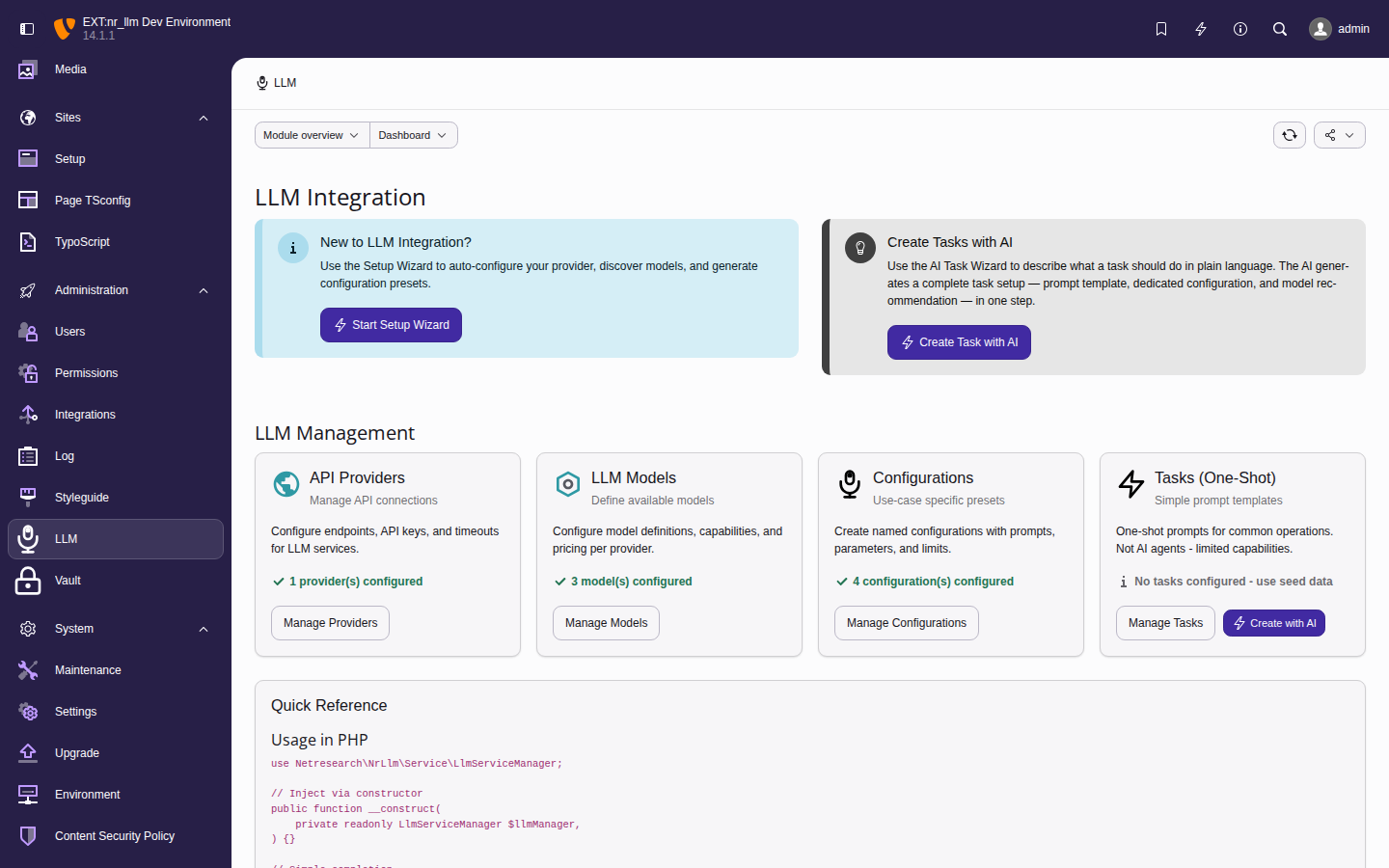
The LLM Overview: the usage & cost band, the state-coloured Set up & manage grid, and the For developers section.
The admin module tree has fourteen sections accessible from the left-hand navigation:
- Overview — guided dashboard: usage & cost, per-module setup state, and the developer guide
- Providers — API connections
- Models — available LLM models
- Configurations — use-case presets
- Tasks — one-shot prompt templates
- Snippets — tagged reusable prompt fragments
- Get Started — pick a use case and install a matching pack of configuration, tasks and snippets (admin-only)
- Setup wizard — guided provider, model and configuration setup (admin-only)
- Skills — GitHub-hosted
SKILL.mdsources (admin-only) - Tools — enable or disable the agent tools (admin-only)
- MCP servers — configure external MCP servers and import their tool catalogues (admin-only)
- Playground — run the agent tool loop interactively (admin-only)
- Agent runs — review and decide runs paused for approval or input (admin-only)
- Analytics — usage and cost dashboard (admin-only)
Editors do not use this tree: their surface is the separate Web > AI Tasks module, opened per backend group through the permission grants.