
Backend user permissions
nr_llm is administrator-only by default: every module and every AJAX action denies non-admins, and nothing changes at update time. Access for non-admin users is opened per capability grant (ADR-130), never wholesale.
Assigning grants
Grants are ordinary TYPO3 custom permission options. In the backend group record (Access Lists tab, section AI (nr_llm) permissions), tick the grants the group should hold. Notes:
- Grants are group-scoped — a backend user without groups cannot hold a grant.
- Administrators hold every grant implicitly.
- Revoking a grant takes effect with the user's next request.
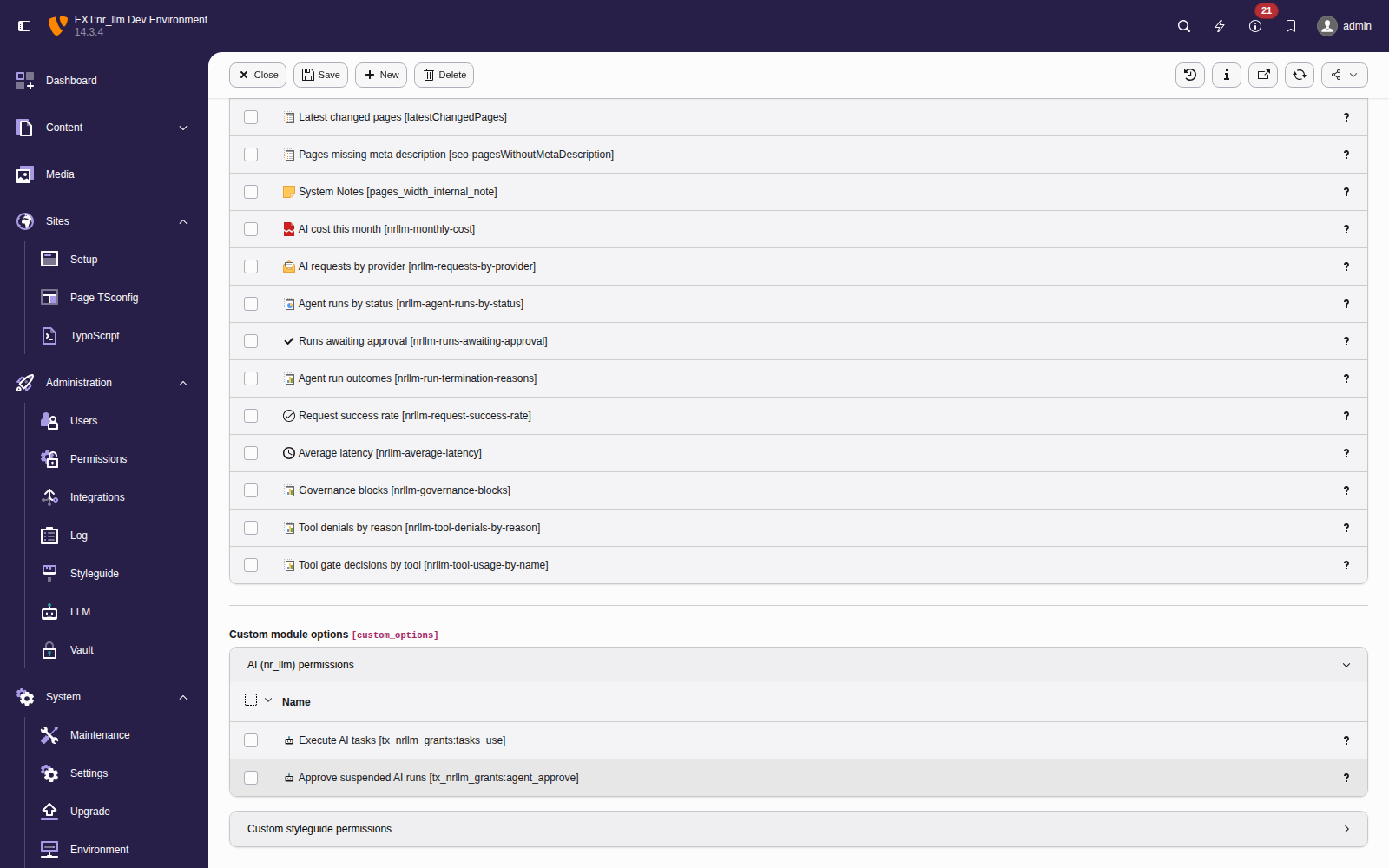
The two grants in the backend group form (Options tab, collapsible section "AI (nr_llm) permissions"), below the dashboard widget permissions.
Available grants
- Execute AI tasks (
tasks_use) - Run existing AI tasks and refresh their input data. What a task may read and which model and configuration it uses is defined by whoever manages the task — that is the trust boundary: task managers define, grant holders execute. Every run is pre-flighted against the user's own usage budget and attributed to them.
- Approve suspended AI runs (
agent_approve) - Approve, deny or answer agent runs suspended for a human decision — including runs started by other users. Without this grant a user can only ever decide their own runs. Deliberately part of no recommended preset: granting it is an explicit trust decision.
Recommended presets
Roles are named grant bundles, not code:
| Preset | Grants |
|---|---|
| AI editor | tasks_use |
| AI operator | tasks_use — identical to AI editor on purpose: a
management grant still awaits a management surface
(ADR-131 adds none) |
Approval (agent_approve) sits in no preset — add it deliberately
where the organisation wants non-admin approvers.
Current reach
Grant holders work in the dedicated AI Tasks module (web group,
ADR-131). Reaching it takes BOTH switches: the module
must be ticked in the group's module list (access => user) AND the
grant must be held — the module switch alone never grants execution.
Tasks with the table input type are not offered to editors (their
record picker has no read boundary yet and stays admin-only).
Everything else — configuration, providers, models, the playground,
record browsing — remains administrator-only regardless of grants.