
AI Context
Purpose
Store your brand profile once. AI Foundation injects it into prompts for consistent, on-brand results across all connected extensions.
Path: AI Foundation > AI Context
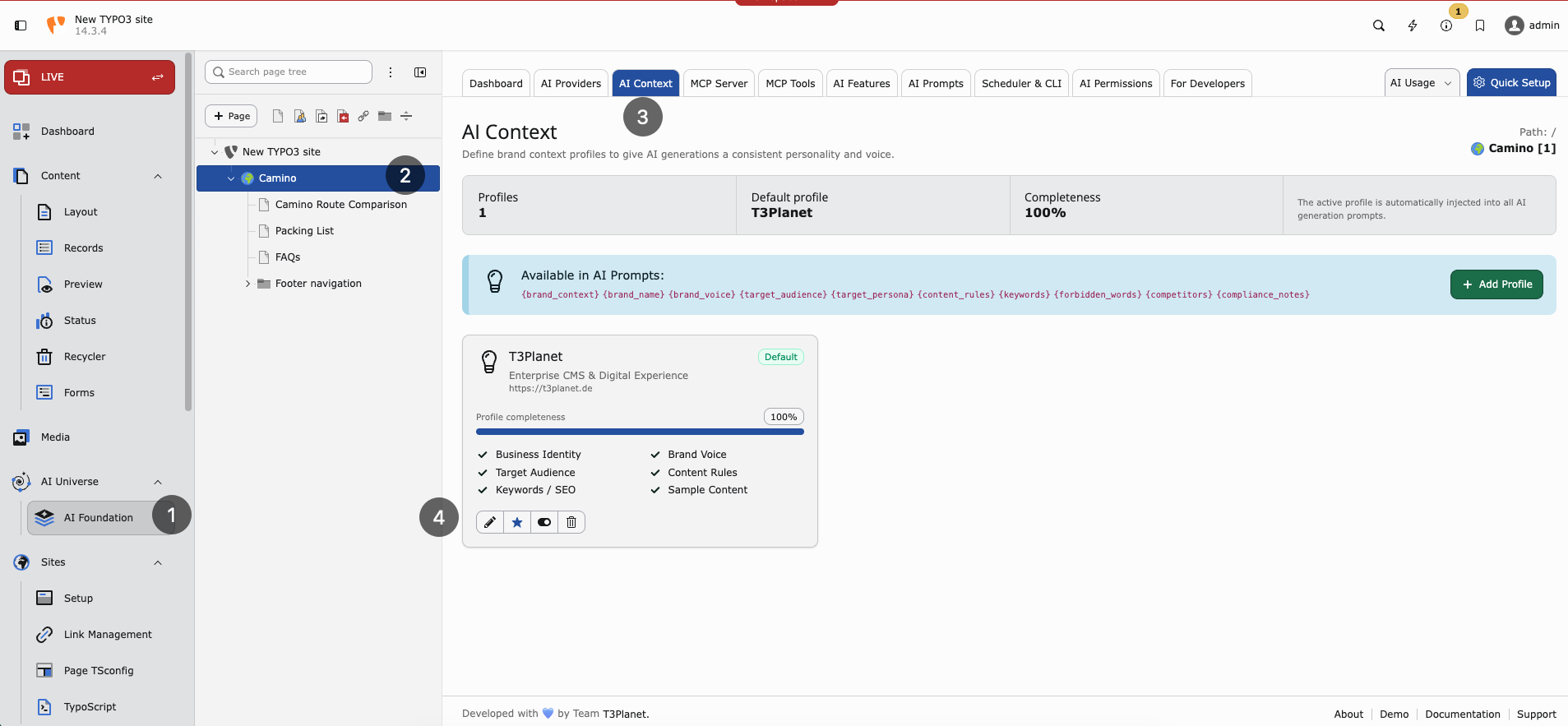
AI Context — brand profiles, completeness, and prompt variables.
What to store
- Company name — For example Finance Company GmbH
- Industry — For example financial services
- Audience — For example SME owners in Germany
- Brand voice — Professional, clear, trustworthy
- Key messages — Digital-first, personal service
- SEO keywords — finance, banking, loans
- Language style — German formal (Sie) or simple English
Why it matters
Without context, AI output sounds generic. With context, text matches your brand and market. Every editor benefits without retyping instructions.
Setup (3 steps)
- Open AI Foundation > AI Context
- Fill business identity fields
- Save — extensions use it automatically on the next AI request
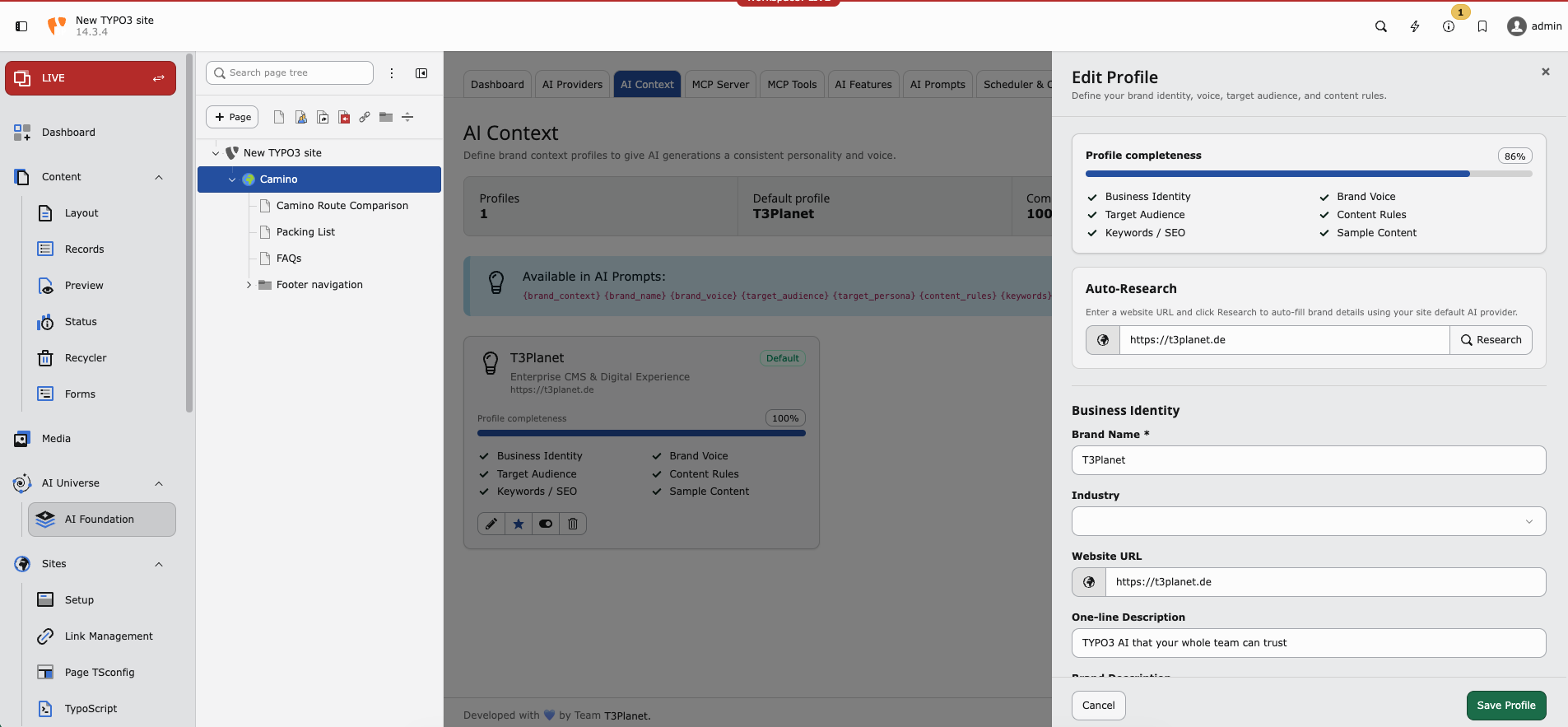
Edit profile — auto-research and business identity fields.
When to update AI Context
- Rebrand or new product line
- New target market (for example expand from DE to EN)
- Compliance change (formal Sie required everywhere)
- After AI Prompts changes still produce off-brand text
Scenario: multi-language site
Set language style to “German formal (Sie) for DE; simple English for EN”. Add brand terms that must stay untranslated. Connected translation features will respect this context.
See also AI Prompts for task-specific instructions.