
AI Features
Purpose
Assign different AI providers per task type. Use a fast cheap model for bulk SEO work and a premium model for important pages.
Path: AI Foundation > AI Features
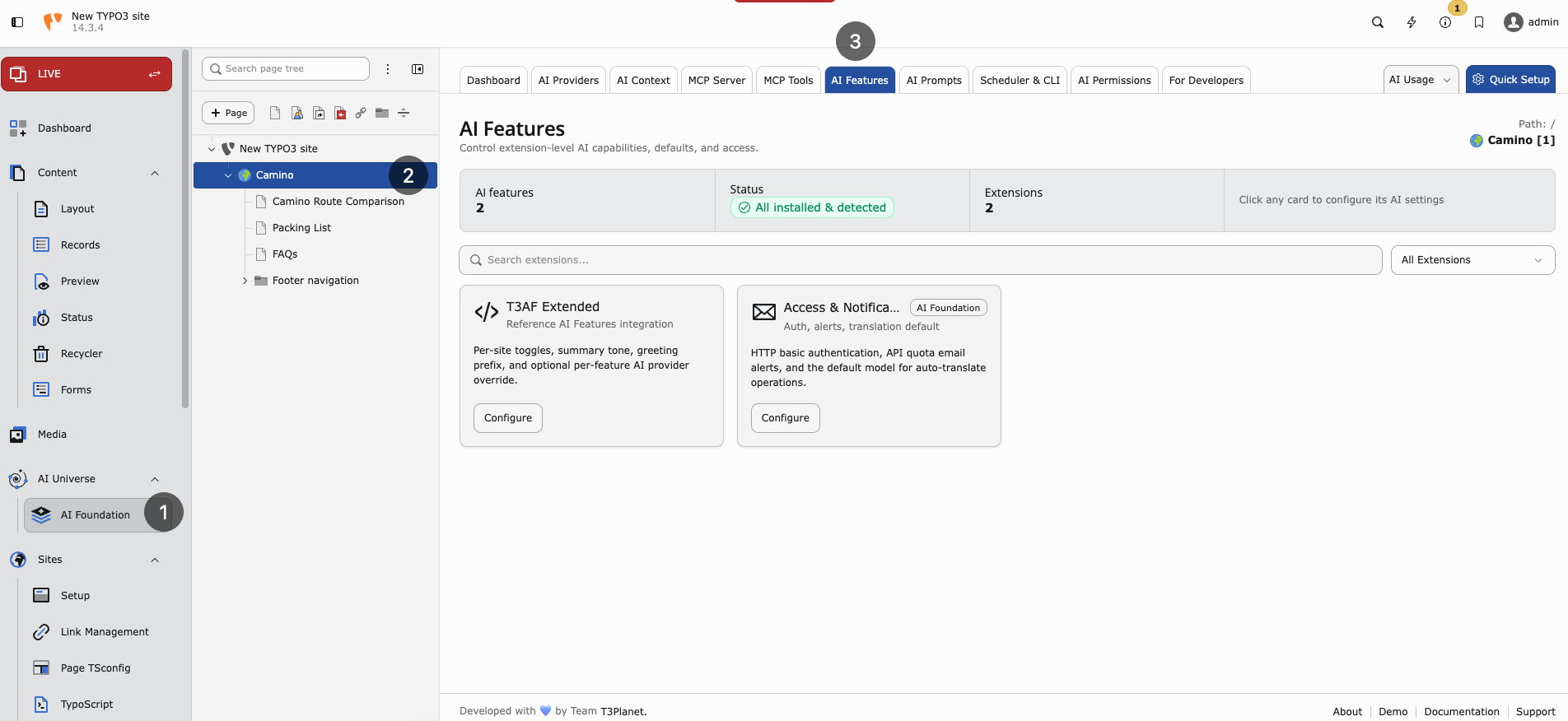
AI Features — extension cards for per-feature settings and provider overrides.
Note
Use AI Features only when at least one child extension is installed. This module displays the per-feature settings that child extensions register. Examples:
If no child extension is connected, the feature list stays empty or incomplete. Set a global default provider in AI Providers first, then override providers for individual features on this page.
Feature types
- SEO — Meta data, keywords, schema-related tasks
- Pages — Page creation and structure
- Content — Text generation and rewriting
- Translation — Language conversion
Resolution order
When an AI request runs, AI Foundation picks the provider in this order:
- Provider chosen in the UI modal (if the editor selected one)
- Feature default from this page
- Global default provider from AI Providers
When to use per-feature providers
Small team — Leave feature defaults empty. Use the global default only.
Large team — Cheap model for bulk tasks; premium model for key landing pages.
Multilingual site — Strong German model for Translation; fast model for SEO meta fields.
Example setup
- SEO — Fast, cost-effective model (for example Gemini Flash or GPT-4o-mini)
- Pages — Premium model (for example Claude Sonnet or GPT-4o)
- Content — Balanced model for everyday editing
- Translation — Model strong in German and English
Why this matters for cost
Without per-feature settings, every task uses the most expensive default. Routing SEO meta generation to a smaller model can cut monthly spend significantly while keeping premium quality where it counts.
How to configure
- Open AI Foundation > AI Features
- For each feature row, select a provider (or leave empty for global default)
- Save
- Test one request per feature type from a connected extension
- Review token usage in AI Usage & Logs
Scenario: agency with dev and live keys
Use global default for staging. On production, set SEO to a fast model and Pages to premium. Dev team keeps separate provider rows in AI Providers with dev API keys.