
AI Prompts
Purpose
Central prompt templates for AI Foundation and connected extensions. Same prompt quality for every user and every extension.
Path: AI Foundation > AI Prompts
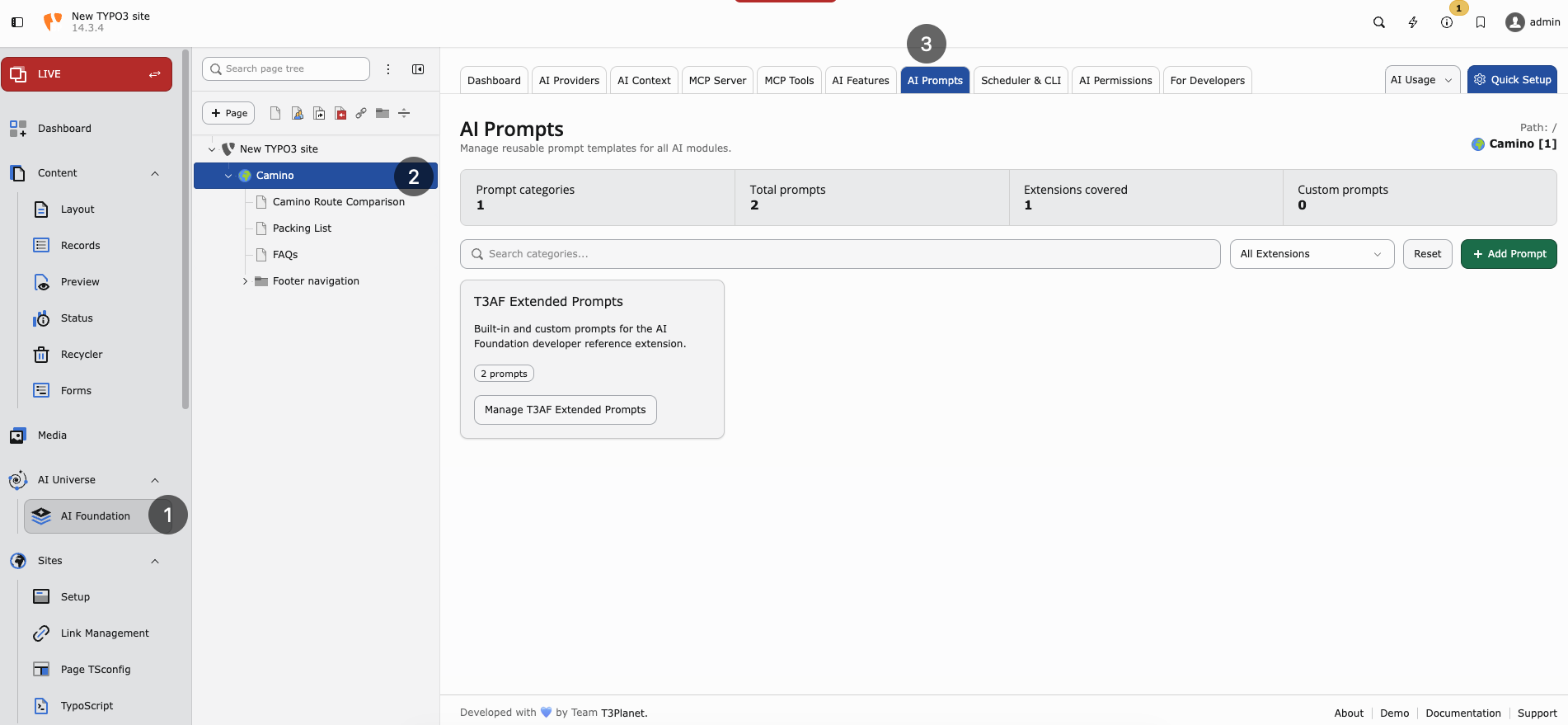
AI Prompts — prompt categories contributed by connected extensions.
Note
Use AI Prompts only when at least one child extension is installed and that extension provides prompt-based AI functionality. Examples:
AI Foundation stores the shared prompt templates. The child extension loads and uses them at runtime. If no prompt-enabled child extension is installed, this module has little practical effect.
What is a prompt?
The instruction sent to the AI. Examples:
- “Write a meta description, max 155 characters”
- “Translate to German, formal Sie”
Central prompts mean consistent quality across your team.
Manage prompts
- Open AI Prompts
- Select feature category
- Edit template text
- Save and test with one real request
Extensions can sync default prompts from AI Foundation.
Writing good prompts
- Be specific — length, format, language
- Set tone — formal, friendly, technical
- Say what to avoid — no emojis, no hype, no legal claims
- Include the page goal — SEO, translation, rewriting, or summary
Example prompt
Write a friendly greeting for [audience] mentioning [topic].Pair prompts with AI Context for brand voice. Context handles who you are; prompts handle what to do.
Reset to default
If results worsen after edits, use Reset to default in the UI. Then change one variable at a time and test again.
When to customize prompts
- SEO team has strict meta description rules
- Legal requires disclaimers in generated text
- German formal (Sie) must appear in every output
- Extension default is too generic for your industry
When to leave defaults
- Small team still learning AI features
- You have not yet filled AI Context
- Results are already good — do not over-edit
Governance note
Prompt changes affect all users. Coordinate with AI Permissions before large template changes on production.