
Detail page
The detail page can be used to display the fields of the DCE in another manner. For example, if you have many fields defined for your DCE you can display the most important fields with the normal template and the complete amount of fields with the detail template.
The decision to display either the normal template or the detail page template is done by detecting the
detail page identifier (GET parameter). If it is found and it contains the uid of the actually shown DCE, the
content is rendered with the detail page template otherwise the normal template is used.
Important
When detail page template rendering is triggered, this has no effect on other content elements on the current page!
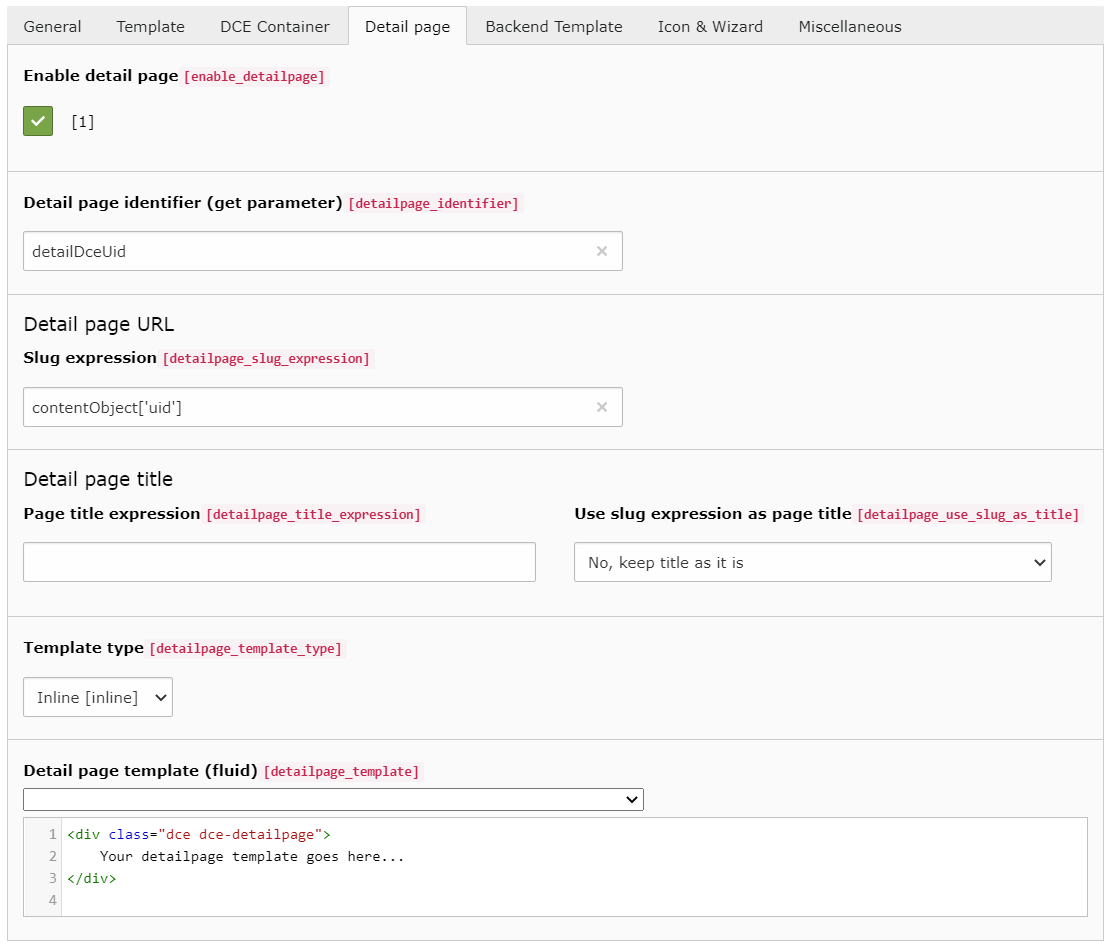
Enable detail page
To enable the functionality for using a detail page you have to check this option.
Detail page identifier (GET parameter)
This is the parameter which must be used in the GET parameter of the URL to enable the display of the detail page.
The value of this GET parameter must be the uid of the displayed content object, to trigger the detail page template.
You should avoid using a parameter name, which is already in use, like "id", "type" or "L".
Slug expression
Since DCE 2.6.0 a detail page can have a beautiful URL, thanks to TYPO3's routing enhancer, available since TYPO3 v9. This slug expression field controls how the slug is being build.
You can choose a single field or multiple, thanks to Symfony's expression language.
Note
On this page, you see how Symfony expressions in DCE work: DCE Expression Utility
Important
All slugs generated by DCE are sanitized. The only chars allowed are a-z, 0-9 and -.
All other chars, get replaced by dash -. Double dashes are trimmed to one dash.
A registered routing enhancer configuration is required, to use this feature. There is a dedicated chapter for this, checkout Faking detail pages.
Page title expression
This expression is evaluated in the same way as the slug expression, but its result is used for the page title of the detail page.
Use page title expression as page title
With this option enabled, the current page title is modified based on the page title expression. Unlike slugs, generated DCE detail page titles are not sanitized, for example by converting spaces to dashes.
You can choose between four options:
- No, keep title as it is (default)
- Yes, overwrite the current page title
- Yes, prepend the page title expression output to the current page title
- Yes, append the page title expression output to the current page title
When selecting "prepend" (3) or "append" (4), the generated DCE detail page title gets separated by a configurable
string. By default it separates the DCE and the page title by ' - '.
You can configure this by TypoScript, this is the default configuration DCE ships:
config.pageTitleProviders.dce {
    prependWrap = || - |
    appendWrap = | - ||
}Those values are used in a stdWrap noTrimWrap function.
Template type
Like the normal template you can choose between the inline template code and using a template file. The supported template file paths apply here as well.
Detail page template (Fluid)
Using the inline template type you have to insert the template code in the same manner as for the normal template.
How to create a link to detail template
In your "normal" template you probably want a link, to trigger the detail template for this content element. Actually, it is pretty easy to create such a link in Fluid template:
<f:link.page additionalParams="{detailDceUid:contentObject.uid}">
    Show detail template of this content element
</f:link.page>Note
One query parameter can select only one content element UID. Multiple detail templates can be activated when their DCEs use different detail page identifiers.