
Kickstarting Extensions for Extbase/Fluid
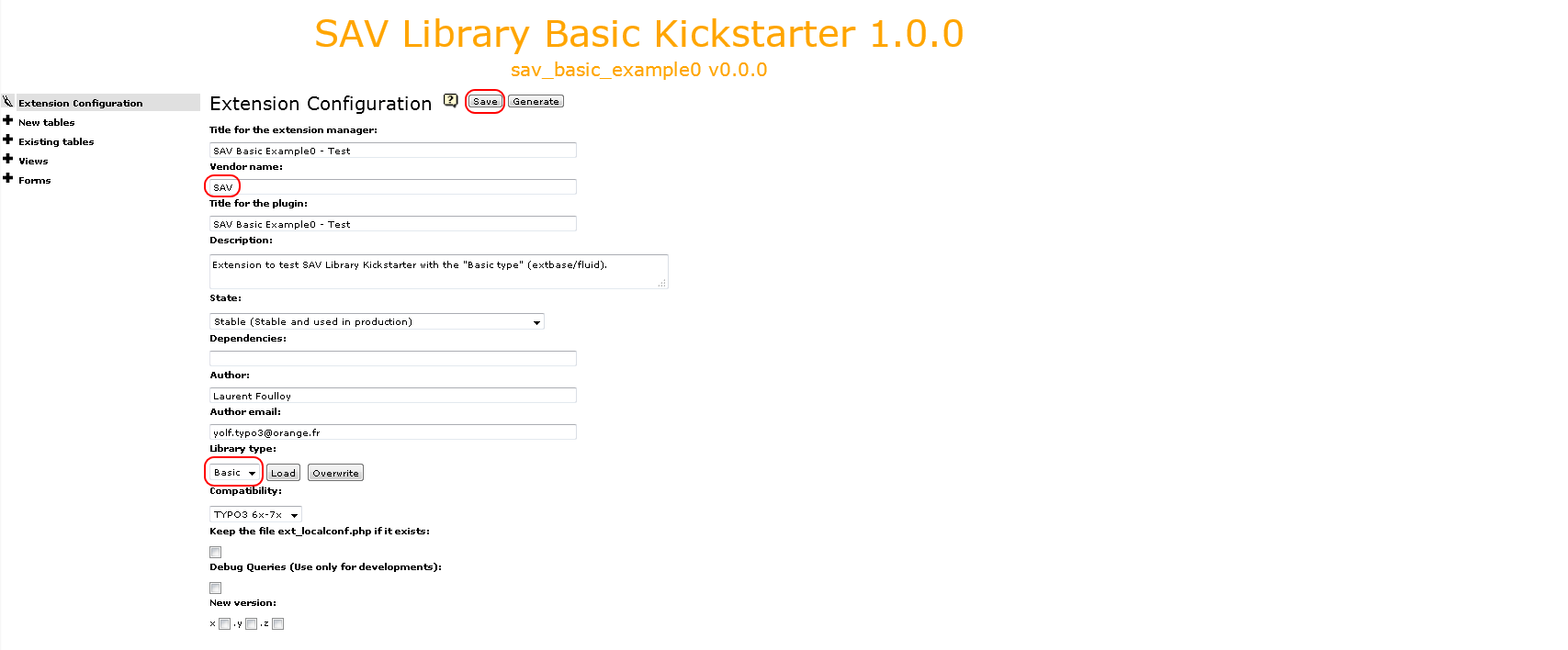
Fill the form and click on the Save button.
Warning
Do not forget to provide a vendor name which will be used in namespaces
(see https://docs.typo3.org/typo3cms/CoreApiReference/ApiOverview/Namespaces/Index.html).
Click on the cross icon of the Forms section, enter a name and save.
The form name will be the extbase controller name.

Click on the cross icon of the Views section, enter a name and save.
The view name will be the default action name.

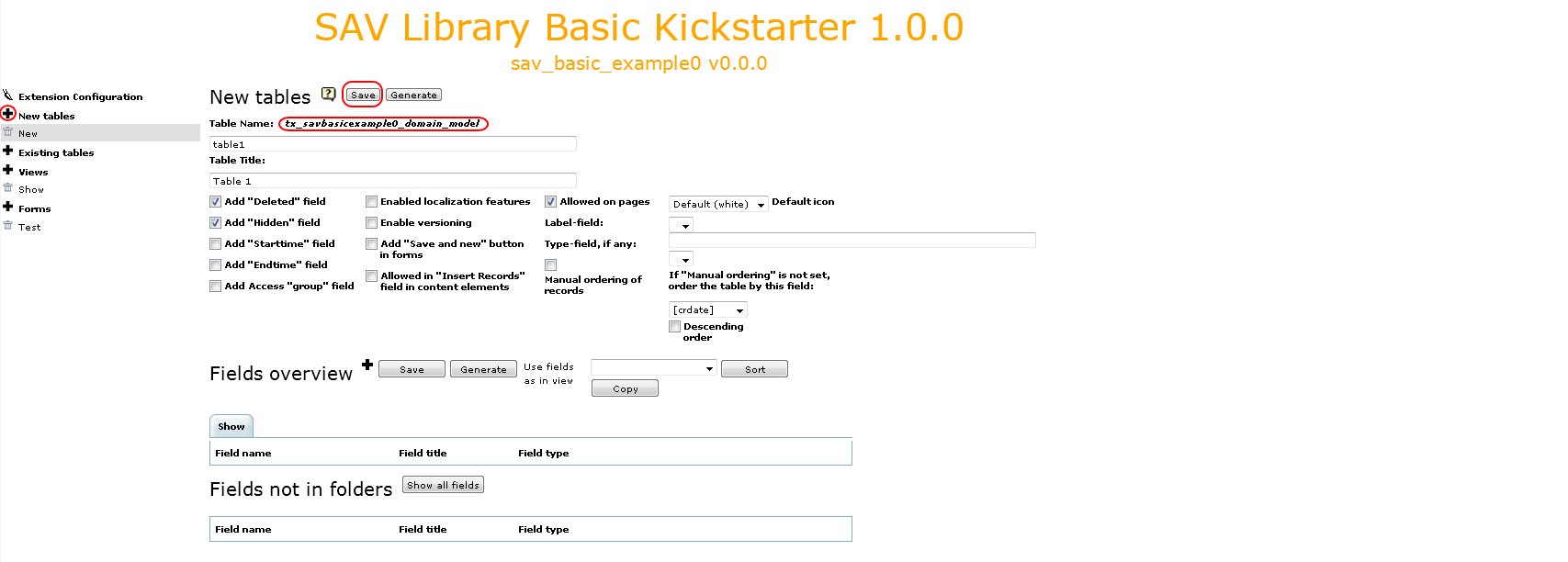
Click on the cross icon of the New tables section, enter a short name and a title for
the table, change the flags if necessary and save.
Warning
Provide only a short name for the table. It will be added to the default part (here tx_savbasicexample0_domain_model) to build the full name.
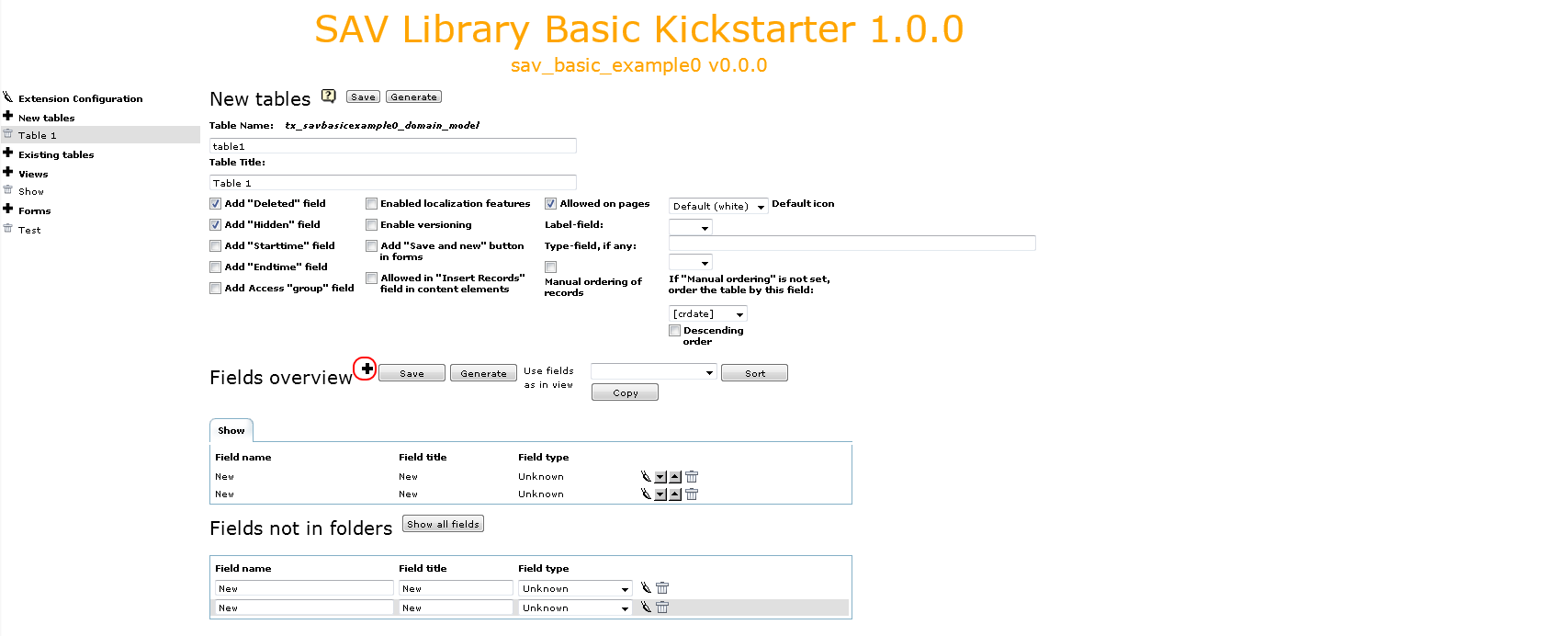
Add the table fields by clicking on the cross icon at the right of the
fields overview. By default, the field name and title are set to
New.
Tip
if you have several field, in order to fasten the process, you may click several times on cross icon to add the fields.
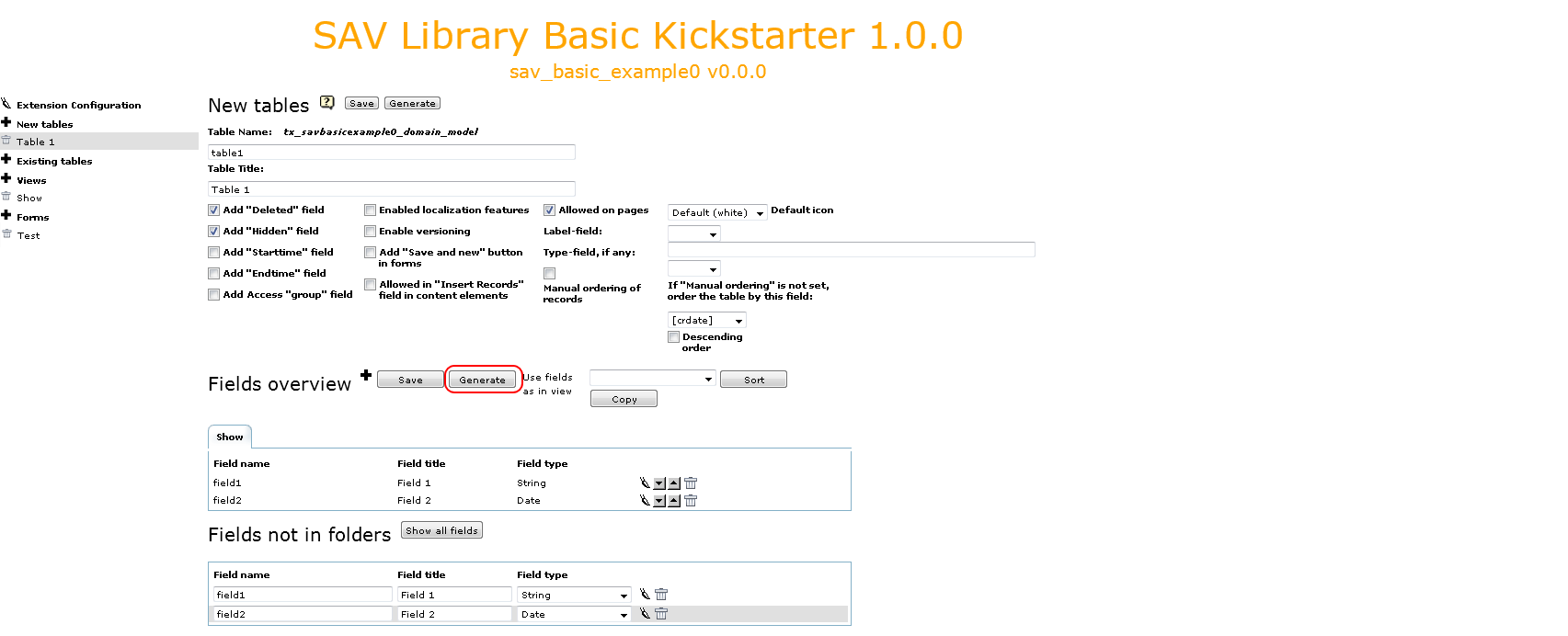
Each field can be edited, moved up or down and deleted using the icons. Provide a field name (name in the database), a label and a type. The kickstarter will generate the TCA for conventional useful types. Do not forget to save.
The final step is to generate the extension by clicking on the Generate button.
Installing the Extension
Install you extension either with the extension manager or with SAV Library Kickstarter
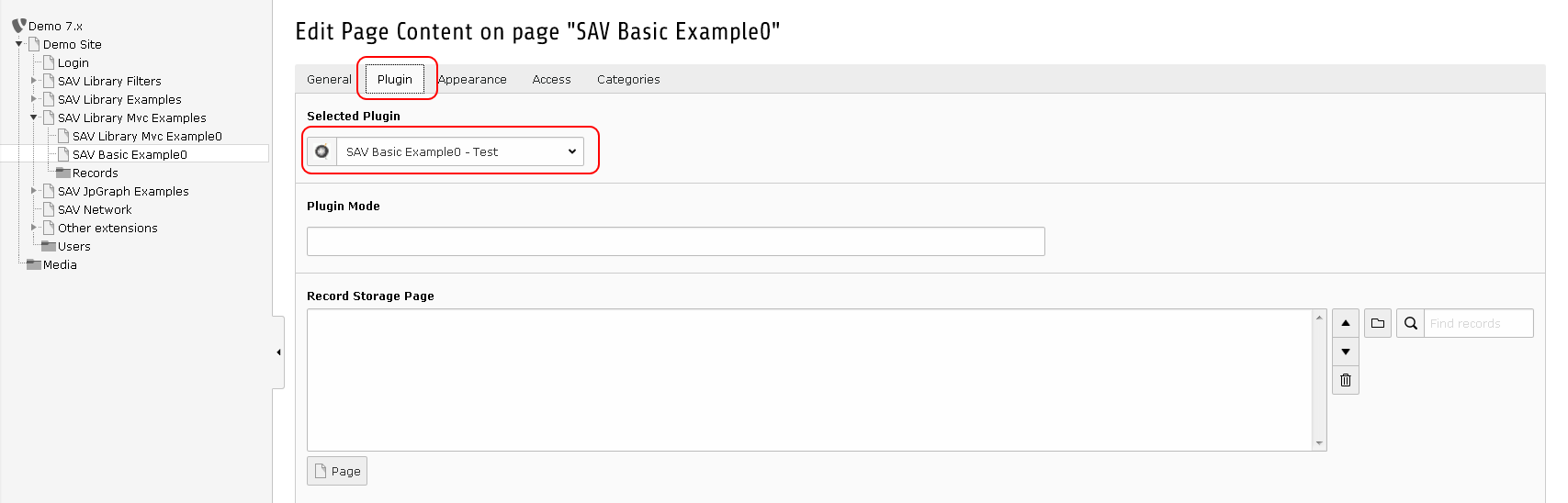
Create a page and insert a plugin content element and select `SAV
Basic Example0` in the plugin selector.
Go to your page in the frontend and you should see the following caption.
