
Activate the Site Package
Tested in: TYPO3v13 Categories: Beginner SitePackage Backend Author: @ninaaline
After creating the file structure and registering and installing the Site Package, the Site Package is recognized by TYPO3 but not yet linked to any site. To make it functional, you need to activate its Site Set in the TYPO3 Backend.
This guide shows you how to assign the Site Set to your site through the Site Configuration.
Learning Objective
In this guide, you will learn how to activate your Site Package by adding its Site Set to your site using the TYPO3 Backend's Sites module.
Prerequisites
Tools and technology
- Access to the TYPO3 Backend with administrator privileges
Knowledge and skills
- You have completed the Create the Site Package File Structure guide.
- You have completed the Register and Install a Site Package guide.
Open the Site Configuration
- Log in to the TYPO3 Backend.
- Open the Sites module from the module menu.
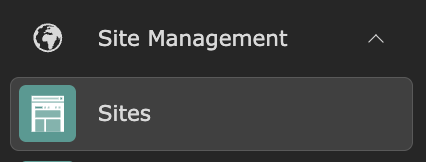
- Click on your site (e.g. "Home") to open its configuration.

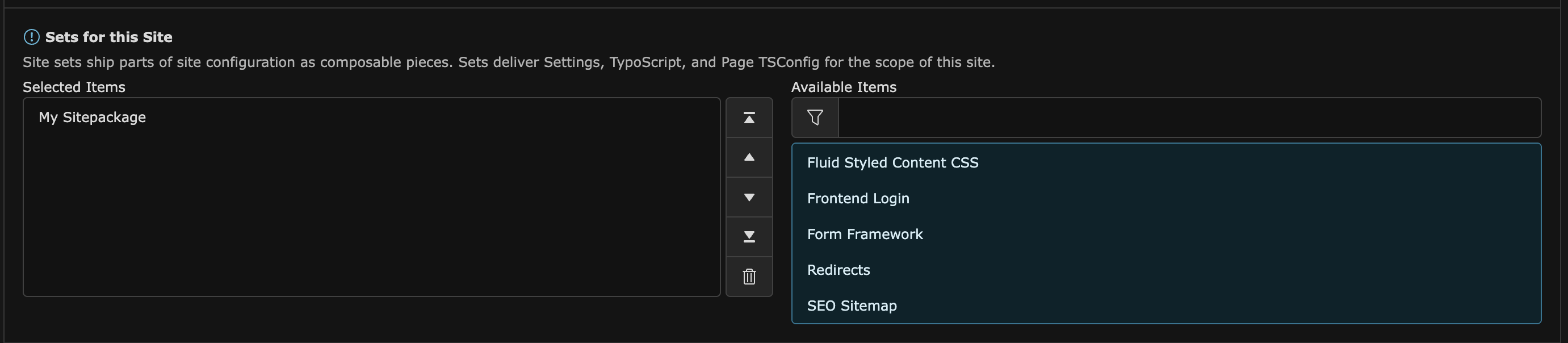
- Scroll down to the Site Sets section and select My Site Package from the list of available items by clicking on it.

- Confirm that your Site Package now appears in the list of selected items.
- Click Save to save your changes.
- Clear the frontend cache. If you are unsure how to do this, refer to Clearing the Frontend Cache in the TYPO3 Backend.
Summary
You have successfully activated your Site Package. Its Site Set is now assigned to your site, and all bundled configuration is active. You are now ready to start customizing your site package with templates, styles, and more.
Next Steps
Now that your Site Package is fully active, you might like to:
- Create a Site Set with Editable Settings and Custom CSS (CREATE)