
Attention
TYPO3 v12 has reached end-of-life as of April 30th 2026 and is no longer being maintained. Use the version switcher on the top left of this page to select documentation for a supported version of TYPO3.
Need more time before upgrading? You can purchase Extended Long Term Support (ELTS) for TYPO3 v12 here: TYPO3 ELTS.
Introduction
When you configure a table in
$TCA and add a field of the type "text"
which is edited by a <textarea>, you can choose to use a Rich Text
Editor (RTE) instead of the simple form field. An RTE enables the users
to use visual formatting aids to create bold, italic, paragraphs,
tables, etc.
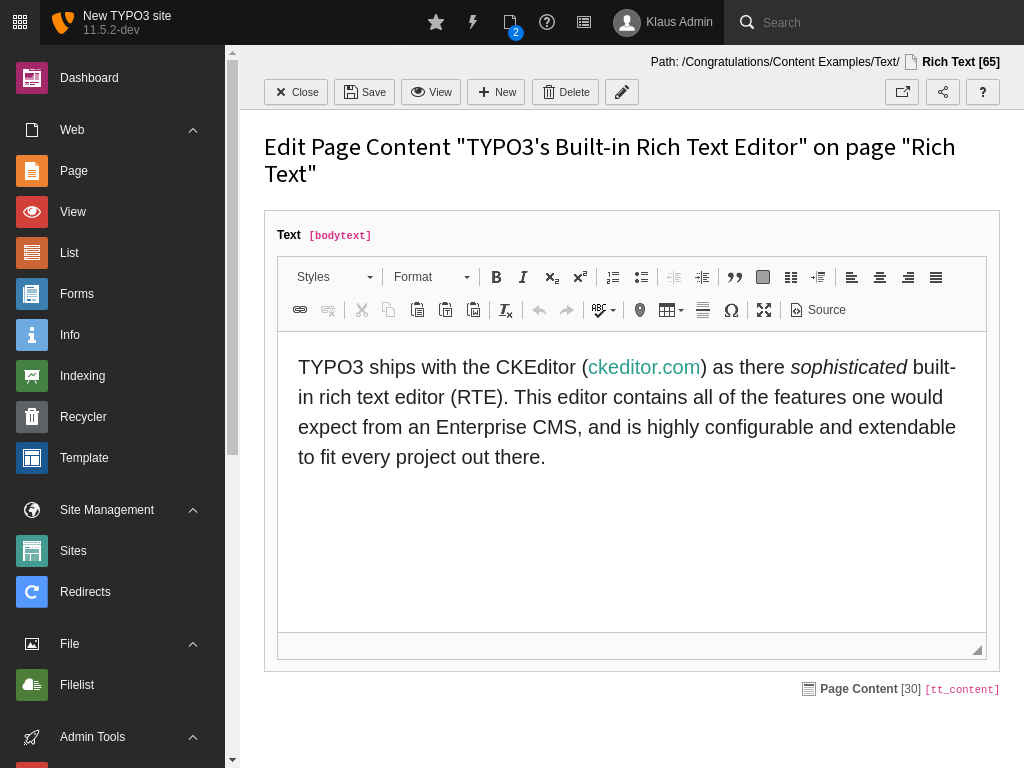
The rtehtmlarea RTE activated in the TYPO3 backend
For full details about setting up a field to use an RTE, please refer to the chapter labeled 'special-configuration-options' in older versions of the TCA Reference.
The short story is that it's enough to set the key enable to true.
'poem' => array(
    'exclude' => 0,
    'label' => 'LLL:EXT:examples/locallang_db.xlf:tx_examples_haiku.poem',
    'config' => array(
        'type' => 'text',
        'cols' => 40,
        'rows' => 6,
        'enableRichtext' => true
    ),
),This works for FlexForms too:
<poem>
    <exclude>0</exclude>
    <label>LLL:EXT:examples/locallang_db.xlf:tx_examples_haiku.poem</label>
    <config>
        <type>text</type>
        <cols>40</cols>
        <rows>6</rows>
        <enableRichtext>true</enableRichtext>
    </config>
</poem>Hint
If the Rich Text Editor is not displayed, it might be turned off in User Settings > Edit and Advanced functions > Enable Rich Text Editor