
Site settings editor
In module Sites > Setup > Settings you get an overview of all sites in the current installation and can edit the Site settings for all pages that contain settings:
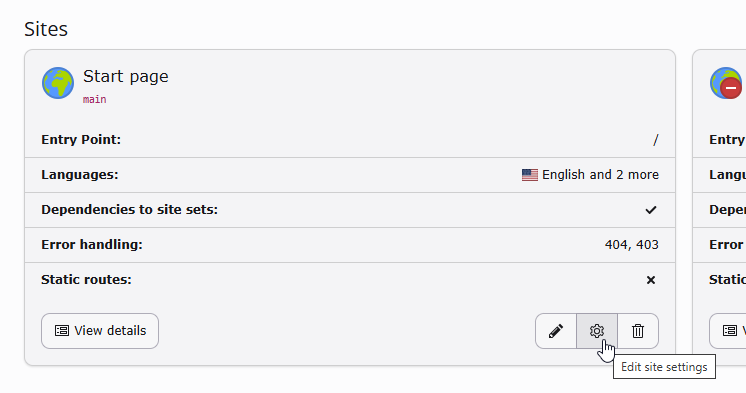
Click on the clog button "Edit site settings" to edit the settings
The settings editor displays the settings of all site sets included in the current site, including their dependencies. The site sets can define categories and subcategories to order the settings.
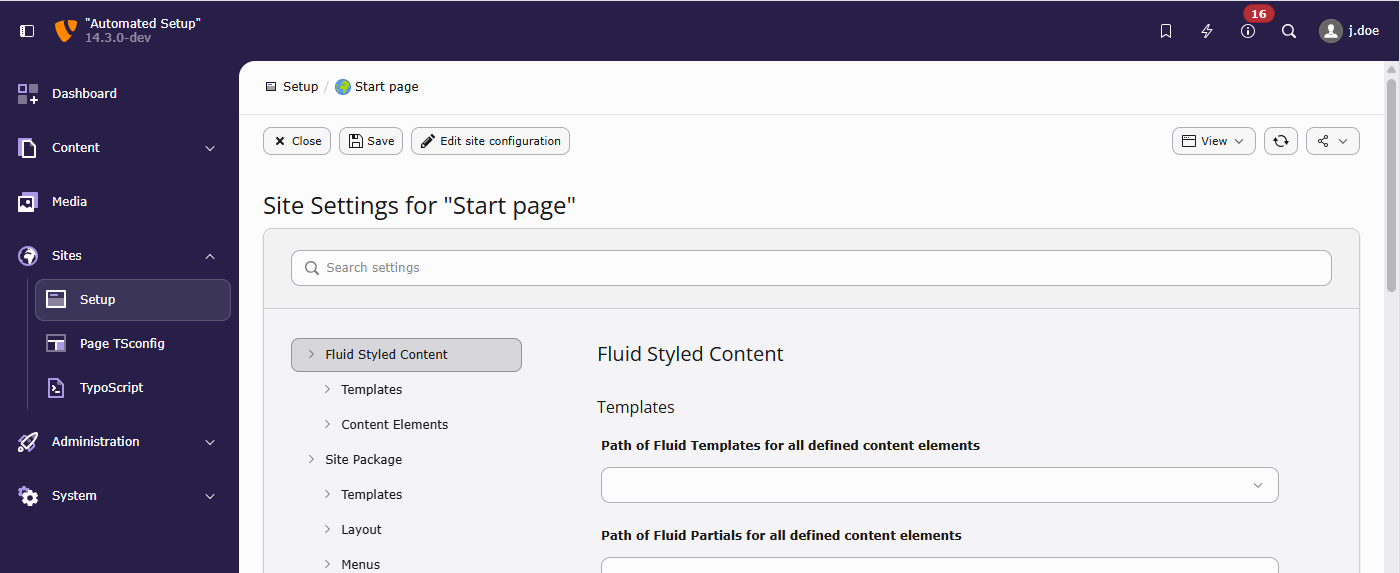
The site in the examples includes the "My Sitepackage" and "Blog Example" sets. "My Sitepackage" depends on "Fluid Styled Content"
The settings to be displayed here have to be defined in an extension's or
site packages's set in a setting definition file, for example
EXT:my_sitepackage/Configuration/Sets/MySitepackage/settings.definitions.yaml.
Settings that have been made directly in the settings. file without a
corresponding entry in a settings. are not displayed in
the editor as they have neither a type nor a label. These values are, however,
retained when the editor writes to the settings. file.
Configuring the site settings editor
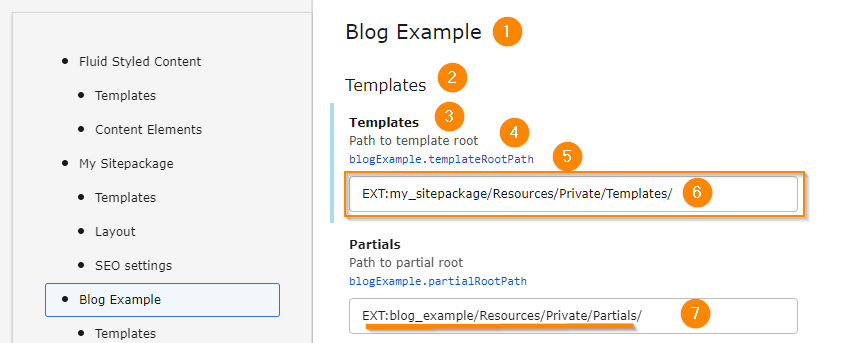
The parts marked by a number can be configured, see list bellow
categories:
  BlogExample:
    label: 'Blog Example' # (1)
  BlogExample.templates:
    label: 'Templates' # (2)
    parent: BlogExample
  BlogExample.pages:
    label: 'Pages'
    parent: BlogExample

settings:
  blogExample.templateRootPath:  # (5)
    label: 'Templates' # (3)
    category: BlogExample.templates # (2)
    description: 'Path to template root'  # (4)
    type: string  # (6)
    default: 'EXT:blog_example/Resources/Private/Templates/'  # (7) + (8)
  blogExample.partialRootPath:
    label: 'Partials'
    category: BlogExample.templates
    description: 'Path to partial root'
    type: string
    default: 'EXT:blog_example/Resources/Private/Partials/'
See the complete example at settings.definitions.yaml (GitHub).
-
Main category
The label of the category is defined in line 3 of the example code snippet. Line 6 and 9 place two categories as subcategories into this category.
-
Sub category
The sub category is defined in line 5 to 6. Line 14 locates the setting in this subcategory.
-
Label
Can be defined directly in the settings definition (line 13) or in a
labels.file.xlf -
Description
Can be defined directly in the settings definition (line 15) or in a
labels.file.xlf -
Type
line 16, for possible types see Definition types.
-
Default value
line 23 the default value is displayed if the value of the settings was not overridden. If the value was overridden, it can be reset to the default.
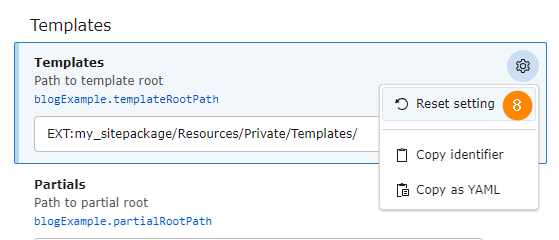
Reset the setting to the default value